Sirius 800 www.snellgroup.com Nucleus Upgrade (RollCall) and Maintenance
Issue 1 Rev 1 Page 104 © 2014 Snell Limited
9.6 Nucleus 2450 Router Control Module
Refer to the Workbench manual for details about configuring the Nucleus 2450 controller.
9.6.1 Nucleus 2450 Controller LEDs
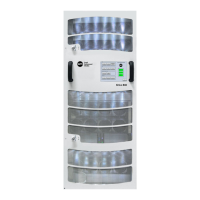
The LEDs on the Nucleus controller card are shown in Fig 68. and Table 21. lists the 2450
Nucleus controller LED functions.
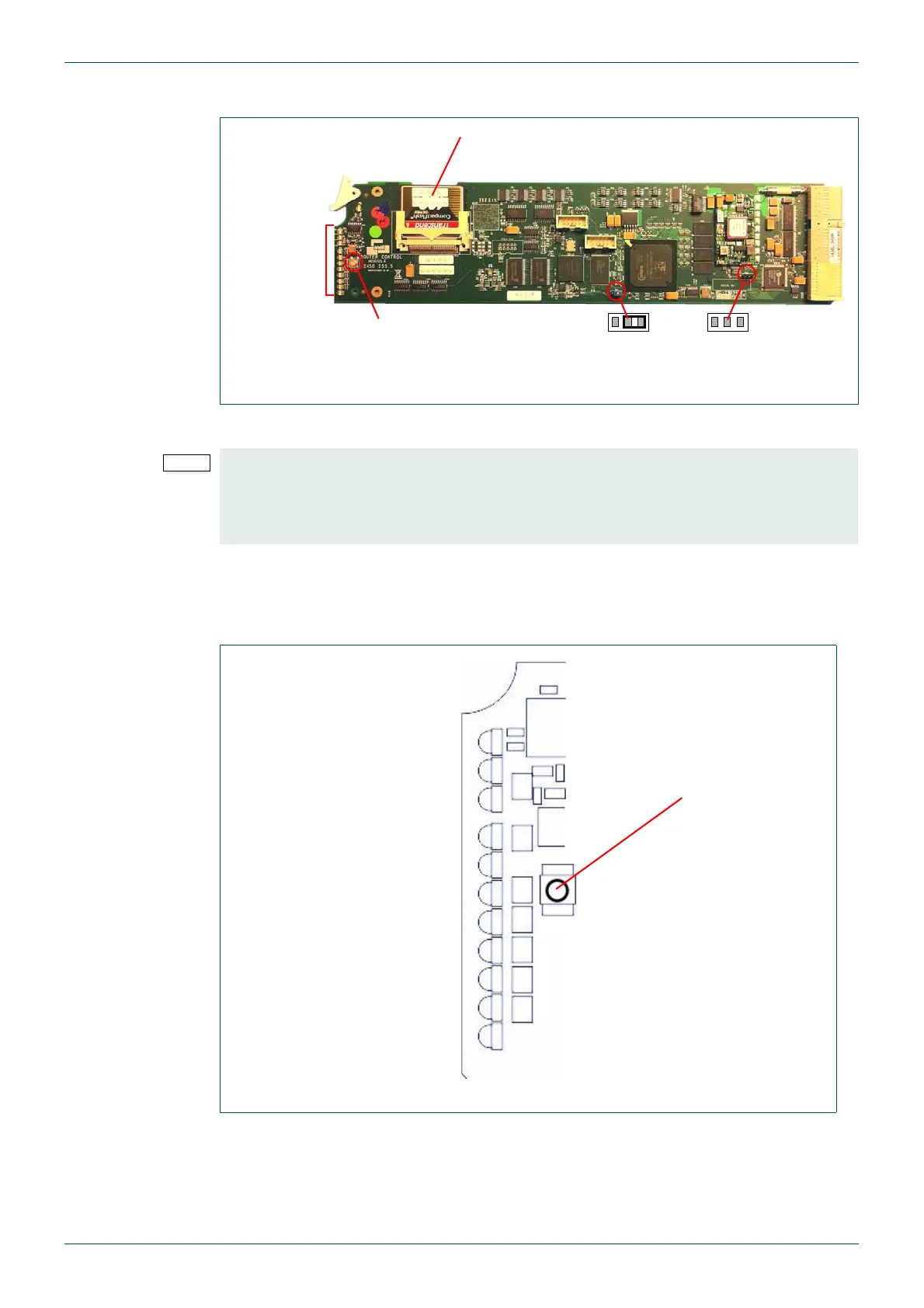
Fig 67. Nucleus 2450 Control Module
• The Nucleus controller has a default database, use Workbench’s Auto Config
function to match the cards in the Sirius 800 with the Workbench software
database.
• The IP address of the Nucleus controller is found in the .ini file, see section 10.6.
LEDs, see
section 9.6.1
Compact Flash Card,
see sections 10.3, 10.4, 10.5 and 10.6
Reset button
Jumpers - Factory
Use Only
Fig 68. Nucleus 2450 Controller LEDs
D4
D5
D6
D9
D10
D11
D12
D13
D14
D15
D16
Reset Button


 To Next Page