Sirius 800 www.snellgroup.com Nucleus Upgrade (RollCall) and Maintenance
Issue 1 Rev 1 Page 90 © 2014 Snell Limited
9.4.1 Importing The Nucleus Upgrade Package
1. The Nucleus upgrade package is located in the directory structure of the computer
running Workbench. Upgrade packages are supplied in a compressed file format (zip)
and they should not be extracted.
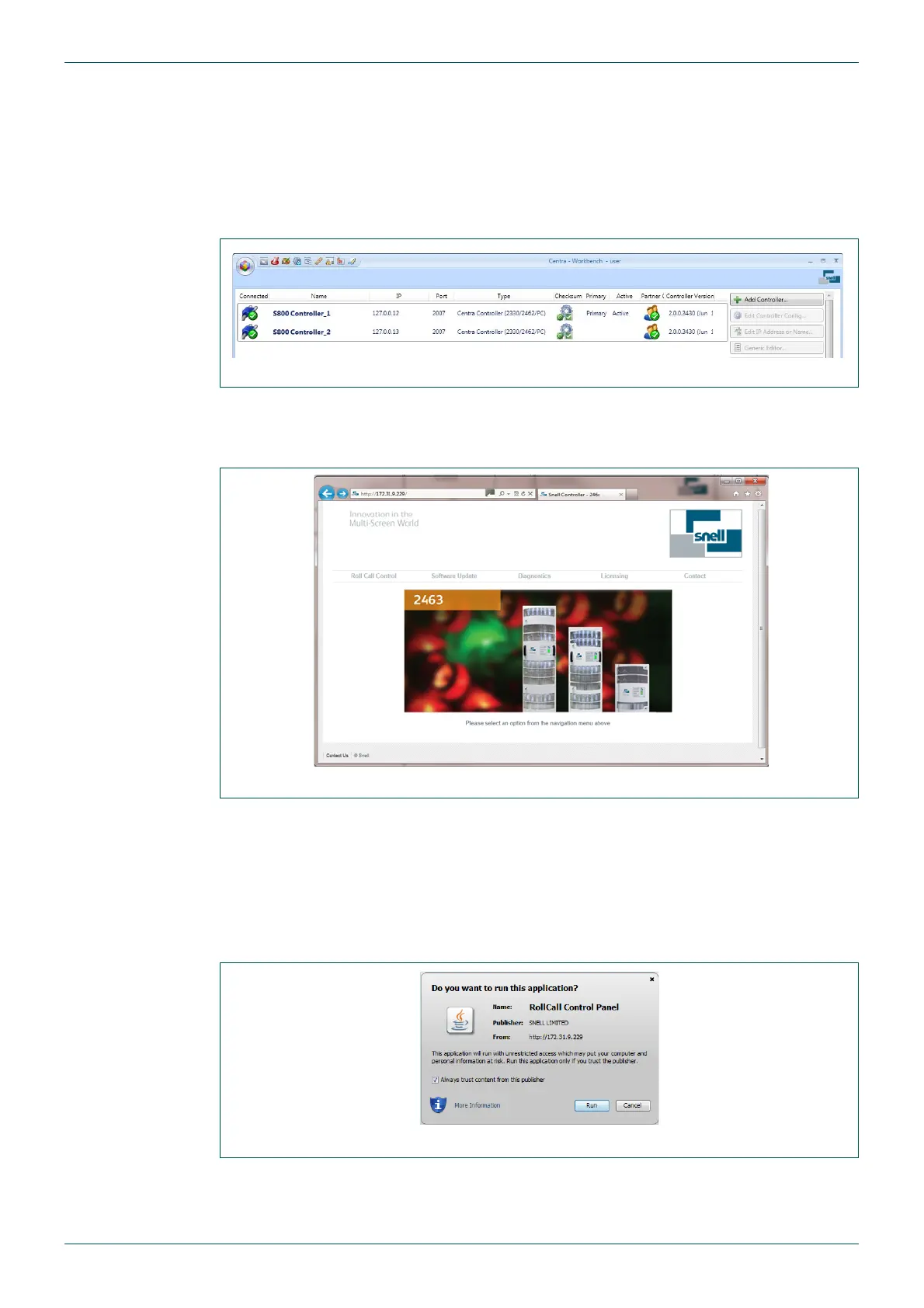
2. Open Workbench and open the Configuration page. This will display the connected
controllers including their IP address and status (see Fig 51.).
3. Open a web browser on the same computer and type:
http://xxx.xxx.xxx.xxx/ and press the Enter key
where xxx.xxx.xxx.xxx is the IP address of the Active Nucleus controller.
4. Click on the RollCall Control tab.
• If a popup warning is displayed select the option that always allows popups from this
site. The option name varies depending on the web browser in use.
• If a dialogue box is displayed indicating that a newer version of Java should be
installed, click the Download button in the browser window. A security warning screen
will be displayed.
5. Select the Always trust content from this publisher check box, and click the Run
button.
Fig 51. Workbench Controller Screen
Fig 52. Router Home Page
Fig 53. Security Warning



 To Next Page