Sirius 800 www.snellgroup.com Power Supply and Fan Maintenance
Issue 1 Rev 1 Page 32 © 2014 Snell Limited
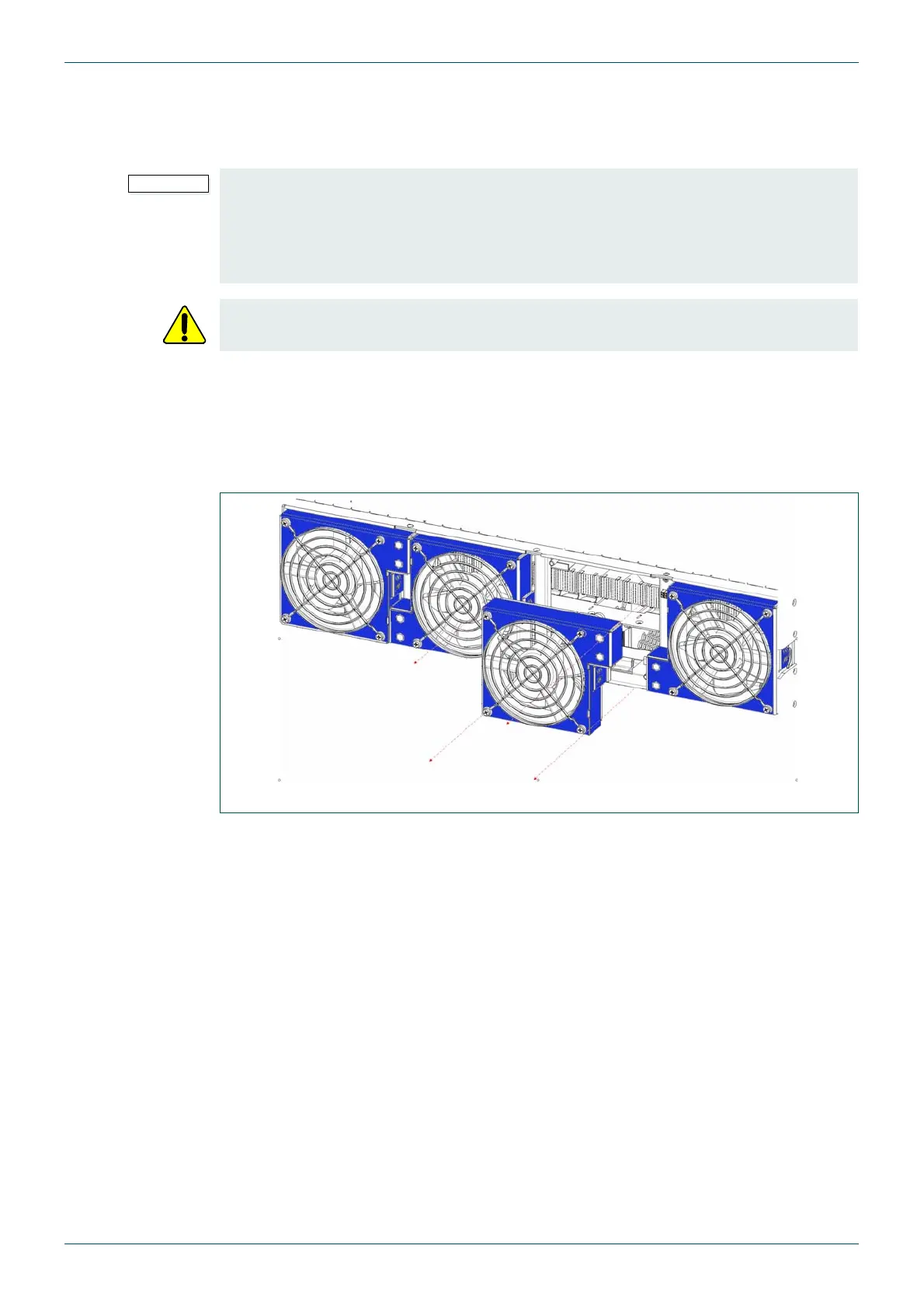
4.4.5 Rear Fan Replacement
Each of the rear fan modules is hot swappable and the individual fans can be withdrawn from
their mounting directly.
1. Before starting identify the configuration of your frame using Table 4.
2. Now identify the part number of the fans that need replacing:
Sirius 830: see section 4.4.2.
Sirius 840/850: see section 4.4.3.
3. There are two release tags that free the fan module from the frame assembly, place
your thumb on the release tag on one side, and place your finger on the release tag
on the other side.
4. Carefully push the fan into the frame, then exert pressure onto the release tags, and
withdraw the fan module away from the frame, taking care if the fan is still spinning.
5. Refitting a new fan module is the reverse of removing the fan. Push the fan module
into the frame assembly until the release catch clicks into place. Check that the fan
module starts up.
• No service tools are required to replace the fan modules, but the modules should
be replaced by qualified personnel.
• Replacement fans modules should be fitted immediately after removal of the faulty
fan modules as this ensures correct ventilation of the frame. Failure to do this will
result in failure.
Warning The fan blades can continue to spin after the fan module has been removed from
the frame assembly.
Fig 9. Rear Fan Replacement



 To Next Page