Sirius 800 www.snellgroup.com Module Maintenance
Issue 1 Rev 1 Page 57 © 2014 Snell Limited
6.5 Restoring a Workbench Database
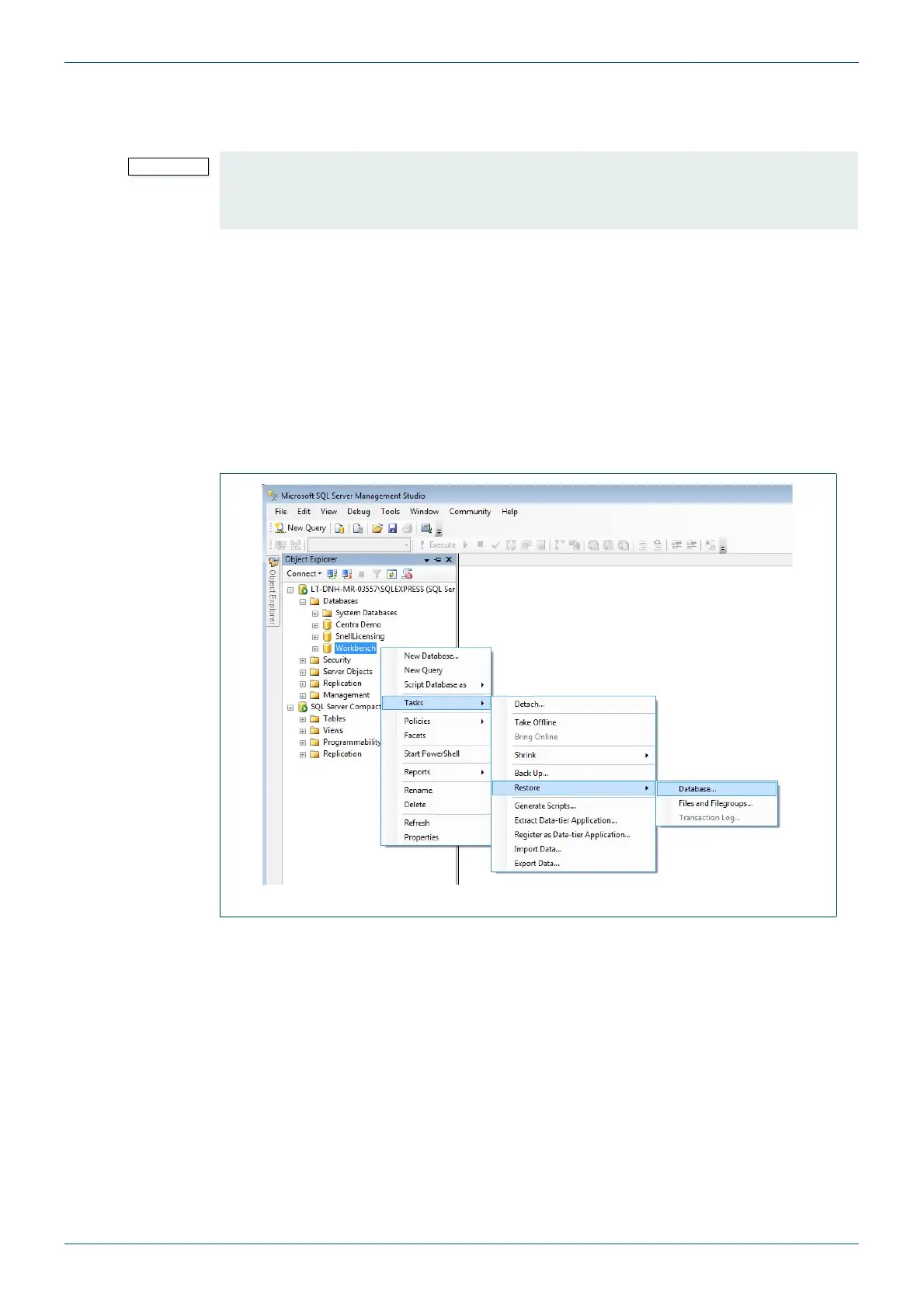
This section details how to restore the Workbench database from a Workbench client PC.
1. Restore a backed up Workbench database using the Microsoft SQL Management
studio tool.
2. If necessary, copy the .bak file to the computer.
3. Make sure that Workbench is not active and then open Microsoft SQL Management
Studio from Start | All Programs | Microsoft Server.
4. Connect to the server using the following:
Login: WorkbenchUser
Password: probel
• Restoring from an earlier Workbench database backup file will replace your
existing database.
• Any changes made since the backup file was made will be lost.
Fig 26. SQL Log-in



 To Next Page