Sirius 800 www.snellgroup.com Module Maintenance
Issue 1 Rev 1 Page 56 © 2014 Snell Limited
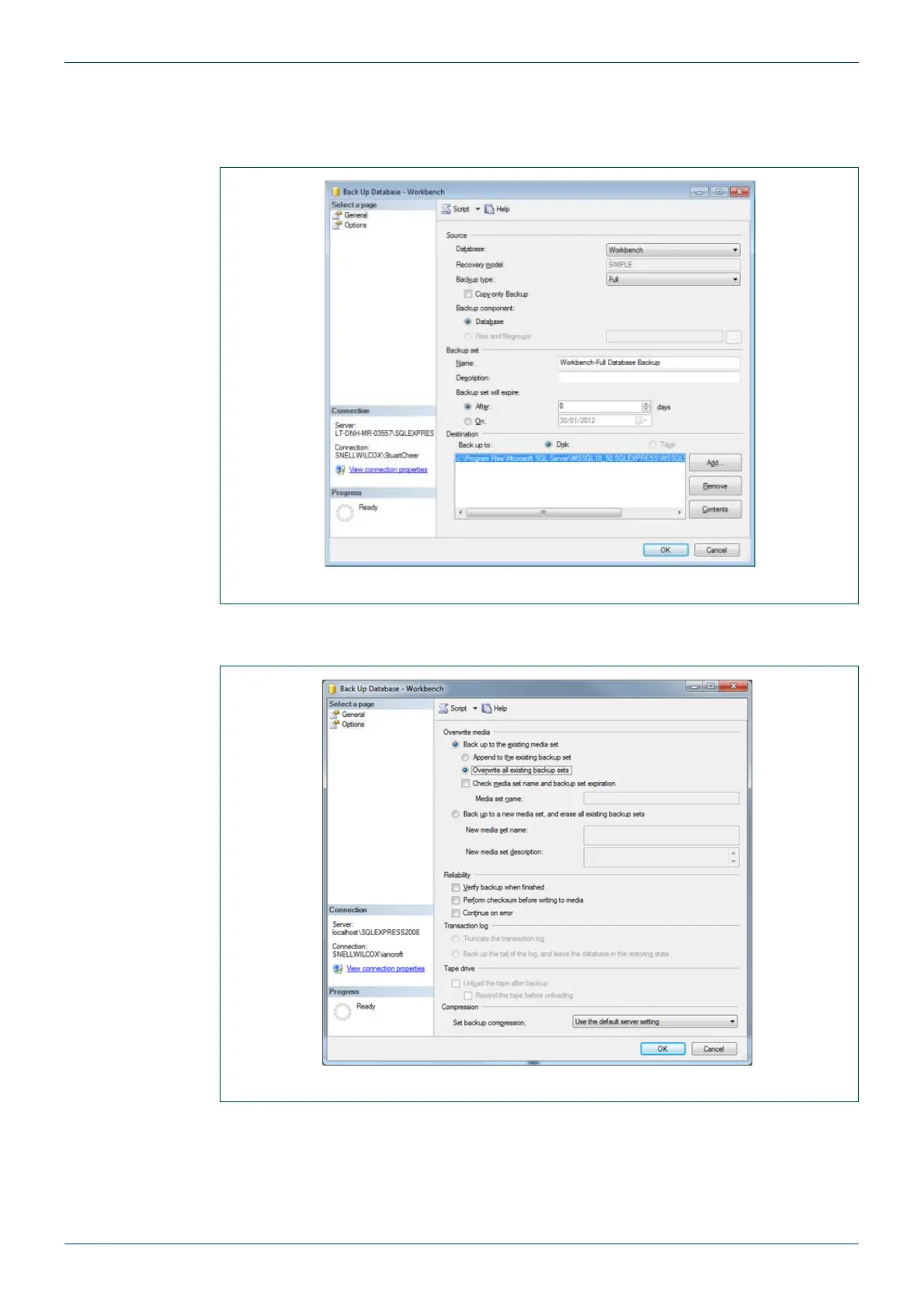
5. The Backup Database - Workbench screen is displayed (see Fig 24.).
6. Select a database backup destination from the General page and if necessary modify
the date/name as appropriate.
7. Select Overwrite an existing backup set from the Options page (see Fig 25.)
Do not select the default Append to the existing backup set option.
8. Click OK to complete the backup.
Fig 24. Backup Database - General Page
Fig 25. Backup Database - Options Page



 To Next Page