Sirius 800 www.snellgroup.com Module Maintenance
Issue 1 Rev 1 Page 45 © 2014 Snell Limited
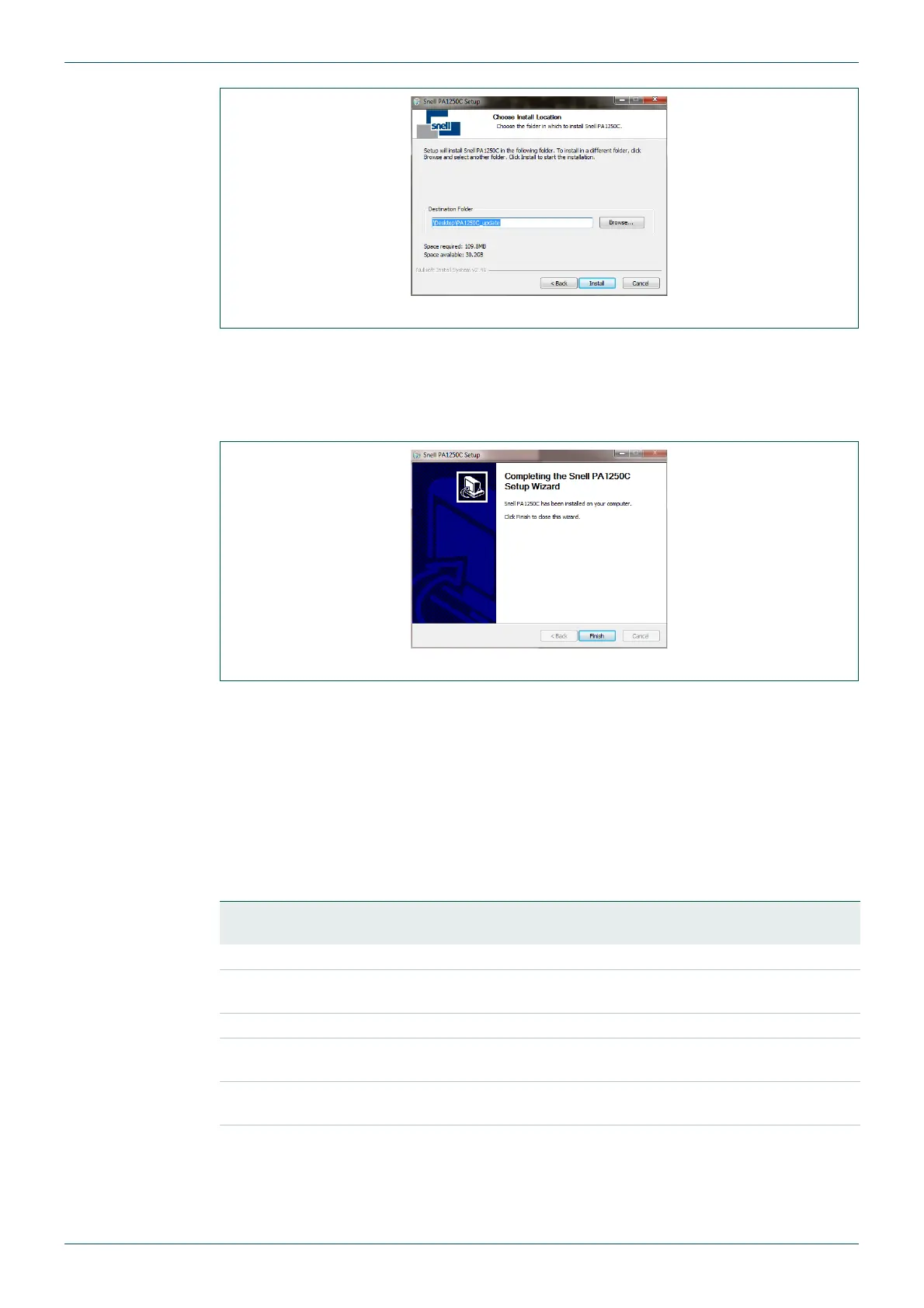
4. By default the upgrade folders are extracted into a folder called PA1250X_update
within the folder the update package is located in (where X is the current software
revision). This can be changed by clicking on the Browse button.
5. Click on the Install button to start the copying process.
6. When the copying process is complete click on the Finish button to close the window.
7. The folders have now all been copied to the computer and are ready to be used for
updating the router modules. For folder details for each of the supported
module/license types, see the following table.
6.2.2 Firmware Upgrade Folder Details
The standard firmware upgrade folder names are listed in the following table. The upgrade
package zip file may also contain other firmware upgrade folders that are not listed in the
table, these files should only be used when instructed to do so by Snell Customer Support.
Fig 15. Specify the Location the Upgrade Folders are Copied to
Fig 16. Click the Finish Button to Close
Module Firmware
Folder Name
Features Supported by Firmware
4915 Gain, Phase Invert, Left/Right Swap, Left Both, Right Both, Mono Mix.
4929
Gain, Phase Invert, Left/Right Swap, Left Both, Right Both, Mono Mix,
Audio Delay, Sample Rate Convert.
5919: Use the firmware version that matches the license purchased for the module
5919-Base
Audio De-embedding, Gain, Phase Invert, 16 Channel Mix and Channel
Swap (Shuffle).
5919-Delay
Audio De-embedding, Gain, Phase Invert, 16 Channel Mix and Channel
Swap (Shuffle), Audio Delay.
5919-AHP
Audio De-embedding, Gain, Phase Invert, 16 Channel Mix and Channel
Swap (Shuffle), Audio Delay, Video Delay, Video Frame/Line Sync.
Table 12. Firmware Update Package Folders



 To Next Page