Sirius 800 www.snellgroup.com Power Supply and Fan Maintenance
Issue 1 Rev 1 Page 33 © 2014 Snell Limited
4.4.6 Door PC Fan Replacement
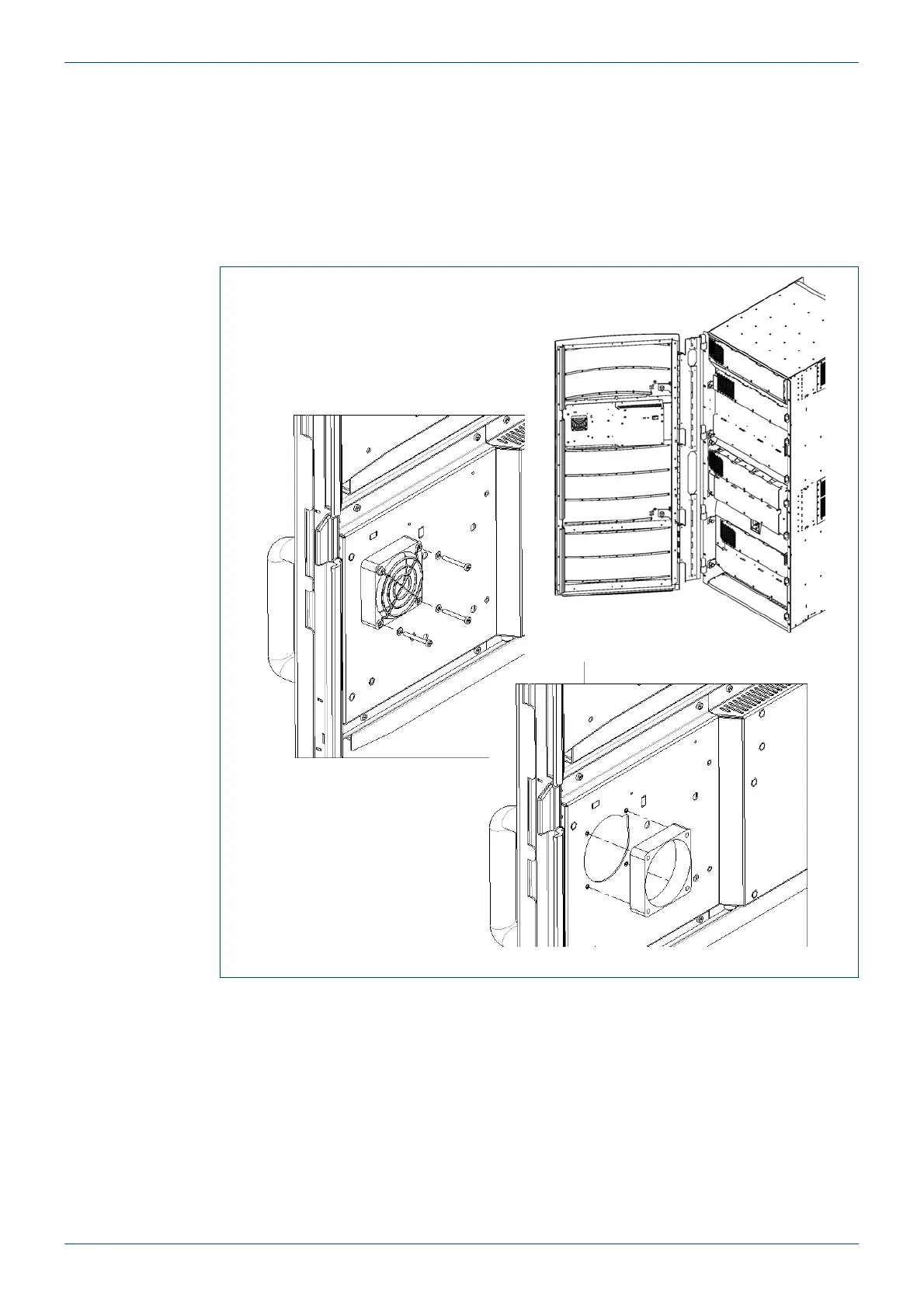
The PC on the router door is cooled by a fan that is mounted on the inside of the front door.
To replace the fan:
1. Make sure the Door PC is shutdown and that the fan is stationary,
see section 4.2 for details. Do not power down the router.
2. Open the door to a position where the fan can be accessed.
3. Unscrew the four M3 cross-head screws, and take care not to misplace the washers.
4. Remove the finger guard.
5. Gently pull the fan away from the mounting and carefully disconnect the white two pin
connector.
6. Connect the new fan, replace the finger guard and four screws, complete with their
washers.
7. Power the Door PC back on (see section 4.1.3) and check that the fan is running
correctly.
Fig 10. Door PC Fan replacement - Sirius 840 shown



 To Next Page