Sirius 800 www.snellgroup.com Door PC Maintenance
Issue 1 Rev 1 Page 80 © 2014 Snell Limited
8.3.1 Upgrade Procedure
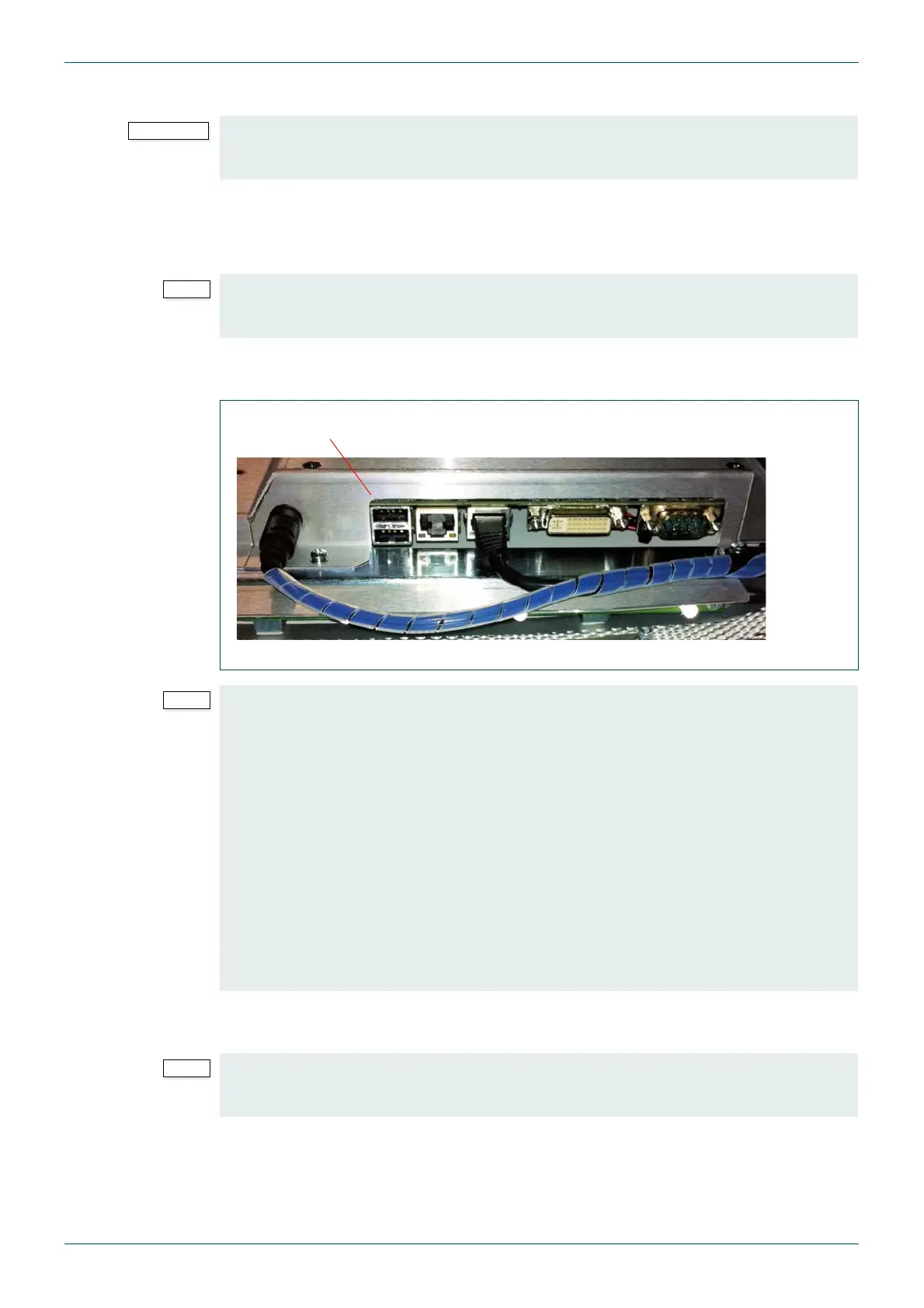
1. Open the router door and locate the rear of the Door PC (see Fig 38.).
2. Plug the USB Memory stick containing the Workbench installation disc into one of the
Door PC USB ports.
3. Plug the mouse into the spare USB port in the Door PC or into the USB hub if a
keyboard and USB hub have been fitted.
4. Open Microsoft Windows Explorer on the Door PC and navigate to the USB memory
stick.
5. Double click on the Workbenchinstaller.exe file on the USB memory stick to start the
upgrade and follow the installation instructions.
6. Once the upgrade is complete remove the USB memory stick and start Workbench.
• If the Database is stored on the Door PC disk drive it must be backed-up before
starting the upgrade procedure. See Section 6.4 for details on backing-up the
Workbench database.
If the Workbench installation doesn’t use the default install location a USB hub and
keyboard will be required. Plug the USB hub into the spare USB port in the Door PC and
plug the keyboard into the USB hub.
Fig 38. Door PC USB Ports
If Workbench is being installed to a different location than the existing version of
Workbench the Live Runner shortcut in the Windows Startup folder must be edited before
starting the installation.
a Copy the original Live Runner shortcut in the Startup folder to your desktop in
case you make a mistake editing the original.
b Right click on the Live Runner shortcut in the Startup folder and select
Properties.
c Edit the Target path to match the new installation location for Workbench.
Ensure you keep the “-f” switch at the end of the Target path as this ensures
that Live Runner starts in fullscreen mode.
d Once the installation is complete check that Live Runner automatically restarts
when the Door PC is powered up. If Live Runner restarts correctly the copy of
the Live Runner shortcut on the desktop can be deleted.
Microsoft Remote Desktop can be used (see section 8.2) for the Workbench upgrade if
required but the USB memory stick containing the Workbench installation files must be
plugged into the Door PC.



 To Next Page