Sirius 800 www.snellgroup.com Door PC Maintenance
Issue 1 Rev 1 Page 81 © 2014 Snell Limited
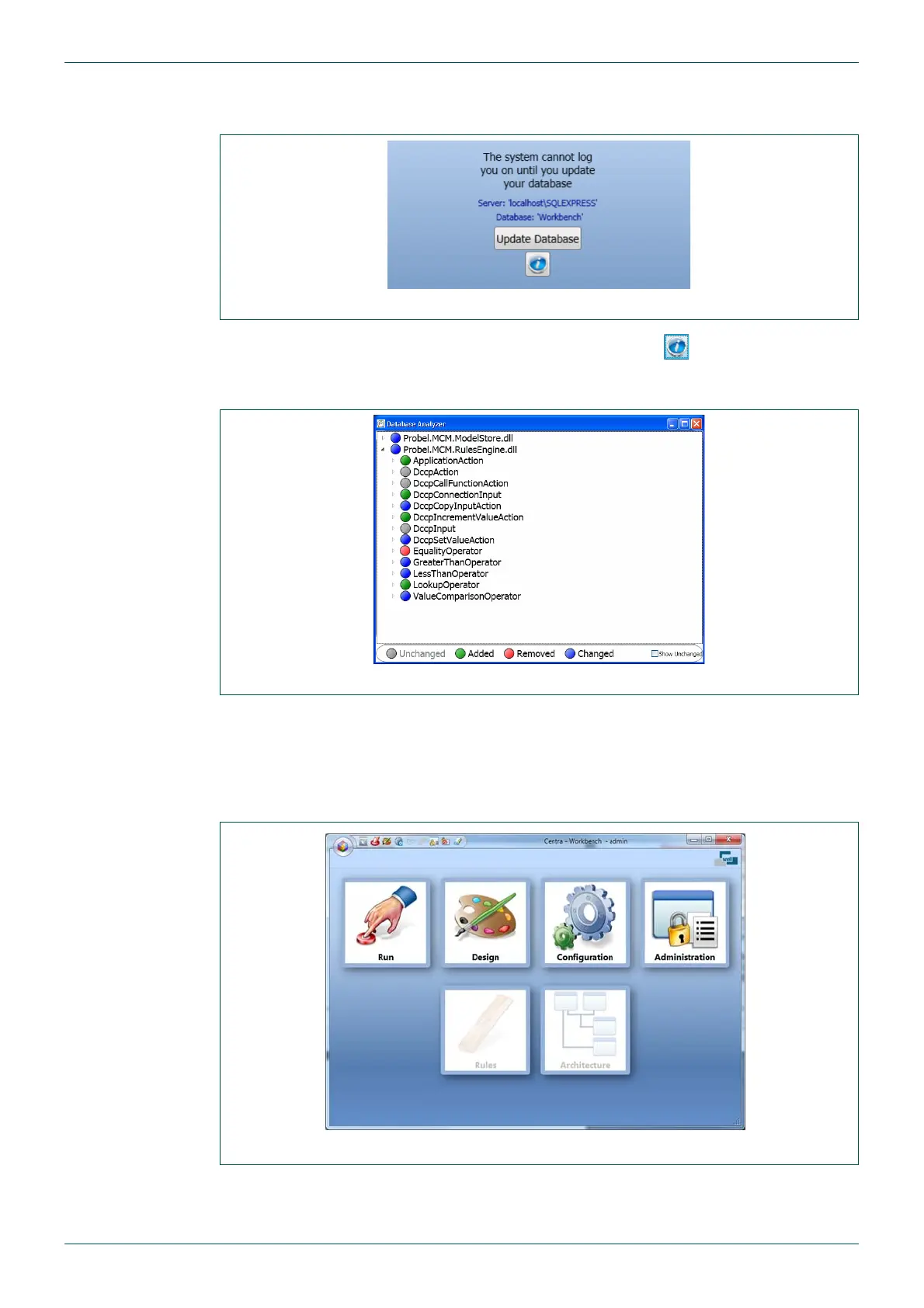
7. If the database needs to be updated the screen shown in Fig 39. will be displayed. If
this screen is not displayed move on to step 11.
8. To view the differences between the databases, click the button. The Database
Analyzer displays, indicating the parts of the database that will change when the
database is updated, see Fig 40.
9. Close the Database Analyzer screen and click on the Update Database button
10. Once the database has been updated Workbench will start.
11. Click on the Configuration button (green and grey gears, see Fig 41.) to open the
Controller Configuration screen shown in Fig 42.
Fig 39. Update Database
Fig 40. Database Analyzer
Fig 41. Workbench



 To Next Page