Sirius 800 www.snellgroup.com Door PC Maintenance
Issue 1 Rev 1 Page 83 © 2014 Snell Limited
8.4 Replacing the Door PC
In the unlikely event of hardware failure the Door PC can be replaced while the router is
“On Air”. Crosspoints can be set from external controllers during the upgrade process. This
section describes the process that needs to be followed to remove the old Door PC and fit a
new Door PC. The Door PC comes with Windows XP and Workbench pre-installed.
Before starting
• Allow sufficient time to replace the Door PC. The replacement process will take
around 1 hour.
Equipment Required
• Replacement Door PC - Snell Part Number - RMYS HWPCS800C/SAAEY 1912B
• Pozidriv Screwdriver suitable for M3 x 10 mm Pozidriv screws
8.4.1 Procedure
1. Open the router door.
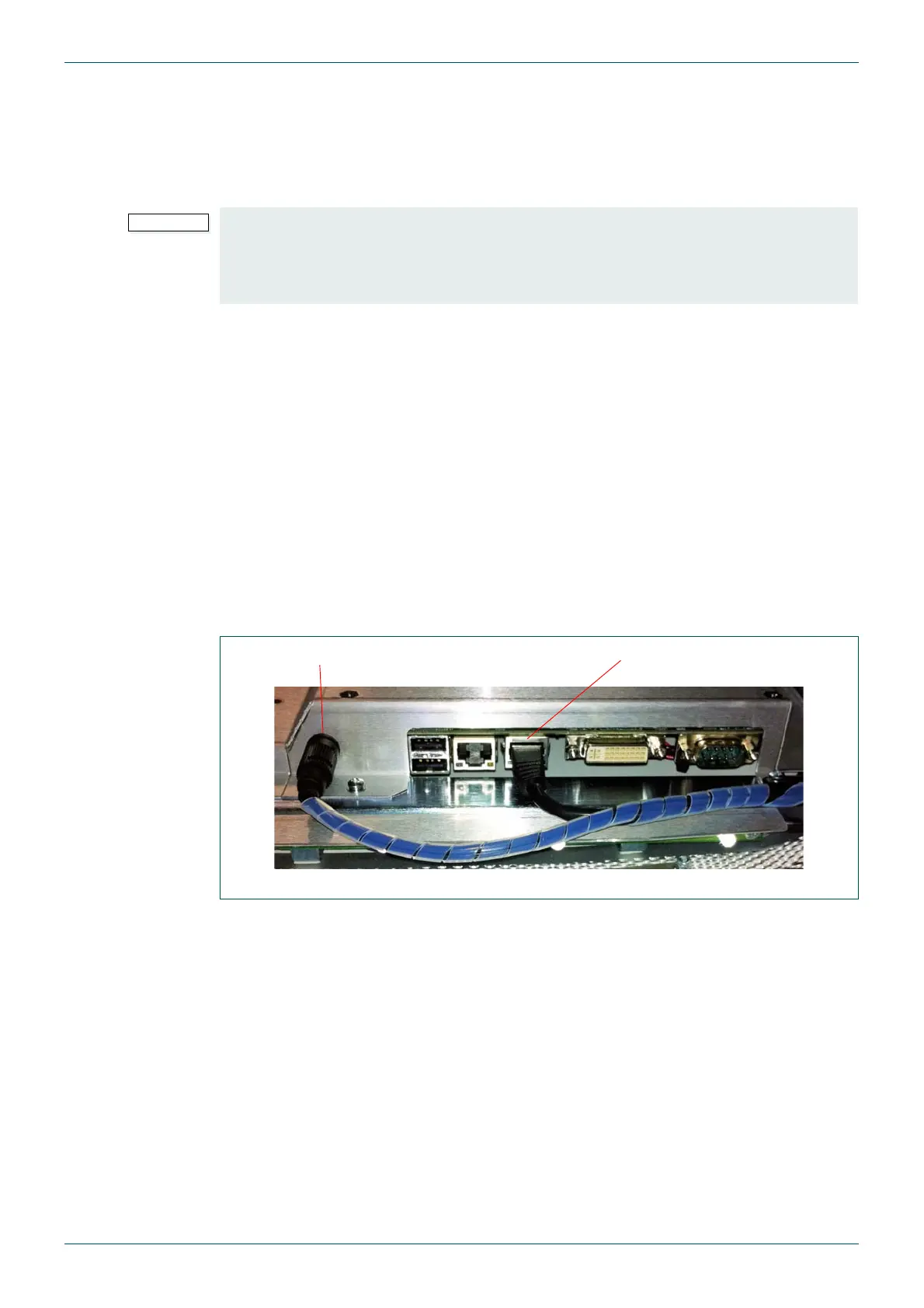
2. Unplug the Power connector, the Network connector and any other cables that are
plugged into the Door PC (see Fig 43.). Remove the Earth cable from the Spade
connector to the left of the Door PC power connector.
• Although replacing the Door PC is not a difficult task it is very important that these
steps are followed to minimize the risk of problems occurring during the process.
• If the Database is stored on the Door PC disk drive contact Snell support before
proceeding with the Door PC replacement.
Fig 43. Door PC Power and Network Connectors
Power Connector Network Connector



 To Next Page