Sirius 800 www.snellgroup.com Power Supply and Fan Maintenance
Issue 1 Rev 1 Page 23 © 2014 Snell Limited
4.1.2.1 Configuration Errors
The router controller generates an error if one or more of the configured modules in the router
fails to power up. Errors are displayed in Workbench, on the Door screen and by the router
controller LEDs (see Table 3. for LED color and Fig 5. for LED location).
If the Door screen and router controller indicate that the configuration is not as expected (i.e.
modules added or missing) then this can be resolved using Workbench. For details of how to
add modules to the router see section 6.3.
4.1.3 Starting the Door PC Manually
The Door PC starts automatically when the Sirius 800 is powered up. If the Door PC has been
shut down and needs starting manually the following procedure should be used.
1. With the Sirius 800 running open the frame door.
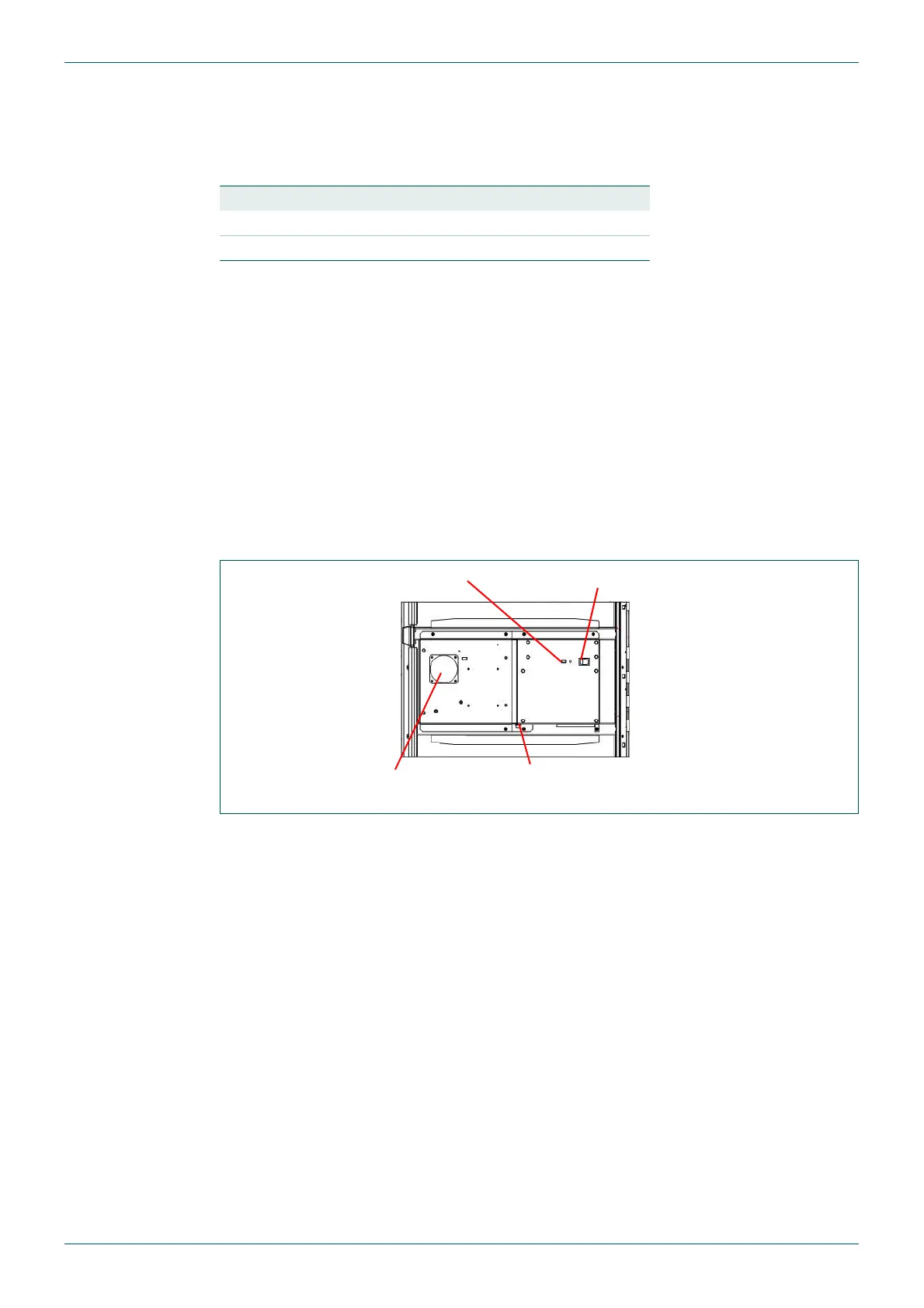
2. Inside the back of the door is the power switch for the Door PC (see Fig 6.).
3. Switch the Door PC on by pressing and releasing the Door PC power switch (it will not
latch in place). Wait until the computer is fully booted up before proceeding further.
Router Controller LED LED Color
Nucleus2 2463 4 Pulsing Orange
Nucleus 2450 D15 Steady Red
Table 3. Controller Mismatch Notification
Fig 6. Door PC Rear View
Door PC Power SwitchLED Power Indicator
Exhaust Fan
Power Connector



 To Next Page