Sirius 800 www.snellgroup.com Nucleus Upgrade (RollCall) and Maintenance
Issue 1 Rev 1 Page 93 © 2014 Snell Limited
9.4.1.1 Upgrade the Inactive Controller
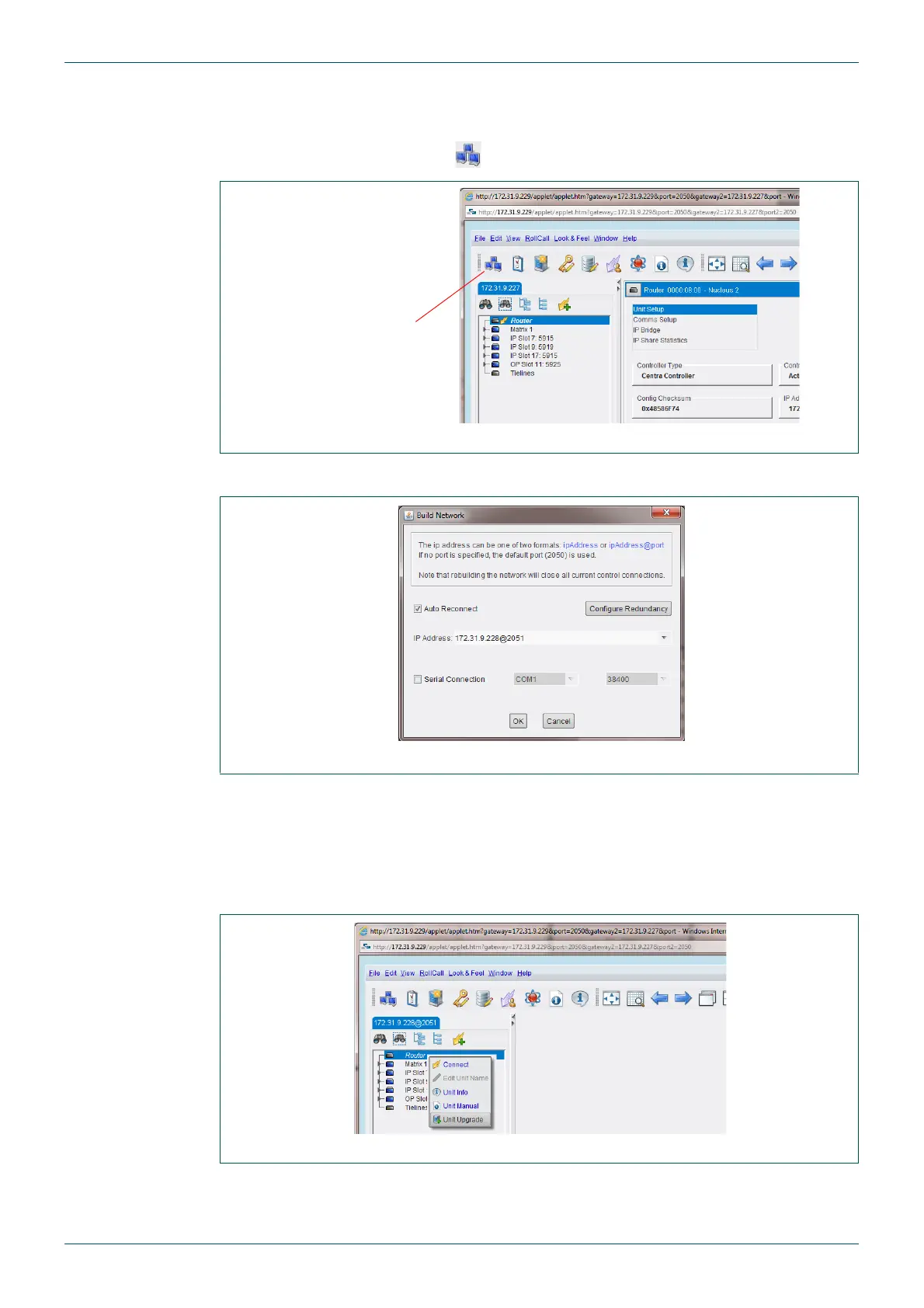
1. Connect to the inactive secondary controller. To do this, click on the Connect to
RollCall Network button ( ) in the main toolbar.
2. The Build Network screen is displayed.
3. Type the IP address of the inactive controller, and append the following: @2051.
For example: 172.32.9.11@2051
4. The inactive controller is displayed in the network tree.
5. Right-click on the Router and select Unit Upgrade from the menu.
6. Click on the Software Releases drop-down list and select the required upgrade
package (Fig 61.).
Fig 58. Build Network
Fig 59. Build Network Screen
Fig 60. Network Tree
Connect to
RollCall Network
button



 To Next Page