Sirius 800 www.snellgroup.com Module Maintenance
Issue 1 Rev 1 Page 58 © 2014 Snell Limited
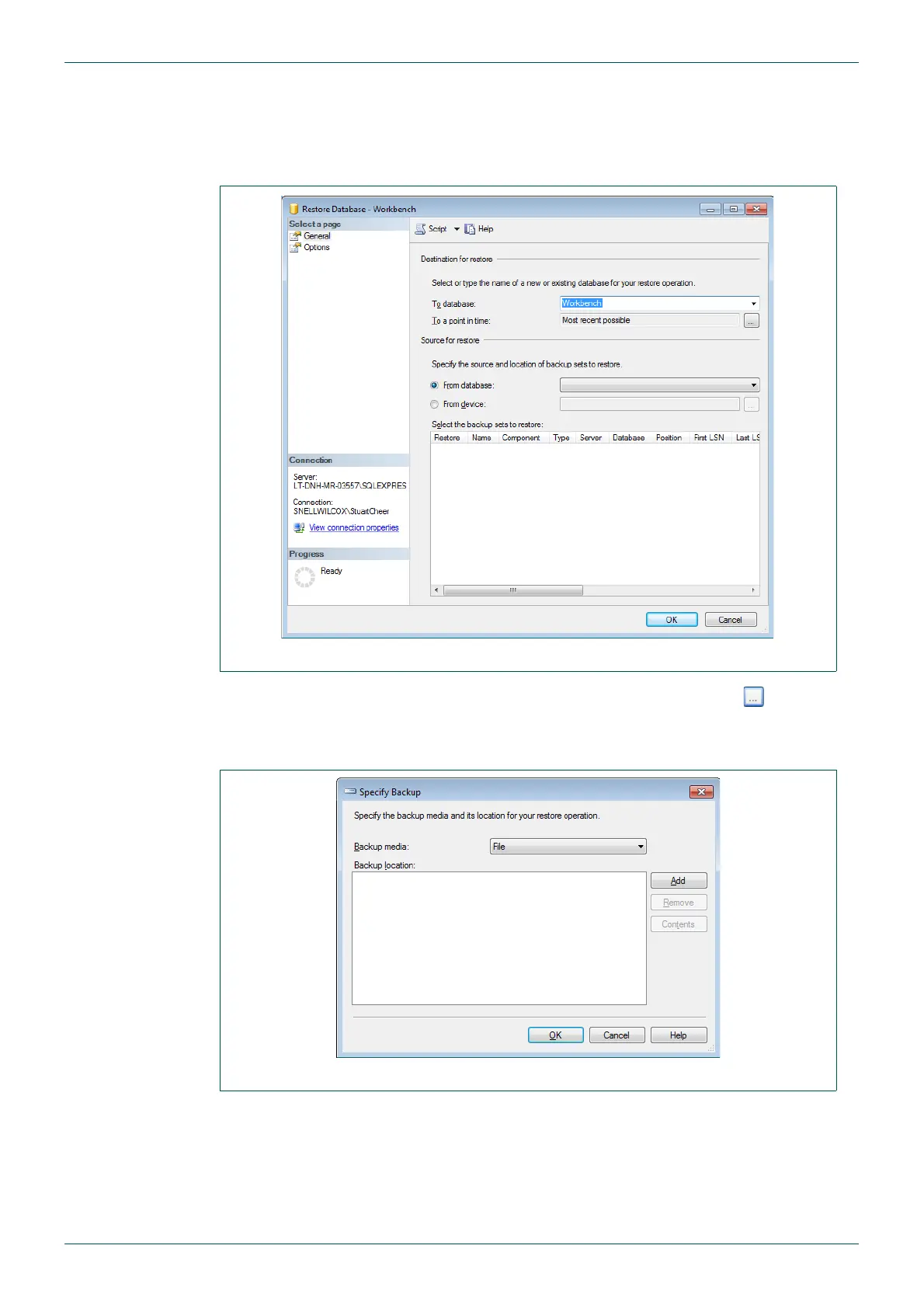
5. Right-click on the Workbench database and select Tasks | Restore | Database
The Restore Database - Workbench screen displays. This screen has two pages
selectable from the Select a page area at the top-left of the screen. By default the
General page is open on startup.
6. In the Source for restore section, select From device and click the (browse)
button.
The Specify Backup dialog box is displayed.
7. Click Add.
8. Locate the backup file, select it and click OK.
9. Click OK.
10. Check the checkbox to Select the backup sets to restore.
Fig 27. Select Database to Restore
Fig 28. Select Backup File



 To Next Page