15
v1.02
Admin and Installation Guide M900 Setting up
Setting up
Power sourcing
The M900 is provided with both power and the network connection via PoE (Power over Ethernet).
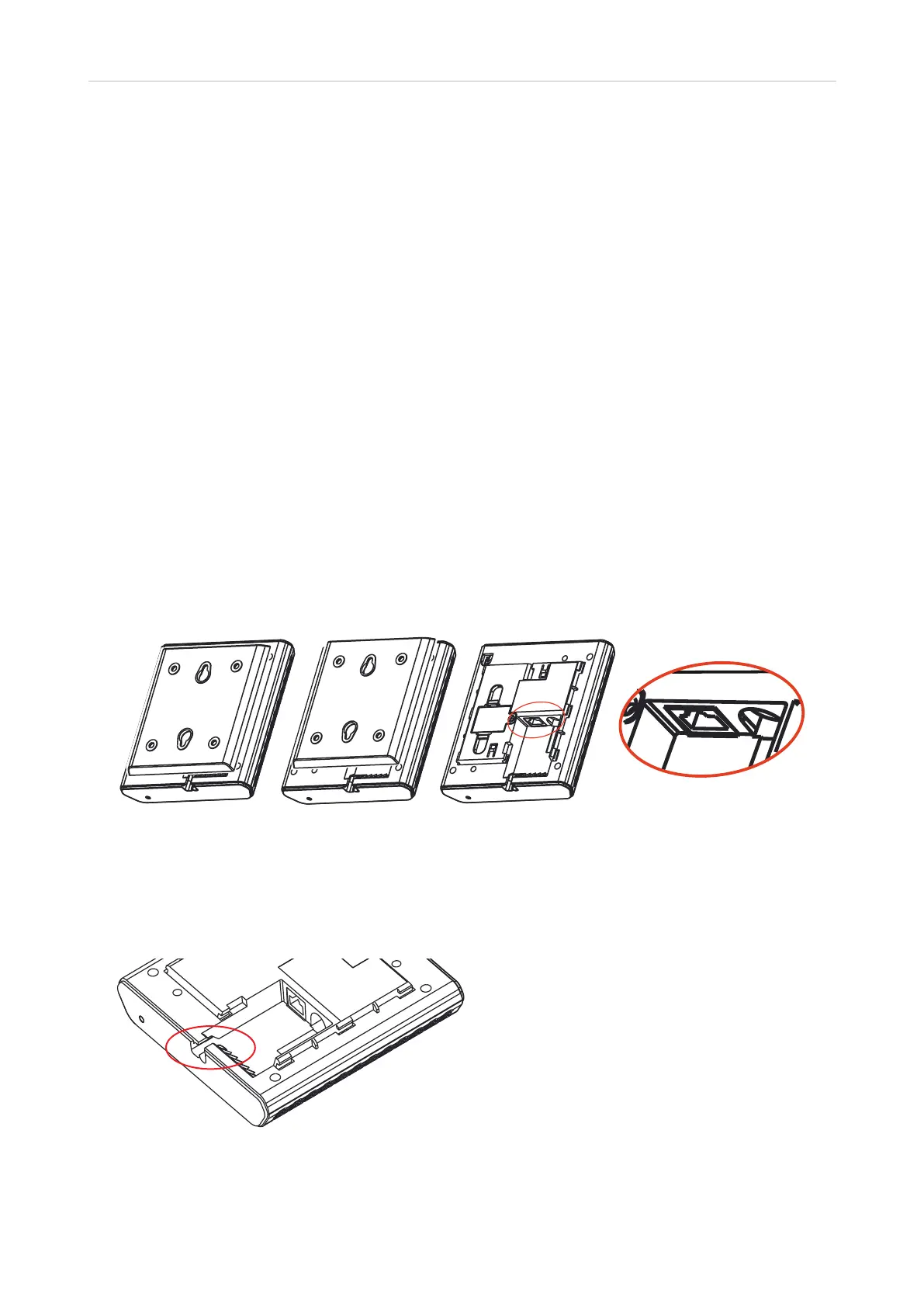
The PoE cable is connected to the RJ45 connector on the back of the unit (see Fig. 1, below). If your
network does not have a PoE infrastructure, you can use the separately available power supply to
provide power (see "Technical specifications" on page 8).
Hardware Setup
The M900 can be hung on the wall or placed on a desktop, shelf, cabinet, or on the floor as a standing
unit.
1. Push the bracket on the back of the base station (Fig. 1) upward until it is released with a
noticeable click (Fig. 2).
2. Lift the brackett o to gain access to the unit's Ethernet port and, if PoE is not available in your
network, to the jack for the power supply (Fig. 3 and 4).
Fig. 1 Fig. 2 Fig. 3 Fig. 4
3. Connect the Ethernet cable's RJ45 plug (Ethernet cable not included in delivery) to the RJ45
socket on the back of the base station; if applicable, connect the power adapter to the power jack.
4. Place the cable(s) in the two cable guide(s) (Fig. 5).
Fig. 5
5. Put the bracket back on the base station and push it downward until it clicks securely into place.
Make sure it is securely axed before you hang the M900 on the wall.



 To Next Page