19
v1.02
Admin and Installation Guide M900 Configuring
Opening the web user interface
1. Open a web browser on your PC. Enter the IP address, preceded by "http://" in the address bar
(for example: http://192.168.10.115) and press ENTER.
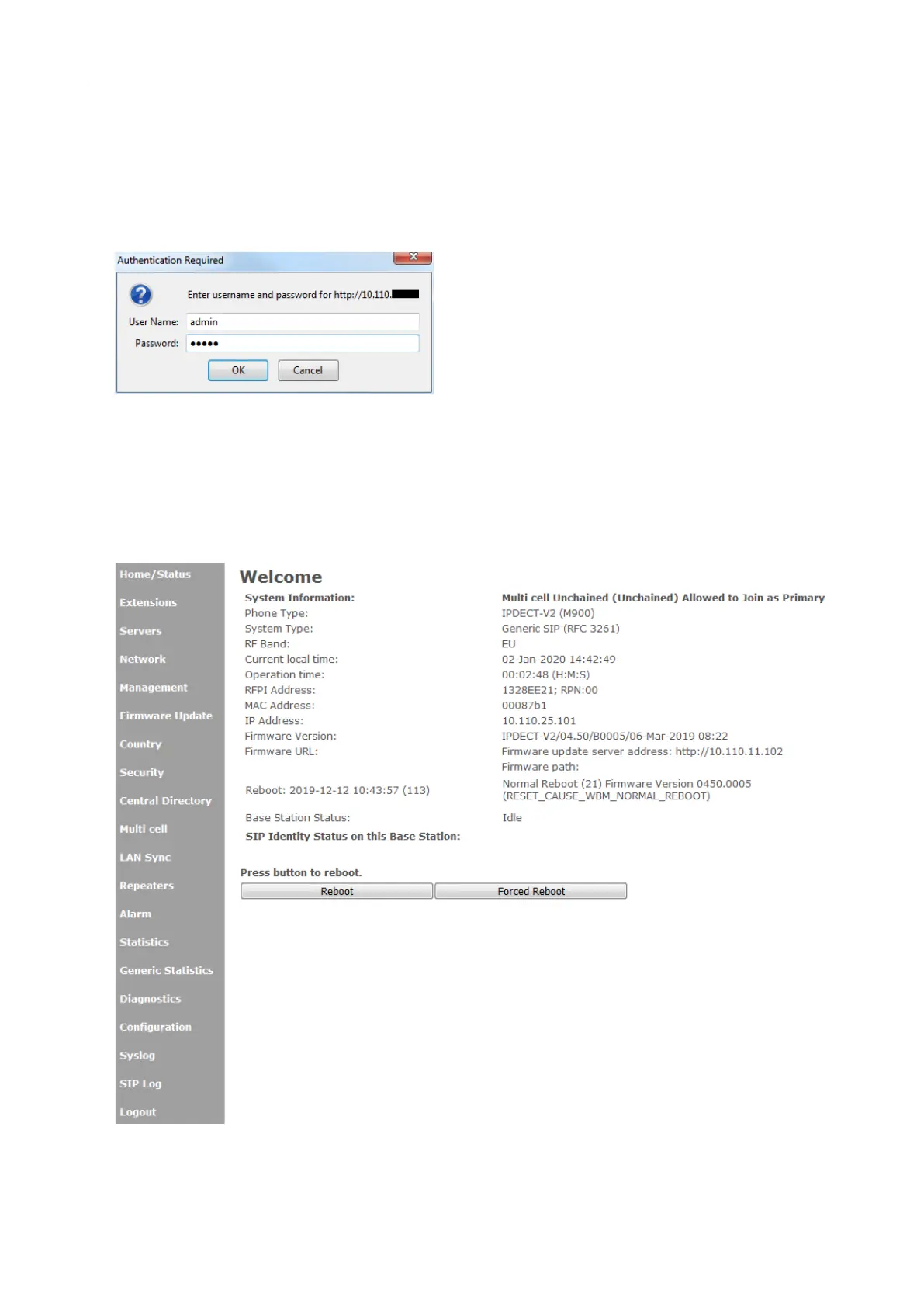
2. Enter your user name and password in the pop-up window. The defaults for both are admin:
Fig. 4
3. Click on OK.
The Home/Status page opens, showing your system information. The vertical menu on the left side of
the window is always the same, no matter which window happens to be open at the time. Click on a
menu item to open that page.
Fig. 5
Note: Before opening another page or closing the web user interface , click the Save button to
save the setting(s) you have made or changed on any page.
Default user name: admin
Default password: admin



 To Next Page