38
v1.02
Admin and Installation Guide M900 Firmware Update
Note: Linux/Unix based HTTP servers are case-sensitive. Since all M-series product names start
with a capital M, the names of the folders must also start with a capital M, i.e., M900, M70, etc.
Naming the folders m900, m70, etc. will cause the downloads to fail.
2. Download the firmware file for each product you want to update into the respective folder. It is
possible to store multiple firmware versions in a product folder; it is therefore not necessary to
delete older firmware versions before downloading.
Downloading update files to base station and transmitting to wireless devices
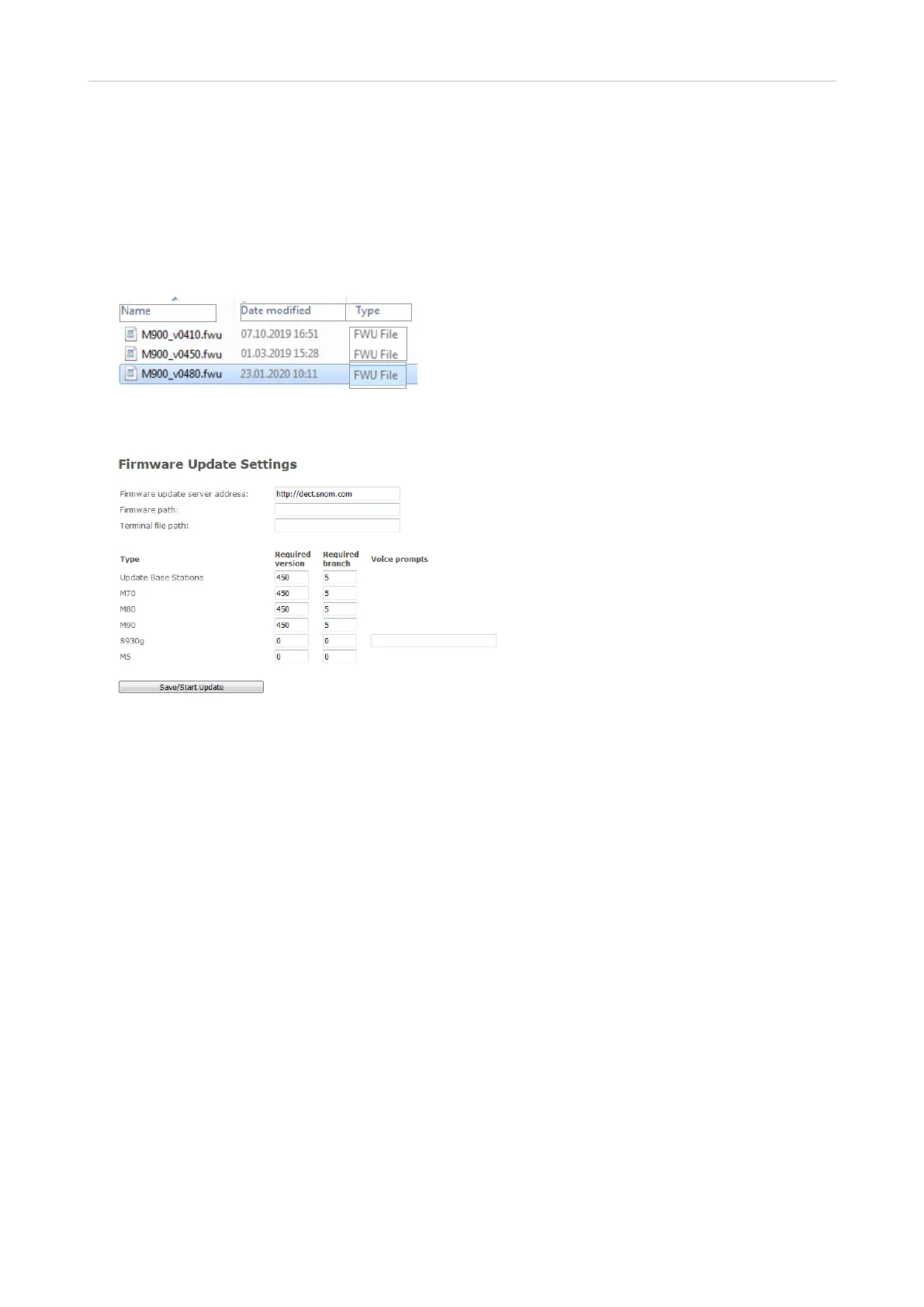
1. Open the web user interface of the base station and click on Firmware Update in the menu on the
left side.
2. In the section Firmware Update Settings, enter the address of your server in the text field of
Firmware update server address.
3. Enter the firmware path in the text field of Firmware path or leave blank, depending on your
setup.
4. The Type section lists all types of the wireless devices currently registered at the base, i.e., M70,
M80, M5, etc. Any types of device not currently registered will not be listed. Enter the three-digit
firmware version, i.e., 410, 450, etc., in the text field of each respective wireless product.
5. Click on Save/Start Update. The base station will download the firmware and transmit it to the
wireless devices. You can monitor the progress of the transfer to each registered handset on the
Extensions page.
a. Handsets will not perform the update until the next time they are placed in the charger.
Note: On average, it takes 10 - 15 minutes to transmit the firmware file to the handset, but it
could take up to 60 minutes depending on trac (voice trac has priority).
The transmission of the file to the handset will pause when the handset is used and continue
as soon as it is idle again.



 To Next Page