22
v1.02
Admin and Installation Guide M900 Configuring
network or externally by you IP provider), enter the mailbox extension number in the text
field of Mailbox Number and, if no mailbox name is set, also in the text field of Mailbox
Name. These requirements also apply when the mailbox extension number is the same as
the extension number.
- If a PIN is required to listen to your VoiceMail, type it in the text field of PIN. Ask your IT
administrator or IP provider for it. This PIN is not to be confused with the access code for
registering the handset at the base station or the PIN for resetting the handset to factory
values or for deregistering it from the base station.
c. Select the server from the drop-down menu of Server.
d. Click on Save.
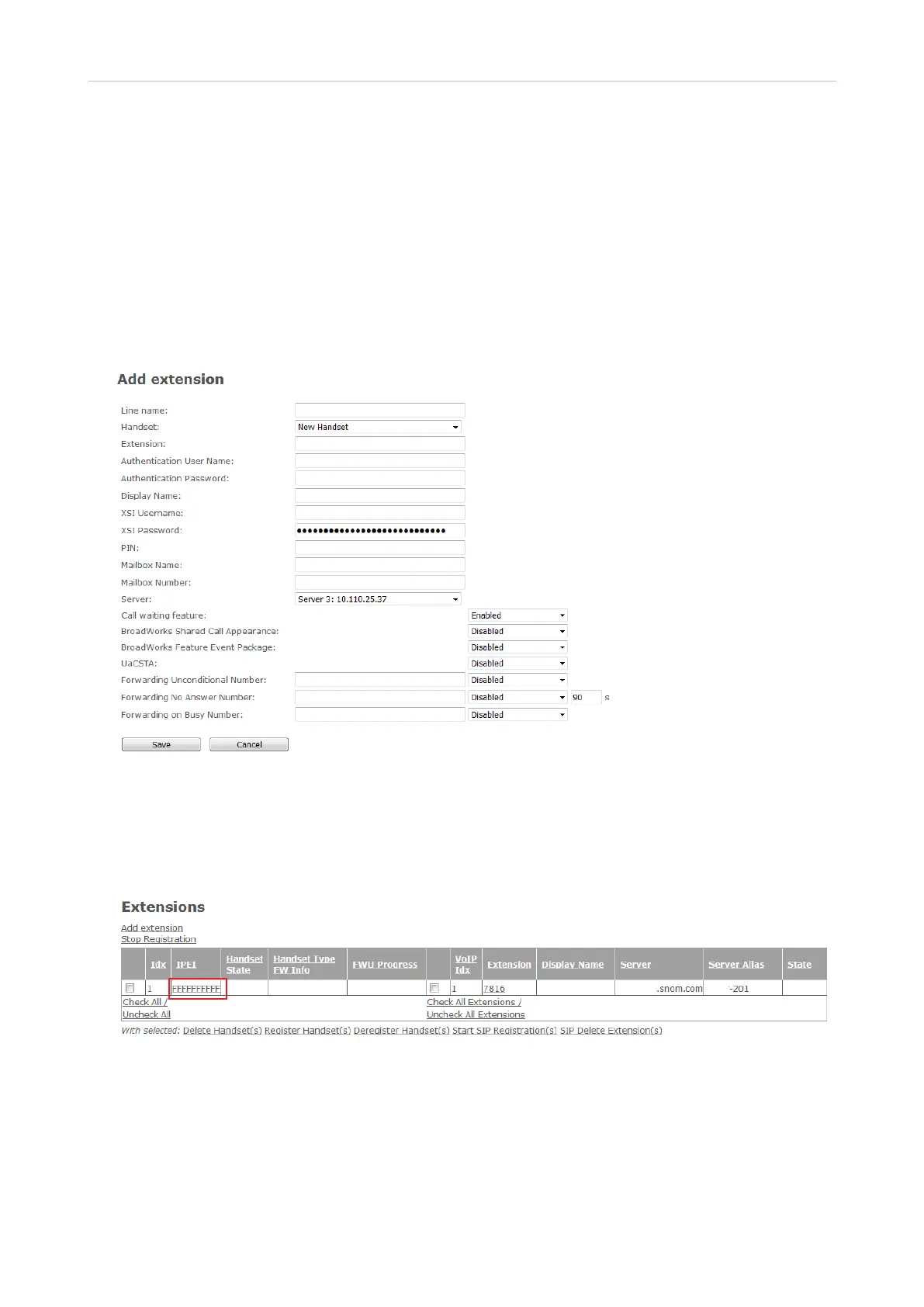
Fig. 2
Registering handsets - method 1
1. After setting up the extension as shown in the preceding paragraph, click on the string of capital
Fs underneath the IPEI header in the table on the Extensions page.
Fig. 3
2. Enter the IPEI of the handset.



 To Next Page