57
v1.02
Admin and Installation Guide M900 Description of Settings
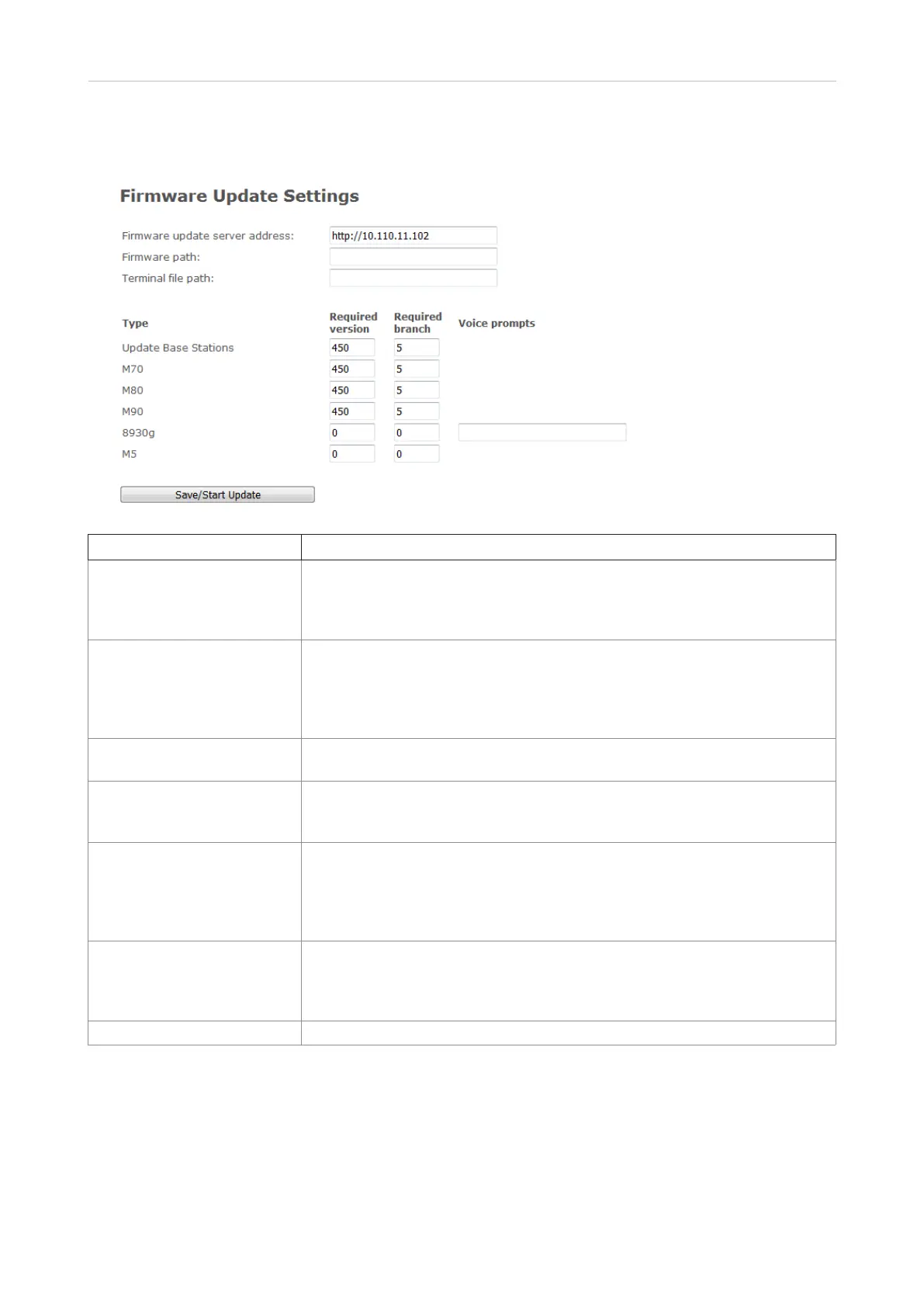
Firmware update
Setting Description
Firmware update server
address
IP address or DNS of update source
Valid inputs: URL or IP address. Note: Cannot end with slash / character.
Examples: http://dect.snom.com, 10.10.104.41
Default: empty.
Firmware path If required, location of firmware on server or firmware update server path
where firmware update files are located. Note: Must begin with slash /
character.
Example: /M700_v0450.fwu
Default: empty.
Terminal file path Not applicable.
Setting: empty
Type All types of handsets and repeaters (i.e., M65, M85, M25, M5) that have been
registered at the base station, even when all devices of any type are turned
o.
Required version
(base station, handset,
repeater, headset)
Version of firmware the type of device is to be upgraded to. Note: Value 0 will
disable firmware upgrade.
Valid input: 8-bit string
Example: 450
Default: 0.
Required branch
(base station, handset,
repeater)
Branch of firmware the type of device is to be upgraded to.
Valid input: 8-bit string
Example: 5
Default: empty.
Voice prompts For headsets only: Name of the voice prompt file



 To Next Page