16
v1.02
Admin and Installation Guide M900 Setting up
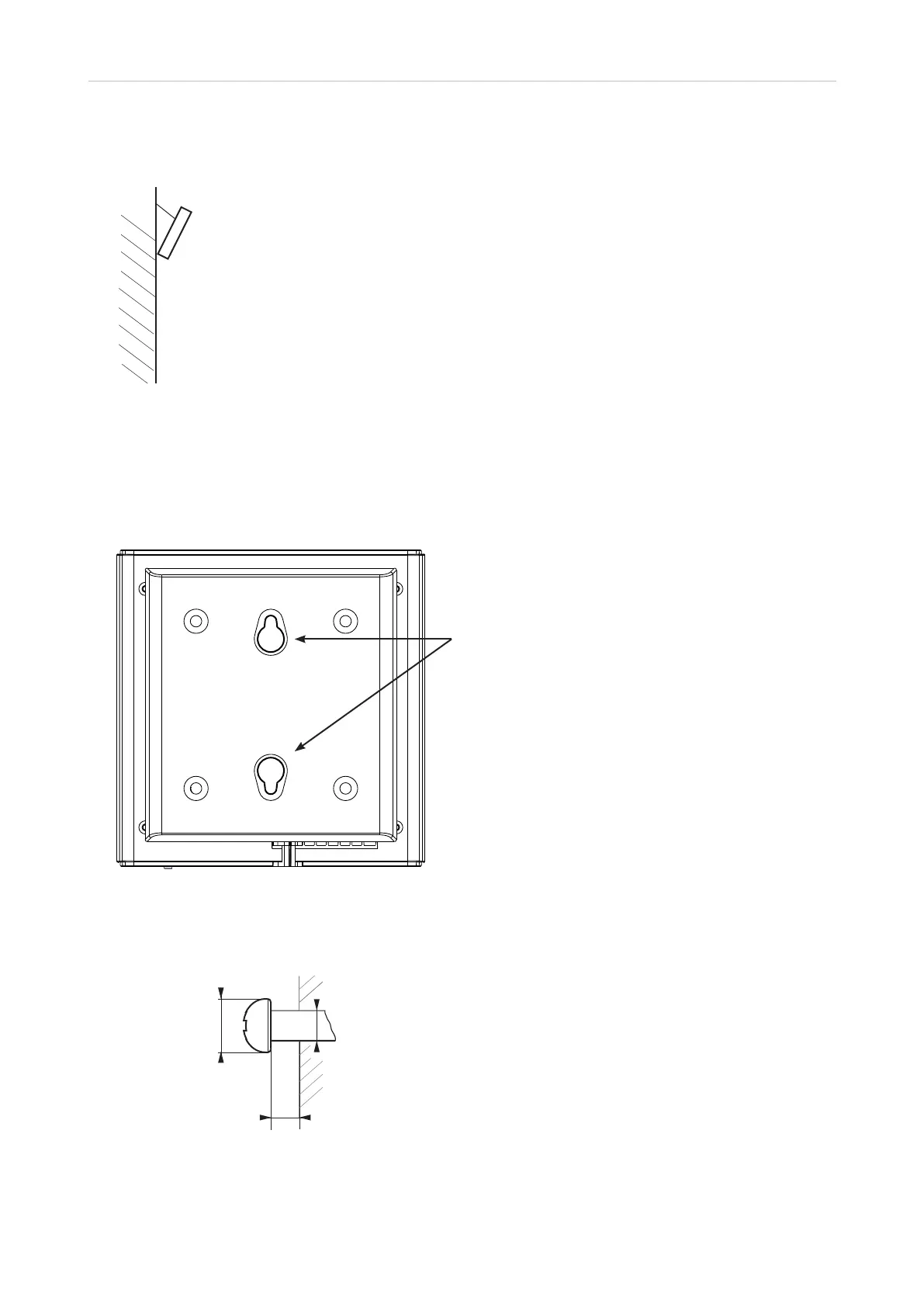
6. For optimal radio coverage, place the base station as high as possible, preferably at an angle
other than vertical (Fig. 6) on a wall or pillar.
Fig. 6
Wall mounting
The bracket on the back of the M900 has two holes (Fig. 1) that can be used to hang the unit on two
screws or hooks on a wall.
Fig. 1
Note: Screws/hooks and wall anchors are not included in the delivery. Use screws and wall
anchors suitable for your wall.
Distance to wall
Abstand zur Wand
Distance au mur
Distanza dalla parete
Distancia a la pared
Distância à parede
∼ 4 mm (0.157")
ø max: 9 mm
(0.354")
ø min: 6 mm
(0.236")
ø max
4,5 mm
(0.177")
Fig. 2
Note:
• Do not mount the base station upside down as this would
significantly reduce radio coverage.
• If you use screws for wall mounting, make sure that they
do not come into contact with the base station's casing
as this might damage the PCB.
Holes



 To Next Page