26
v1.02
Admin and Installation Guide M900 Configuring
Deregistering/deleting handsets and/or SIP registrations
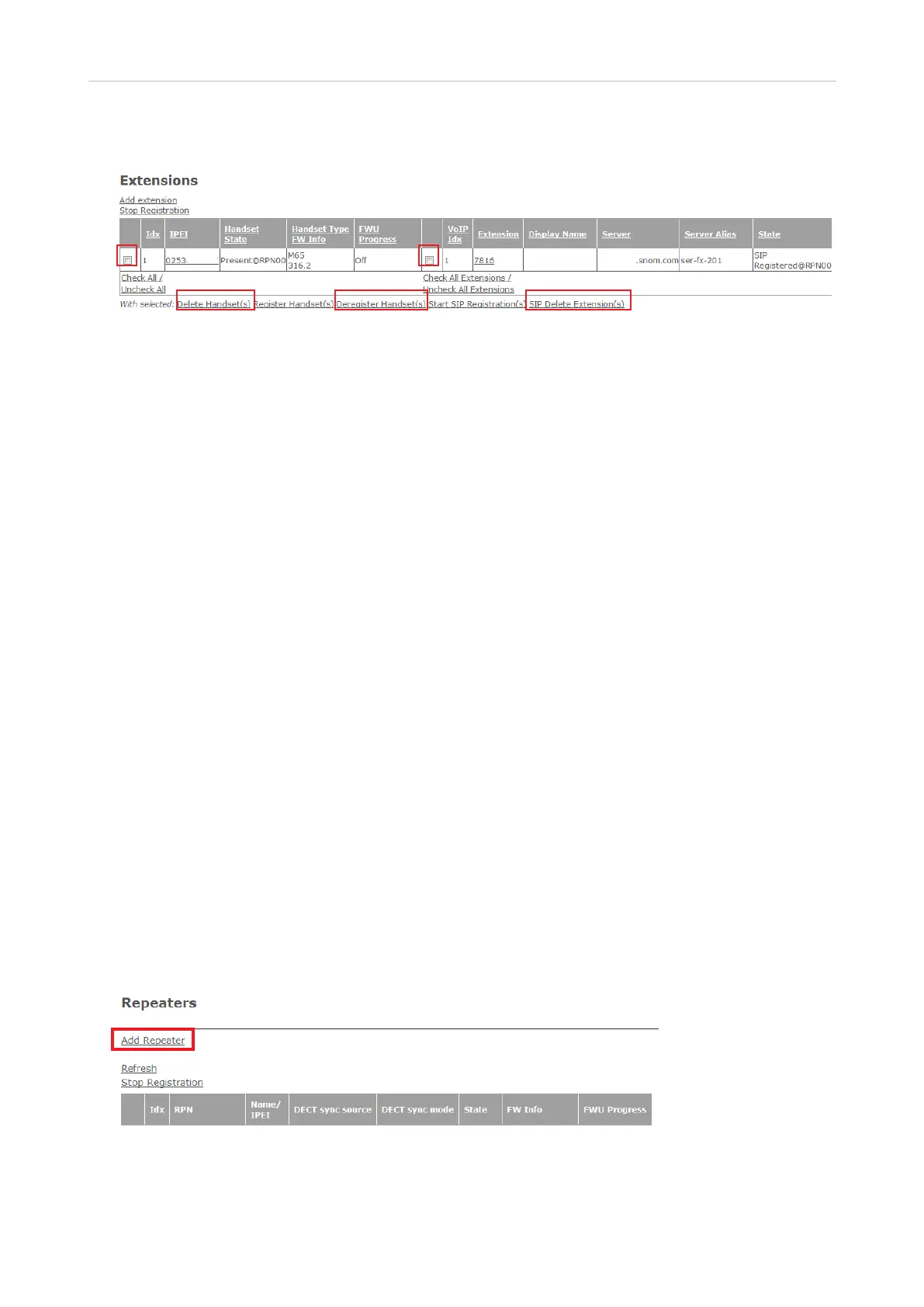
Fig. 17
• To deregister one or more handsets, click the checkbox to the left of the Idx of the respective
handset(s) and then on the link Deregister Handset(s).
• To delete one or more handsets, click on the checkbox to the left of the Idx of the respective
handset(s) and then on the link Delete Handset(s).
• To delete the SIP registrationof of one or more extensions, click on the checkbox to the left of the
VoIP Idx of the respective extensions(s) and then on the link SIP Delete Extension(s).
Registering M5 repeaters
The maximum number of repeaters per base station is 3 (three). In a single-cell system, the base
station (the DECT sync source) will always be RPN00; the repeaters will be numbered RPN01, RPN02,
and RPN03. In a multicell system, you can look up the RPNs of base stations and repeaters on the
Multicell page of the web user interface.
There are two DECT sync modes, Manual and Local Automatical. Automatic sync mode is
recommended for repeaters registered directly at the base station or - in a multicell system - directly
at the primary or any secondary base station in the chain. When repeaters are daisy-chained to other
repeaters, manual sync mode must be used.
Note: If you have changed the access code (AC) for registering handsets at the base station to a
custom code, you must change it back to the default 0000 to be able to register repeaters.
Automatic registration
When this method is used, the repeater will look for the best base station signal, and the base station
will automatically assign an RPN. This method is recommended for registering repeaters directly at
the base station. To daisy-chain two or three repeaters, use manual registration (see page 28).
1. Open the Repeaters page.
Fig. 1
2. Click on Add Repeater (Fig. 1).



 To Next Page