73
v1.02
Admin and Installation Guide M900 Description of Settings
Statistics
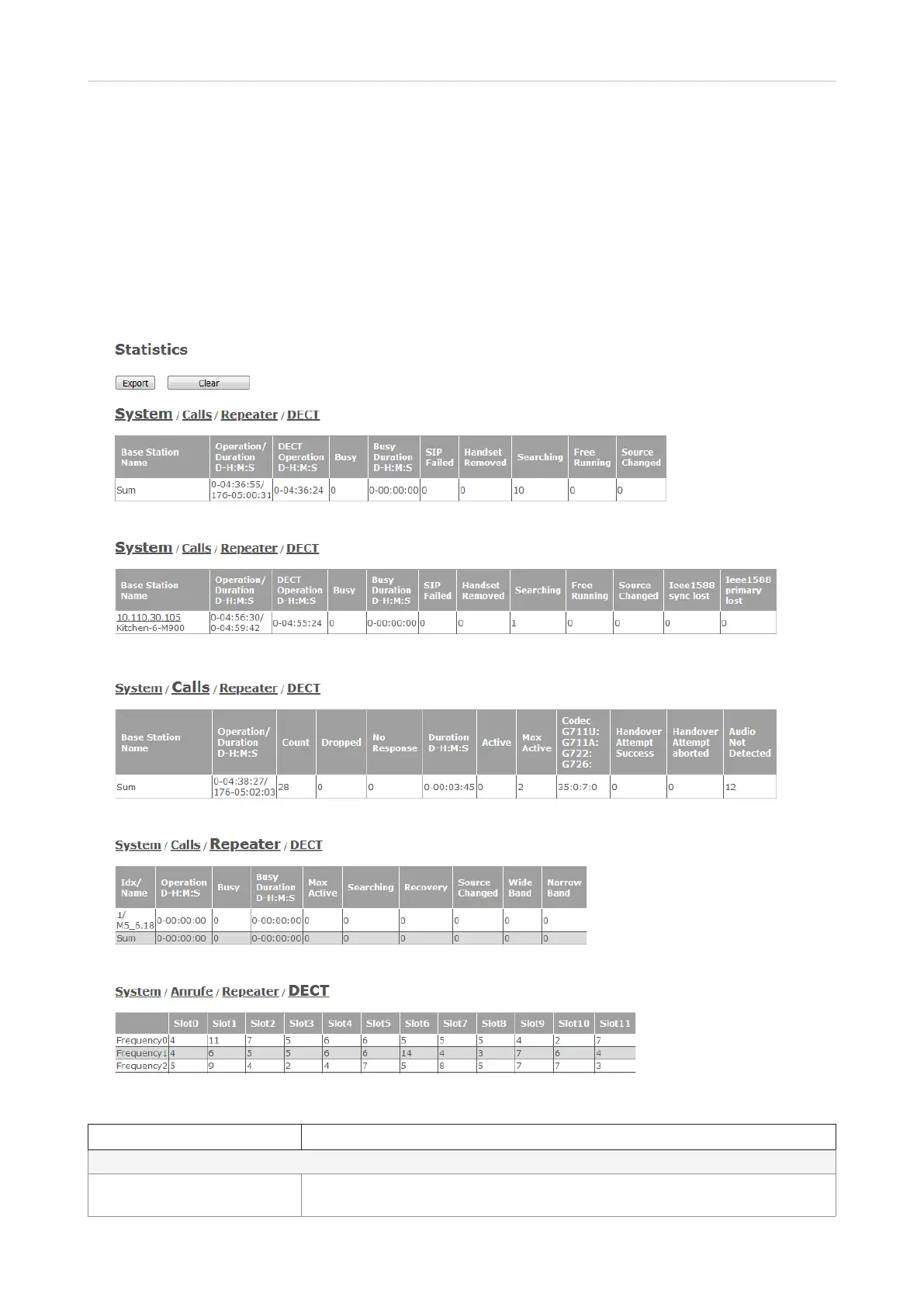
The Statistics page has four subpages: System, Calls, Repeater, and DECT. The visible default page
is System, as indicated by the larger font (Fig. 1 and 2). Click one of the other links to bring that page
onscreen (Fig. 3–5). Click the Export button top all statistical data to a comma-separated file (.csv);
click on Clear to clear all statistical data.
Note: When the base station is running in a multicell setup, the two Ieee1588 columns are added
to the System table (Fig. 2).
Fig. 1 - base station in single cell setup
Fig. 2 - base station in multicell setup
Fig. 3
Fig. 4
Fig. 5
Setting Description
System (Fig. 1 and 2)
Base station name In multicell setup: IP address and - if set - name assigned to base station in
Management settings



 To Next Page