34
v1.02
Admin and Installation Guide M900 Central Phone Directory
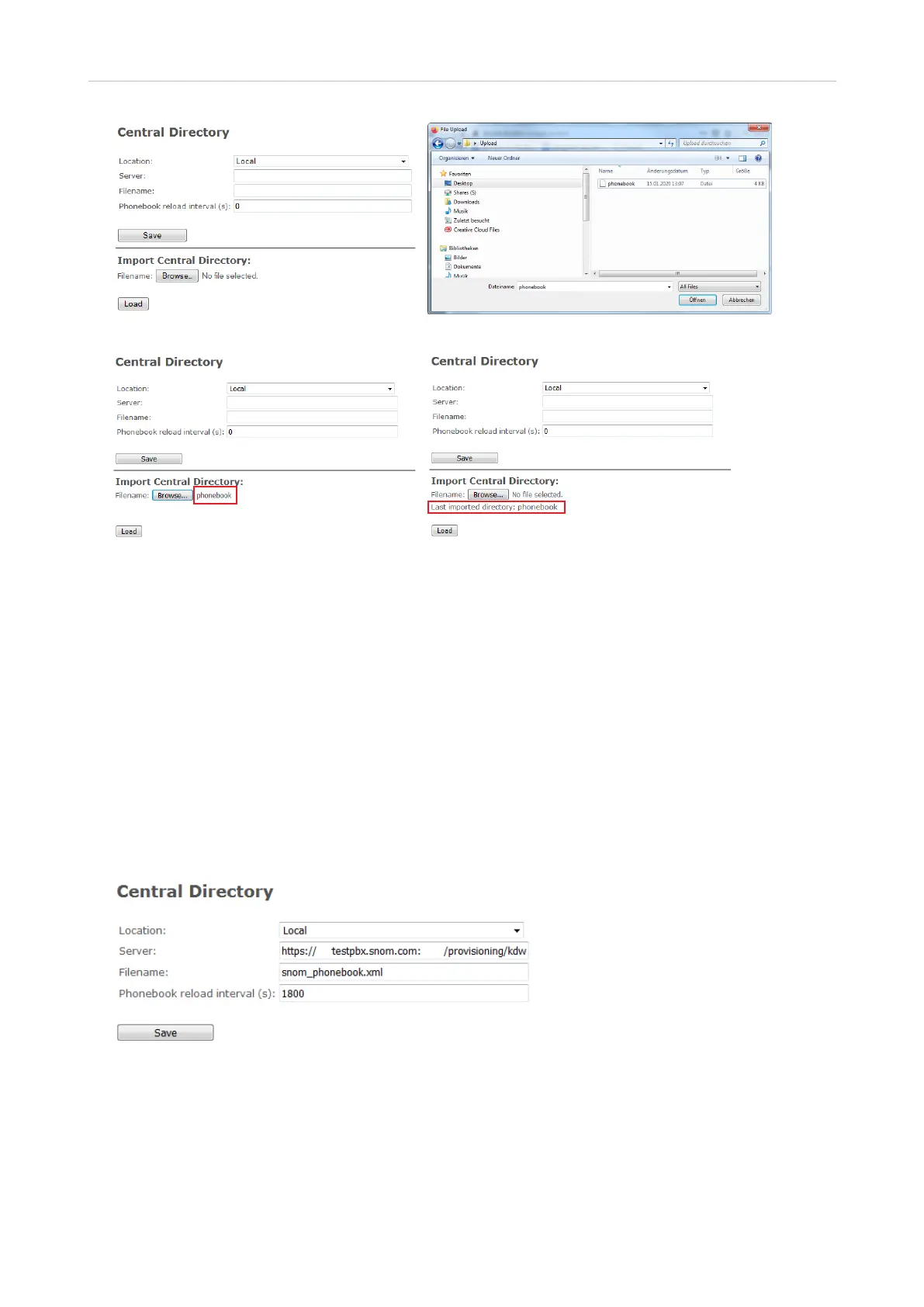
Fig. 1 Fig. 2
Fig. 3 Fig. 4
2. Click on Load (Fig. 3).
3. You may need to reboot the base station to make sure that the changes take eect.
After the file has been downloaded to the base station, the name of the file is shown in the line "Last
imported directory" (Fig. 4). You can view the contents of the imported file on the registered handsets,
but not on the base station.
Polling from external directory server
1. After preparing and saving the file as described in "Preparing the phone directory file" on page
31, upload the file to a server.
2. Enter the server's URL into the text field of Server.
3. Enter the name of the file into the text field of Filename.
4. Enter the number of seconds between downloads of the file into the text field of Phonebook
reload intervals (s). We advise against setting an intervall of less that 1800 seconds (30 minutes)
as it will increase trac considerably.
5. Click Save.



 To Next Page