51
v1.02
Admin and Installation Guide M900 Description of Settings
Network
Setting Description
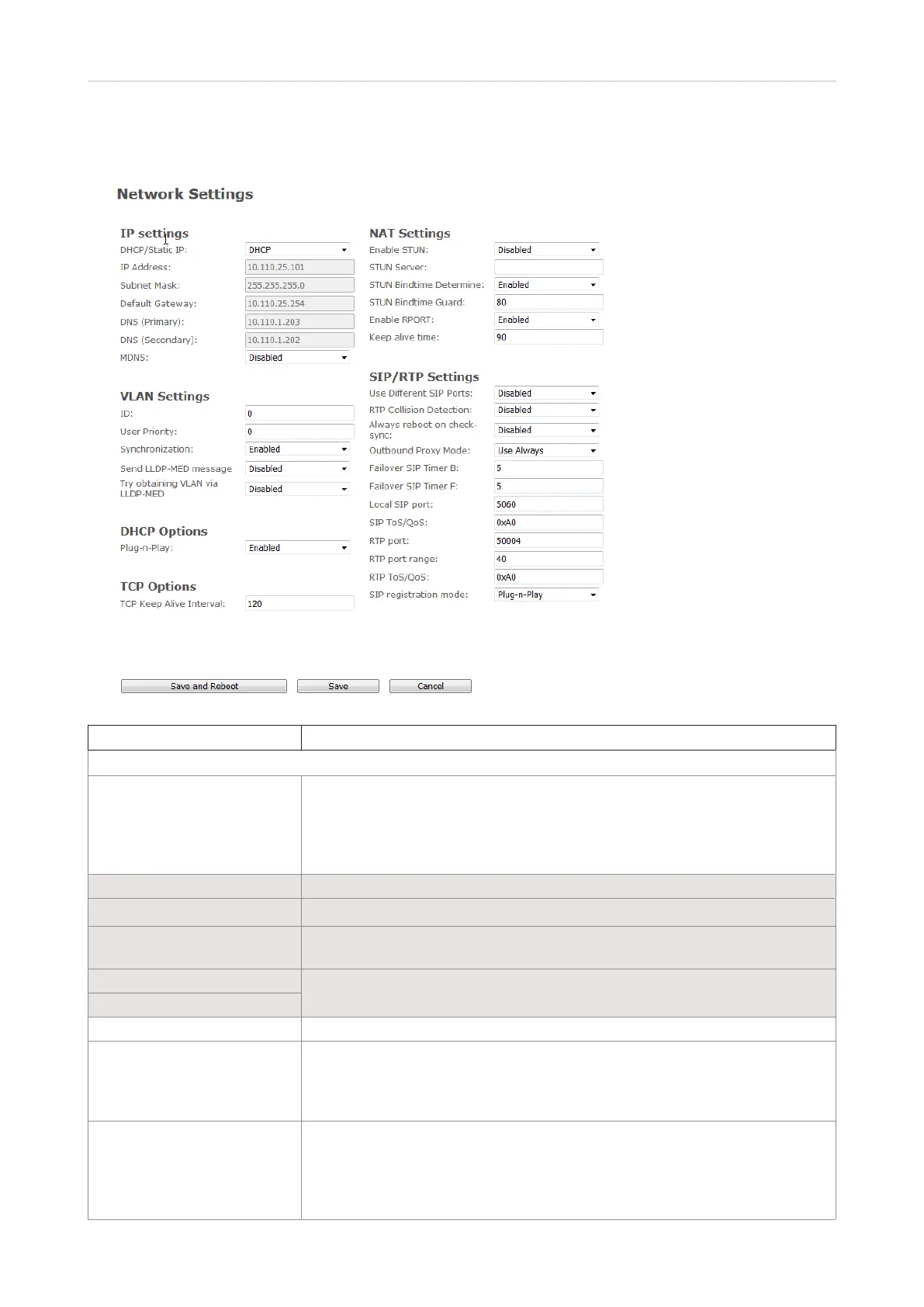
IP settings
DHCP/Static IP Allowing changes in protocol for getting a dynamic IP address. When DHCP is
enabled, the other IP settings and options are not available.
DHCP enabled: IP addresses are allocated from a pool of available addresses.
Static IP: IP addresses are manually assigned by the network administrator.
Default: DHCP.
IP address Enter when using static IP address. Not accessible when using DHCP.
Subnet mask Enter when using static IP address. Not accessible when using DHCP.
Default gateway Enter IP address of your router when using static IP address. Not accessible
when using DHCP.
DNS (Primary)
Enter DNS server address of Internet service provider when using static IP
address. Not accessible when using DHCP.
DNS (Secondary)
MDNS Default: Disabled. Enable to allow Multicast Domain Name system (MDNS).
VLAN Settings The VLAN settings can be used on a managed network with separate Virtual
LANs (VLAN) for sending voice and data trac. To work on these networks,
the base station can tag voice trac it generates on a specific "voice VLAN"
using the IEEE 802.1q specification.
ID 12-bit identification of the 802.1Q VLAN. Permitted value(s): Decimals 0 to
4094. A VLAN ID of 0 is used to identify priority frames and the ID of 4095
(i.e., FFF) is reserved. If 0 is set, there is no VLAN tagging or VLAN discovery
through DHCP.
Default: 0.



 To Next Page