28
v1.02
Admin and Installation Guide M900 Configuring
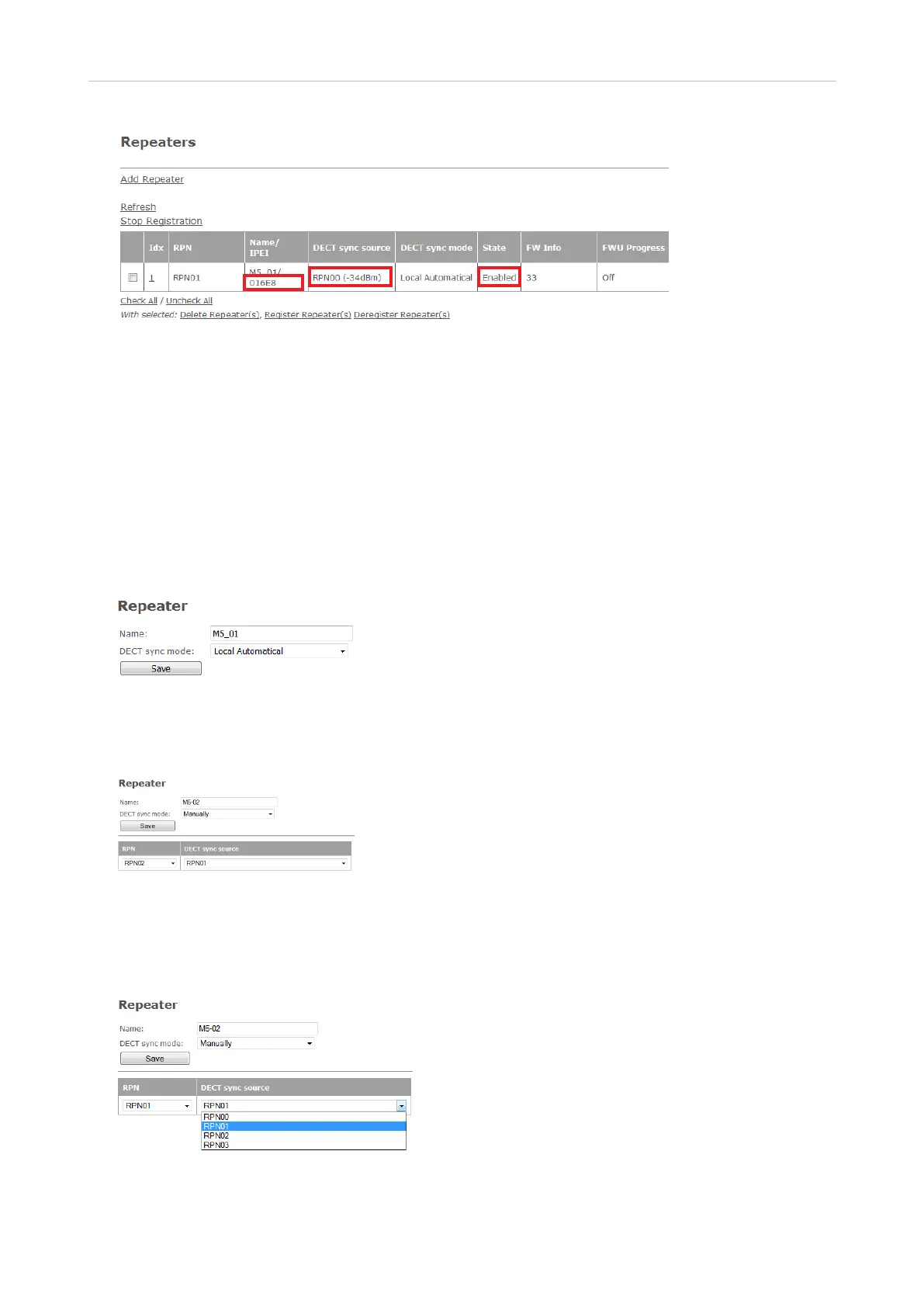
Fig. 6
Manual registration
This method must be used for daisy-chaining two or three repeaters. The RPN for the repeater as
well as its DECT sync source must be selected manually from the respective drop-down menus.
1. Open the Repeaters page (Fig. 6, above).
2. Click on Add Repeater.
3. Enter a name for the repeater, for example a consecutive number or its location. If you do not
enter a name, the IPEI will be listed (Fig. 7).
Fig. 7
4. Select Manually from the DECT sync mode drop-down menu (Fig. 7). The RPN/DECT sync source
table appears (Fig. 8).
Fig. 8
5. Select the DECT sync source from the drop-down menu. In the example (Fig. 9, below), the DECT
sync source of the second repeater is the first repeater from Fig. 6, above, therefore RPN01 is
selected.
Fig. 9



 To Next Page