29
v1.02
Admin and Installation Guide M900 Configuring
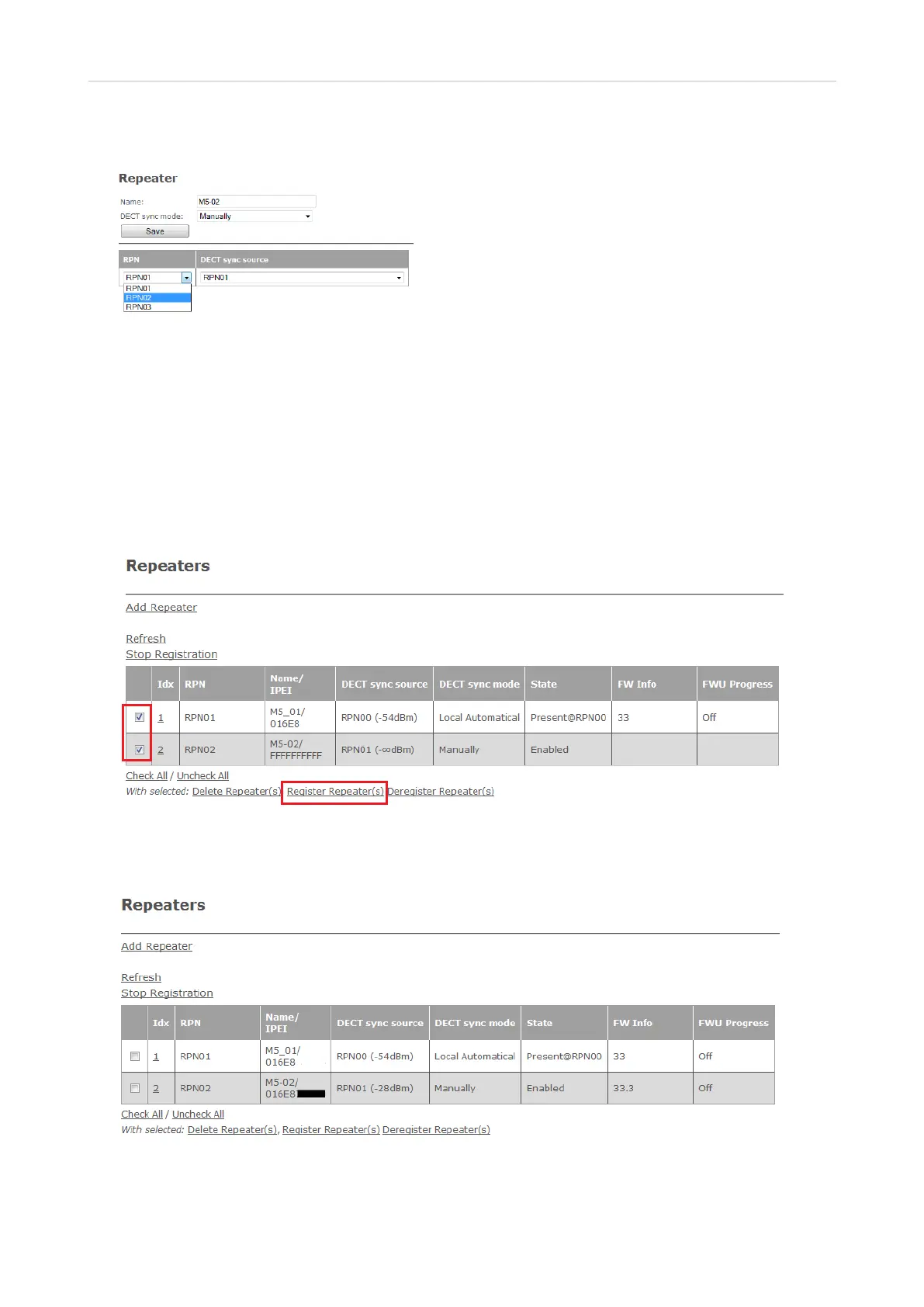
6. Select the RPN from the drop-down menu of RPN.
Fig. 10
7. Click on Save.
8. Connect the repeater to a power outlet.
9. Press the reset tab on the back of the repeater (see Fig. 4 on the preceding page) for approx. 2
seconds until the LED blinks red briefly and then switches to double green flashes.
10. On the Repeater page, check the box to the left of the Idx of both or all three repeaters in the chain
and then click on Register Repeater(s) (Fig. 10).
Fig. 10
Upon successful registration, the Repeater page will show the RPNs of the newly added repeater
and its DECT sync source, its IPEI, and the state as "Enabled".
Fig. 11



 To Next Page