42
v1.02
Admin and Installation Guide M900 Description of Settings
Extensions
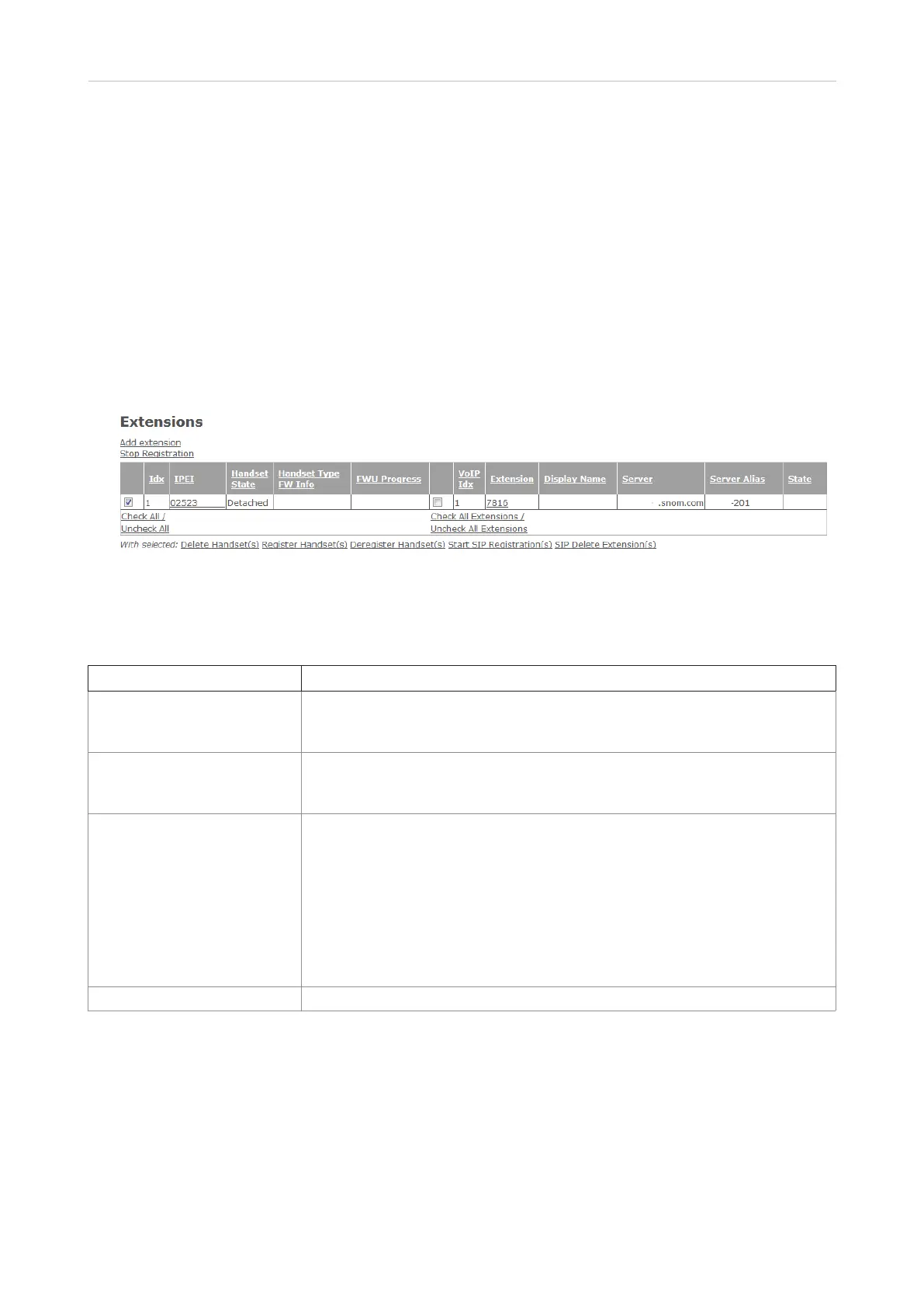
This page has three subpages, Add Extension, Edit Extension, and Handset. Setting up extensions
and registering handsets to extensions: See "Extensions" on page 21 .
Note:
◦ An extension/identity can only be assigned to one handset in your single-cell or multicell
installation. Do not try to register more than one handset for an extension.
◦ Extension numbers must be unique, even when they are used on dierent SIP servers,
regardless whether the servers are in your oce network or provided externally by an IP
provider.
Fig. 1
Extensions page settings
Setting Description
Idx Index of handsets. Handsets are numbered consecutively by the base station.
With checkbox for registering handsets at and deregistering or deleting them
from the base station.
IPEI International Portable Equipment Identifier for DECT handsets which is unique
worldwide. It consists of the equipment manufacturer code (EMC) and a
portable serial number (PSN) issued by the manufacturer.
Handset State Information on the respective handset's current status in the network:
Present@RPNxx: The handset is located at the base station with RPNxx (radio
fixed part number).
Detached: The handset is turned o.
Located: The handset is configured to locate on a specific base station, but is
unable to do so (e.g., the base station is turned o).
Removed: The handset has not been used for a specified amount of time.
Enabled: Registration has been set up for handset, but handset has not
registered yet.
Handset Type FW Info Type of handset (e.g., M70) and firmware version (e.g., 3450.5) on the handset



 To Next Page