75
v1.02
Admin and Installation Guide M900 Description of Settings
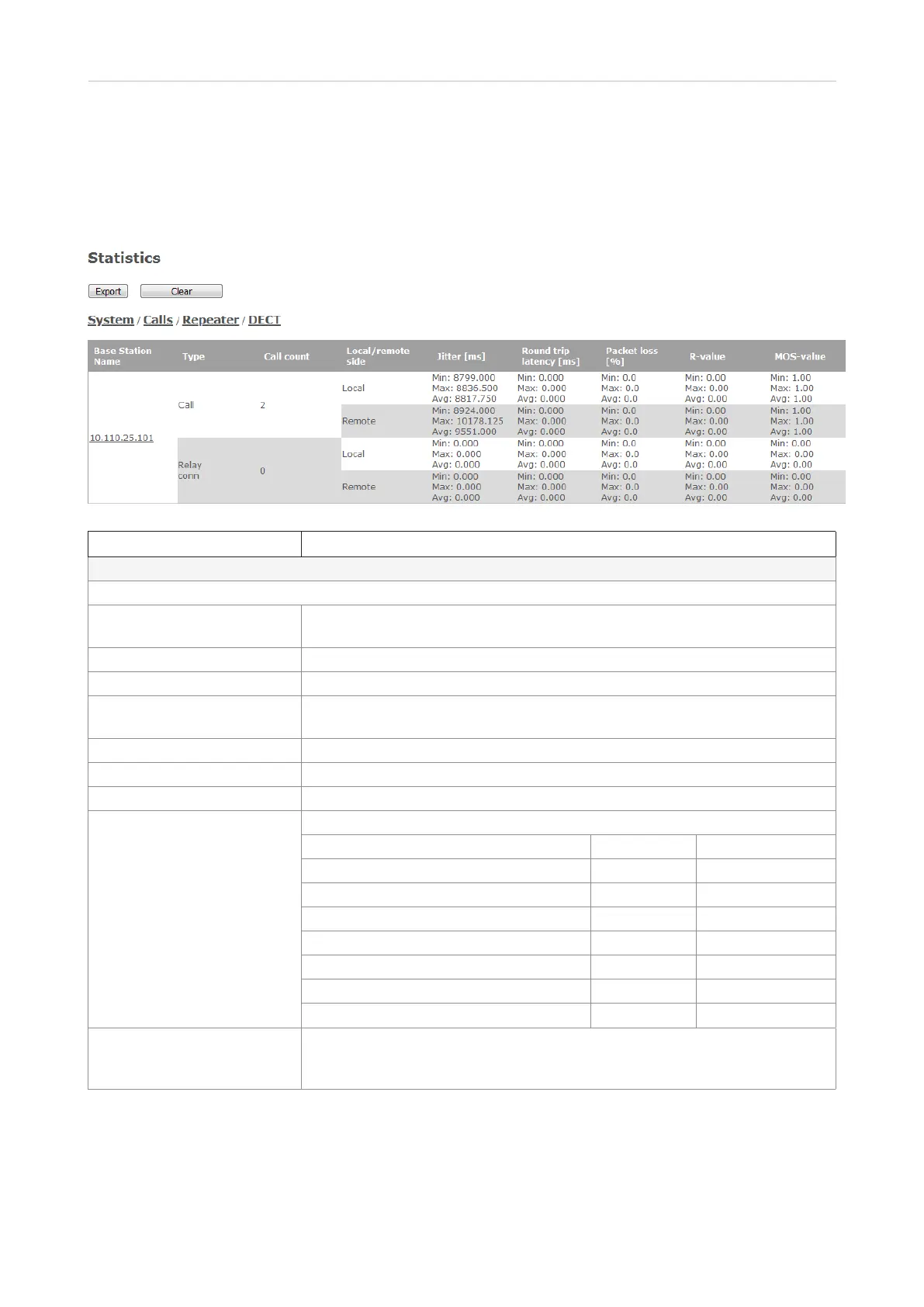
Call quality page
This page is normally not visible on the web user interface. It is accessed by adding CallQuality.jhtml behind the
slash following the IP address of the base station in the address bar of your browser, e.g., http://10.110.20.108/
CallQuality.html.
Setting Description
Call Quality
NOTE:
Base station name IP address and - if set - name assigned to base station in Management
settings.
Type Type of connection (call and relay connection)
Call count The number of calls and relay connections
Local/remote side Divides both calls and relay connections into local and remote ones for further
analysis.
Jitter [ms] Measures how the RTP packets are received. Lower values are better.
Round trip latency [ms] Measures the time it takes for RTP packets to reach their destination.
Packet loss [%] Percentages of packets lost.
R-value Measuring call quality from 0–120.
User satisfaction level MOS R-Factor
Maximum using G.711 4.4 93
Very satisfied 4,3–5.0 90–100
Satisfied 4.0–4.3 80–90
Some users satisfied 3.6–4.0 70–80
Many users dissatisfied 3.1–3.6 60–70
Nearly all users dissatisfied 2.6–3.1 50–70
Not recommended 1.0–2.6
Less than 50
MOS value Measures subjective call quality for a call. Scores range from 1 for
"unacceptable" to 5 for "excellent. VoIP calls often are in the 3.5 to 4.2 range.
See table at R-value, above.



 To Next Page