47
v1.02
Admin and Installation Guide M900 Description of Settings
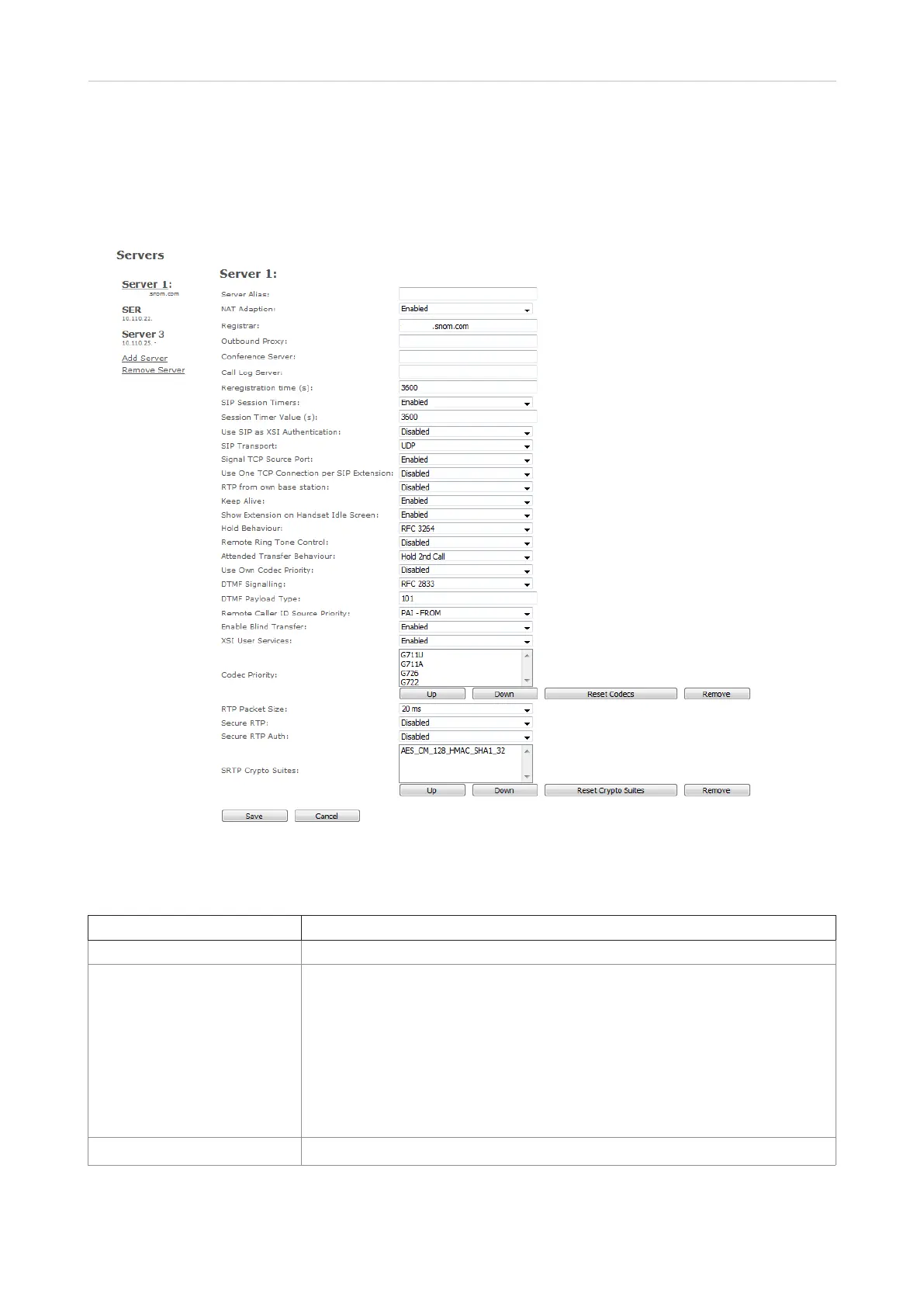
Servers
On this page you add and remove SIP/NAT servers, select the server the base station should connect
to, and change the default settings.
Fig. 1
Settings descriptions:
Setting Description
Server Alias Server alias. Default: empty.
NAT Adaption Default: Disabled. Ensures that all SIP messages go directly to the NAT
gateway. Please note:
Enabled: When the base station receives a SIP response to a REGISTER
request with a “Via” header that includes the “received” parameter (e.g.:
Via: SIP/2.0/UDP 10.1.1.1:4540;received=68.44.20.1), it will adapt its contact
information to the IP address from the "received" parameter. The base
station will then send another REGISTER request with the updated contact
information.
Disabled: The base station will ignore the "received" parameter.
Registrar SIP server proxy DNS or IP address. Specifying the port number is optional.



 To Next Page