20
v1.02
Admin and Installation Guide M900 Configuring
Initial settings
Servers
During the initialization, the default server settings are loaded automatically. For a description of the
settings, see "Servers" on page 47.
Language, country, and time/date
The Country page contains drop-down menus for the selection of your country, a state or region
within that country, if applicable, and the language to be used on the web interface of the base station.
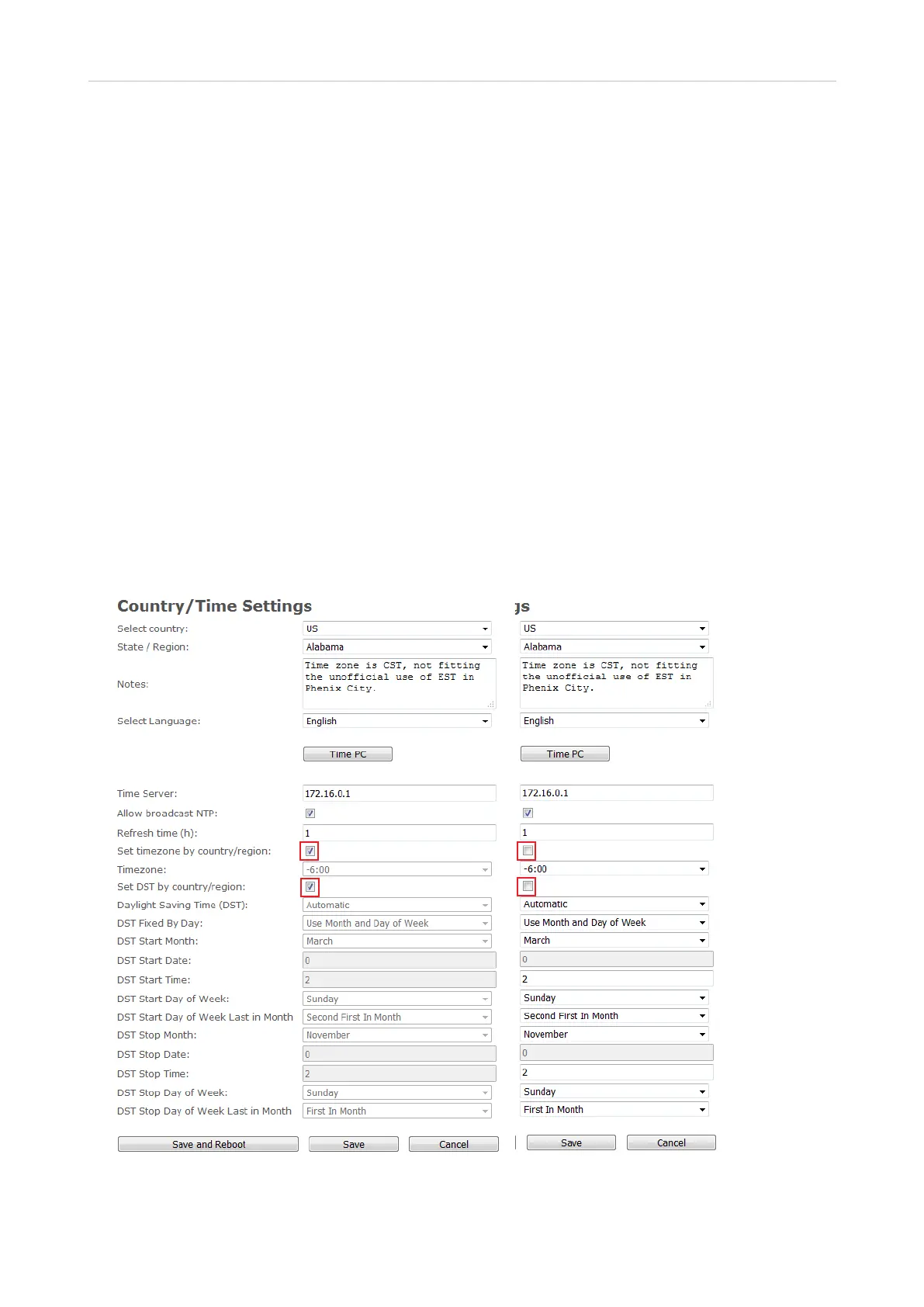
In the default setting, the time zone and daylight saving time (DST) are set automatically so that the
time and DST of the selected country and, if applicable, the selected region of the country will be used
on the base station and the handsets (Fig. 1). The automatic settings can be disabled by unchecking
the checkboxes for the settings Set timezone by country/region and Set DST by country/region; the
manual settings are enabled simultaneously (Fig. 2).
For a description of the settings, see "Country/time settings" on page 58.
Selecting country, region, and language
Fig. 1 Fig. 2



 To Next Page