10
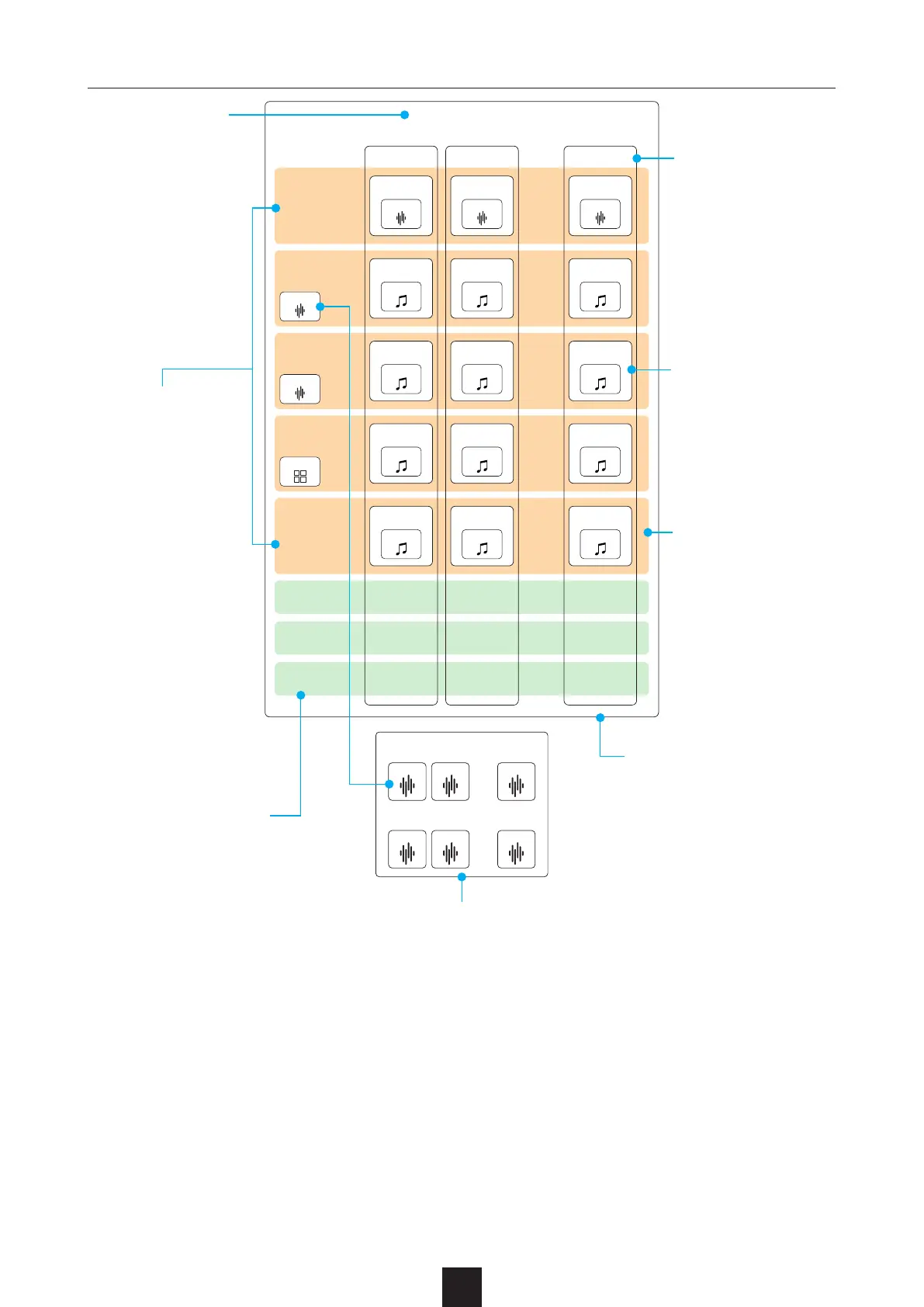
One project cor-
responds to one
song.
Each project has 16
scenes.
Each scene makes a
somewhat unified sec-
tion, such as an intro,
verse A, verse B, cho-
rus and ending.
Even when the scene
changes, the track
type does not change.
For example, if Track
1 is an INST track, it
will always function as
an INST track in every
scene.
A phrase on a specif-
ic track in a specific
scene is called a clip.
The SmplTrek has settings
and functions that work on
entire scenes, settings and
functions that work on en-
tire tracks, and settings and
functions that work only on
specic clips.
Load samples from the sample pool
to use them in LOOP, INST and SHOT
tracks.
The three GLOBAL tracks
can be used to record
over multiple scenes. Use
these for lead and back-
ing vocals, for example.
Each project can
have up to 10 tracks.
Each track corre-
sponds to a part in
the song, for exam-
ple guitar, bass or
drums.
The five types of
tracks are LOOP,
INST, SHOT, DRUM
and MIDI.



 To Next Page