EasyManua.ls Logo

Sonicware SmplTrek - MIDI - Setting Track Channels

Sonicware SmplTrek
174 pages
Print Icon
To Next Page IconTo Next Page
To Previous Page IconTo Previous Page
Loading...

162

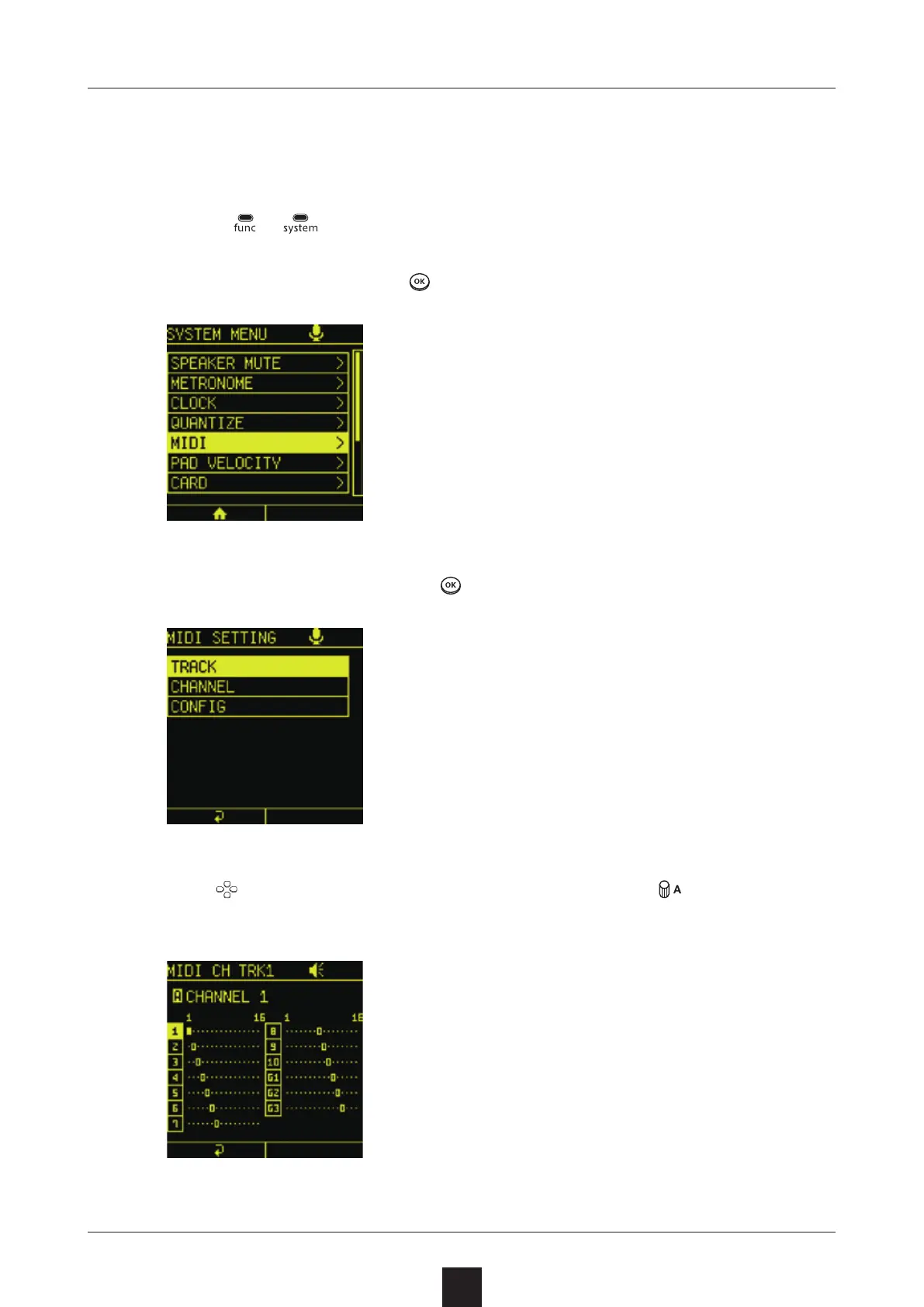
MIDI channel numbers can be set for every SmplTrek track.
Press +
to open the SYSTEM MENU Screen.
Select , and press to open the MIDI SETTING Screen.
Select , and press .
Use
to select the track to change, and turn to change the
channel.

Table of Contents

Other manuals for Sonicware SmplTrek