15
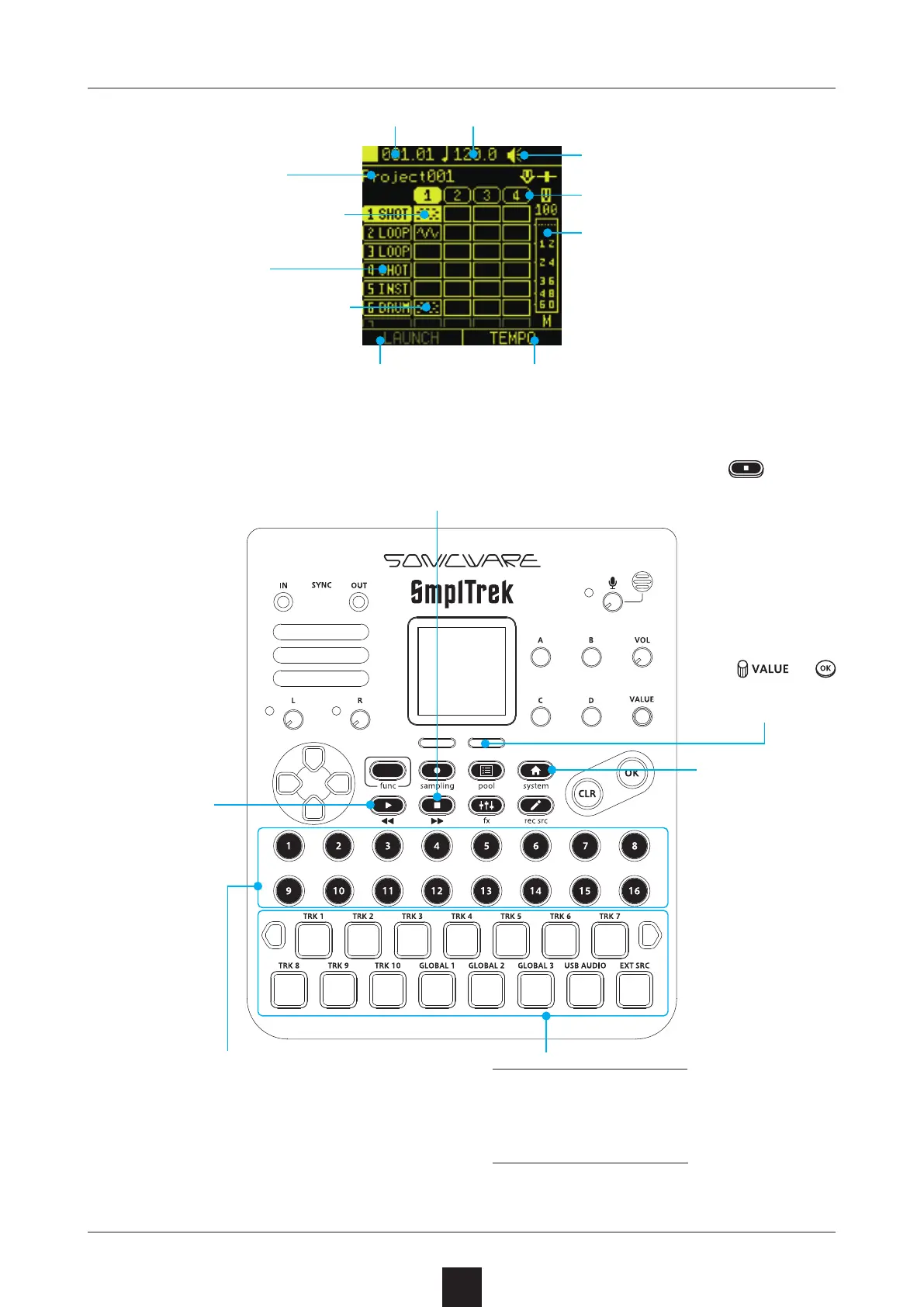
Project name
Track type
Track with input data
Turn LAUNCH
mode on/o
Set tempo
Select with direction
buttons
Tempo
Scene number
Master level
Speaker/built-in mic status
Current location
This plays the
project.
Press the right
selection but
-
ton to open the
TEMPO Screen.
Use
or
(tap) to change
the tempo.
This stops playback of the project/scene. Press again to
return to the beginning of the project.
Press the STEP button for a scene to
start playing it in a loop. Press it again to
stop.
If another STEP button is pressed during
playback, that scene will start playing af
-
ter the current scene nishes.
Press the LED pad for a track to start
playing it. Press it again to stop.
(The track will not start playing.)
Open the Home
Screen



 To Next Page