88
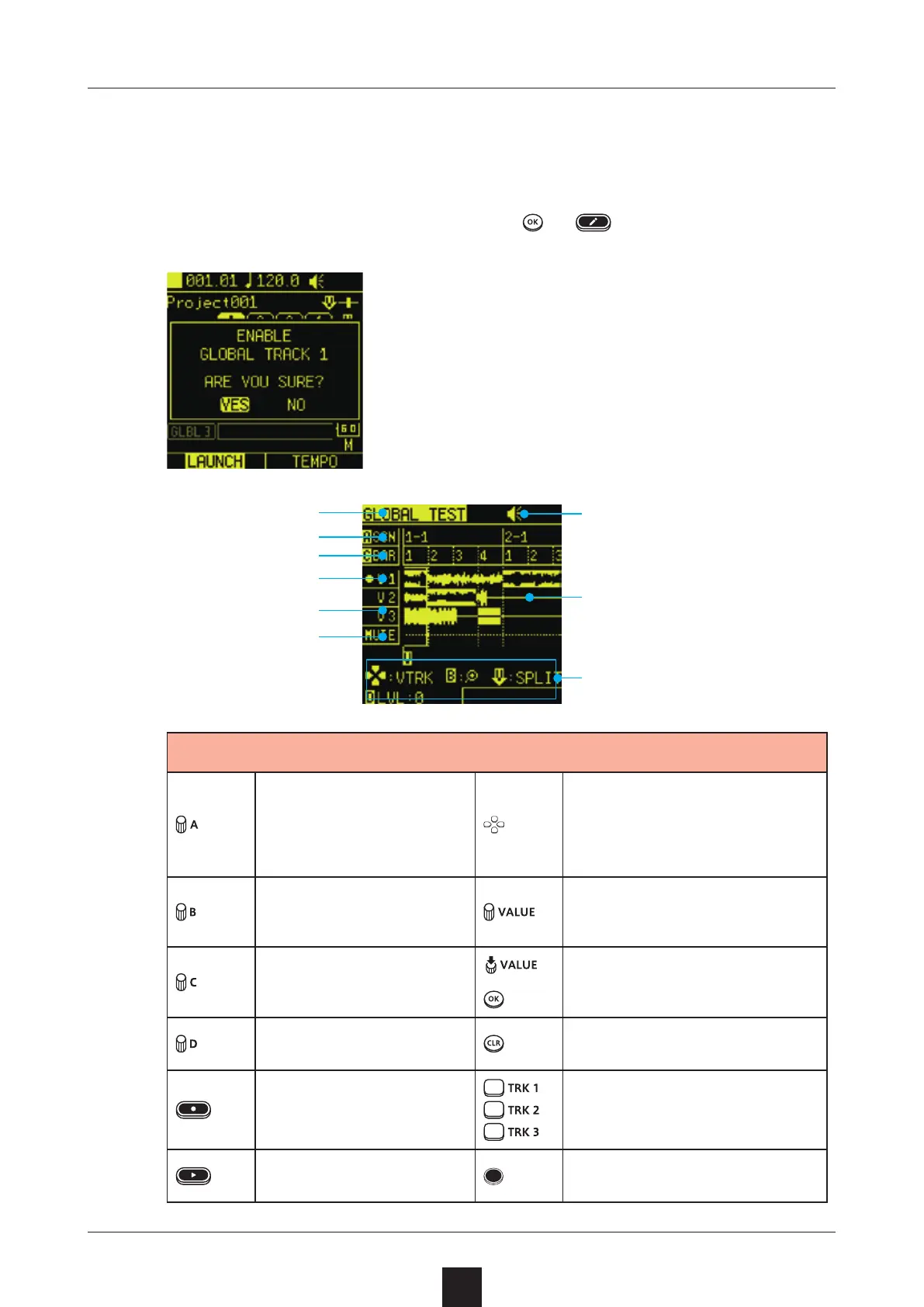
GLOBAL tracks must be enabled for them to be used.
Select a GLOBAL track clip, press or , and select .
Move between bars
Selects take above/be-
low or move by region
left/right
Zoom waveform in/
out
Adjust selected point
precisely
Move editing selec-
tion by beats
Split region
Adjust level Cancel division
Start recording Switch recording track
Play Switch scenes
Bars
Track type
Beats
V takes 1–3
MUTE tracks
Recording track
Waveform display
Editing items
Speaker/built-in mic status



 To Next Page