7
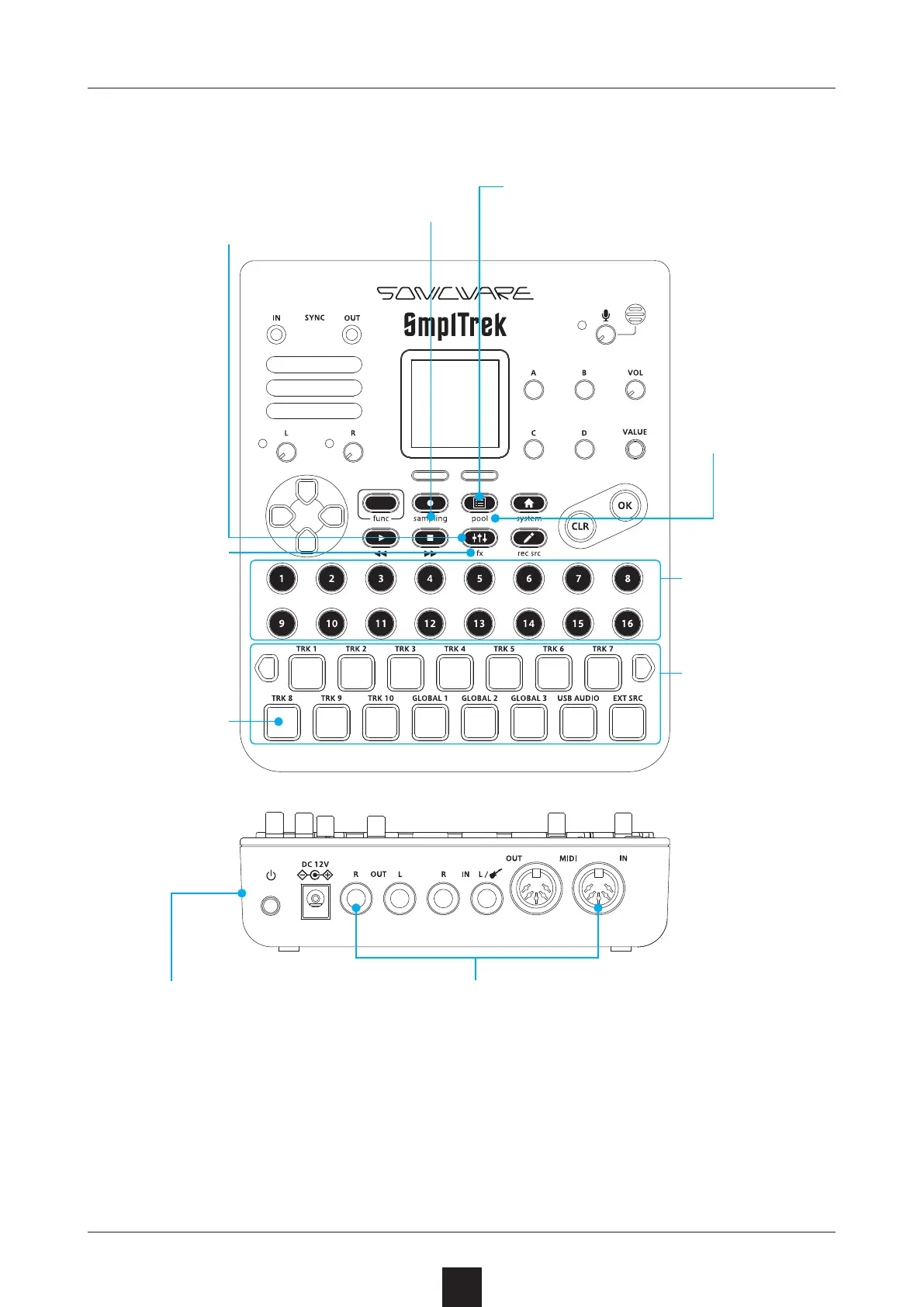
Sample using the
built-in mic and
inputs.
Create new projects and manage exist-
ing ones, including selection, renaming
and deletion.
Adjust the level, pan-
ning and other parame-
ters of each track.
Each scene can
have 10 sequenc
-
er tracks and
3 global audio
tracks.
Uses of these
velocity-sensi
-
tive pads with
full-color LEDs
include track
playback and
keyboard per
-
formance.
The SmplTrek can be used as
a 2-in/2-out audio interface
by connecting it by USB to a
smartphone or PC/Mac.
Along with SYNC IN/OUT jacks, MIDI IN/
OUT connectors can be used with external
MIDI devices. Other connectors include IN
-
PUT jacks with switchable impedance and
a built-in mic that is convenient for sam
-
pling with just this unit.
Up to 3 of the
36 built-in ef
-
fects can be
used simultane
-
ously.
A single project is
made of up to 16
scenes.
Manage all sam-
ples and trim,
normalize, stretch
and otherwise edit
them in the sam
-
ple pool.



 To Next Page