EasyManua.ls Logo

Sonicware SmplTrek - INST Tracks - Loading Samples

Sonicware SmplTrek
174 pages
Print Icon
To Next Page IconTo Next Page
To Previous Page IconTo Previous Page
Loading...

64

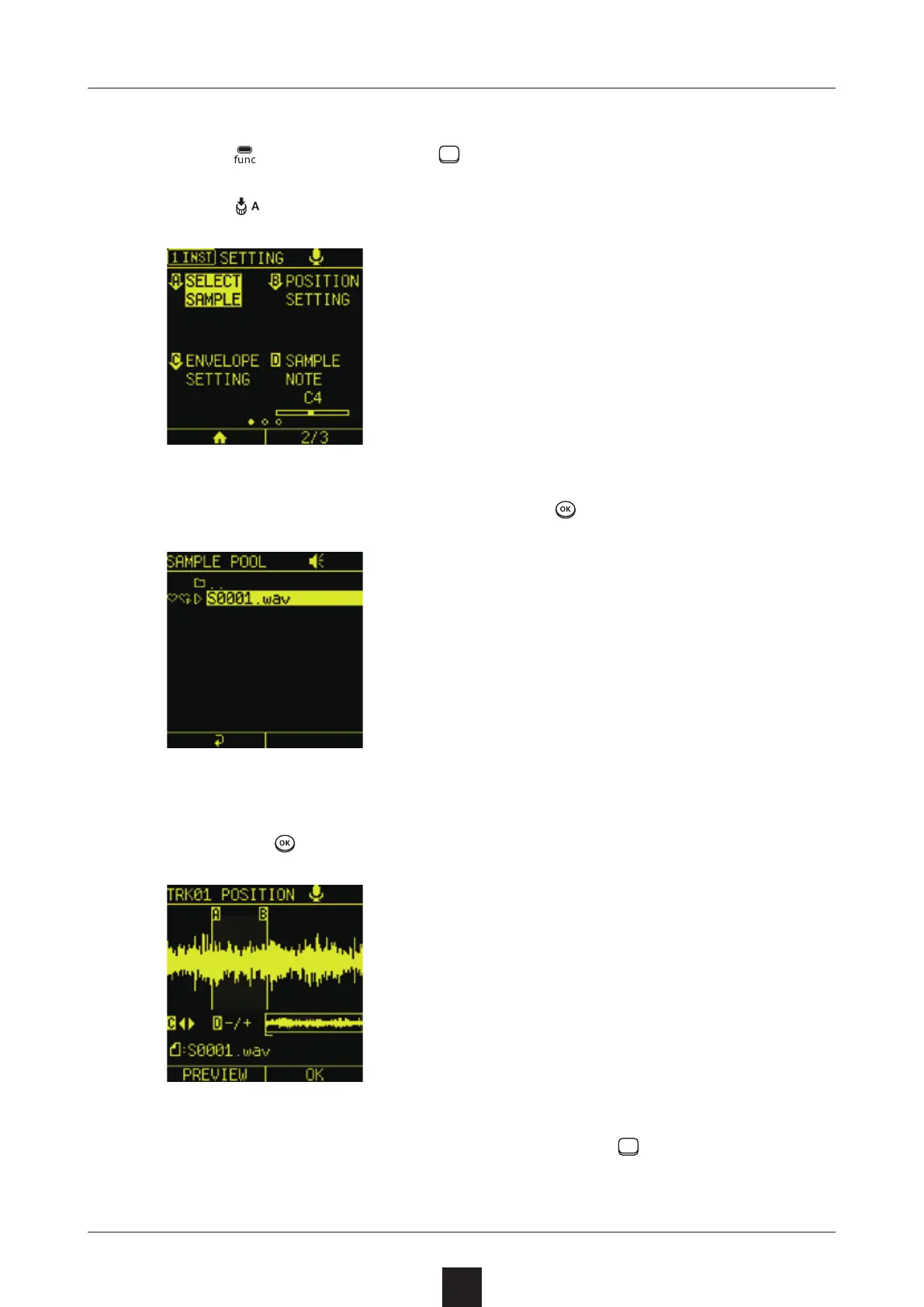
Press + the INST track to open the SETTING Screen.
Press
 to open the SAMPLE POOL Screen.
Select the desired sample, and press .
Following the guidance on screen, adjust the START/END points,
  and press
.
The loaded sample can be played using the
pads as
  a keyboard.

Table of Contents

Other manuals for Sonicware SmplTrek