6-29
DCR-PC350/PC350E
10. Mixed Color Compensation Adjustment
Compensate the mixed colors of the CCD color filters so that proper
color reproduction is produced.
Subject Mixed color compensation chart
(Color reproduction adjustment frame)
(1.0m (PTB-450) or 0.4m (PTB-1450)
from the front of the lens)
Measurement Point Display data of page 1 (Note4)
Measuring Instrument Adjustment remote commander
Adjustment Page 14 (Note2)
Adjustment Address 98 to 9F, A8 to B7
Specified Value 1 bit15 is “1”
Note1: This adjustment should be carried out upon completion of “CCD
Output 2ch Matching Adjustment”.
Note2: When reading or writing the 14 page data, select page: 0, address:
10, and set data: 01, then select 4 page. The 14 page can be chosen
by this data setting.
After reading or writing, reset the data of page: 0, address: 10 to
“00”.
Note3: Check that the data of page: 6, address: 02 is “00”. If not, to page:
6, address: 01, set data: 00, and press the PAUSE button.
Note4: Displayed data of the adjustment remote commander.
1 : XX : XX
Display data
Switch setting:
1) POWER....................................................... CAMERA-TAPE
2) NIGHT SHOT..................................................................OFF
3) FOCUS.................................................................. MANUAL
4) DIGITAL ZOOM (CAMERA SET menu) ......................OFF
5) STEADY SHOT (CAMERA SET menu) ........................OFF
Picture frame setting:
Order Page
Address
Data Procedure
1 0 10 00 Set the data.
2 6 90 XL Set the data. (Note5)
3 6 91 XH Set the data. (Note5)
4 6 92 YL Set the data. (Note5)
5 6 93 YH Set the data. (Note5)
6 6 01 79 Set the data, and press PAUSE
button.
7 Check that the mixed color
compensation chart is located in
the center of the screen.
Note5: XL, XH, YL and YH are the data read in the “9. Picture Frame
Setting (Color Reproduction Adjustment Frame)”.
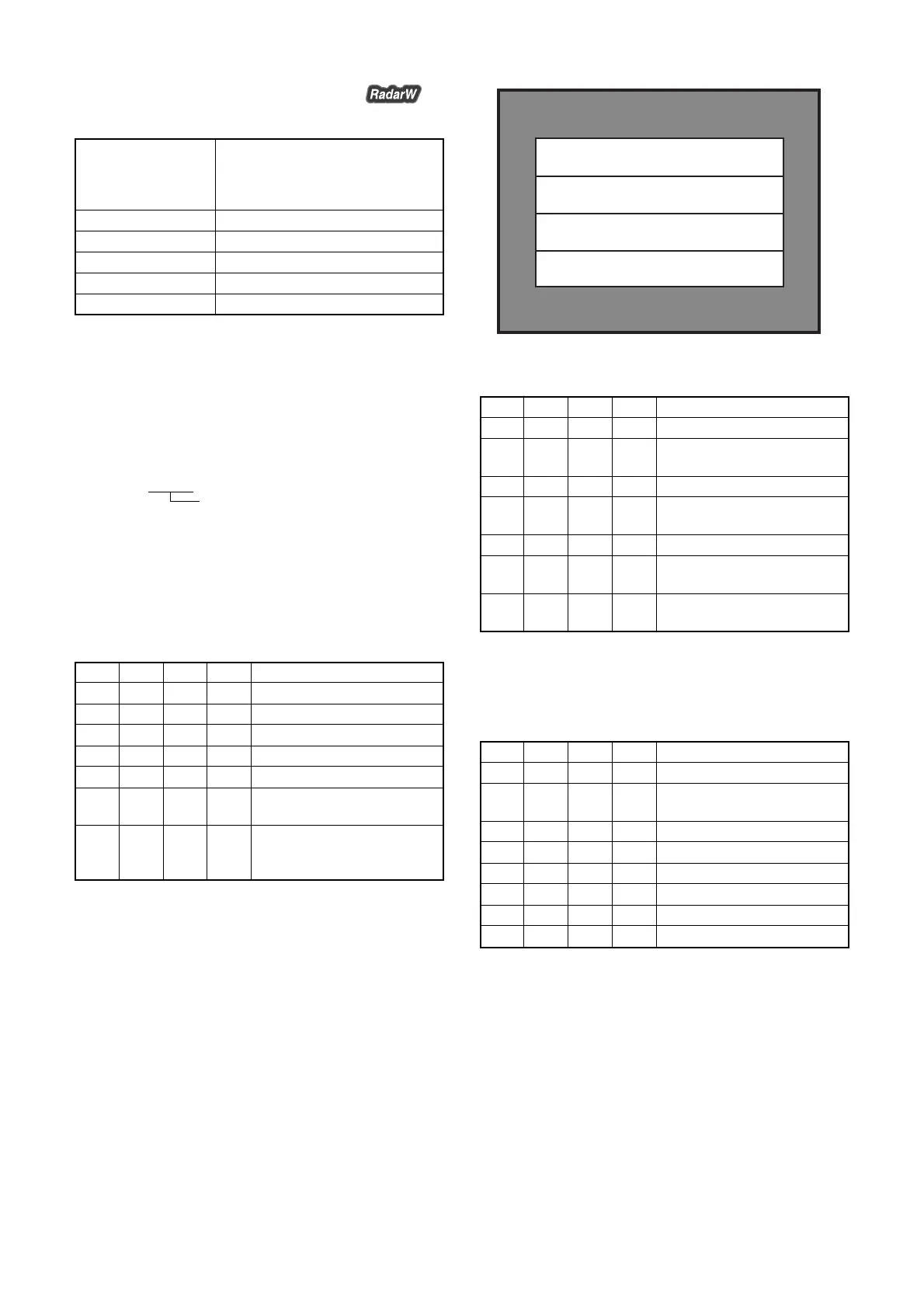
Fig. 6-1-13.
Adjusting method:
Order Page
Address
Data Procedure
1 0 01 01 Set the data.
2 6 01 D5 Set the data, and press PAUSE
button.
3 Wait for 1 sec.
4 6 01 D7 Set the data, and press PAUSE
button.
5 0 03 33 Set the data.
6 6 02 Check that the data is “01”.
(Note6)
7 1 Check that bit15 of the display
data (Note4) is “1”. (Note7)
Note6: The adjustment data will be automatically input to page: 14,
address: 98 to 9F, A8 to B7.
Note7: When bit15 of the display data is “1”, the display data is “8000”
to “FFFF”.
Processing after Completing Adjustments:
Order Page
Address
Data Procedure
1 0 10 00 Set the data.
2 6 01 00 Set the data, and press PAUSE
button.
3 6 90 00 Set the data.
4 6 91 00 Set the data.
5 6 92 00 Set the data.
6 6 93 00 Set the data.
7 0 01 00 Set the data.
8 0 03 00 Set the data.
Magenta
Red
Blue
White














 To Next Page