— 42 —
DV MECHANICAL ADJUSTMENT MANUAL VII
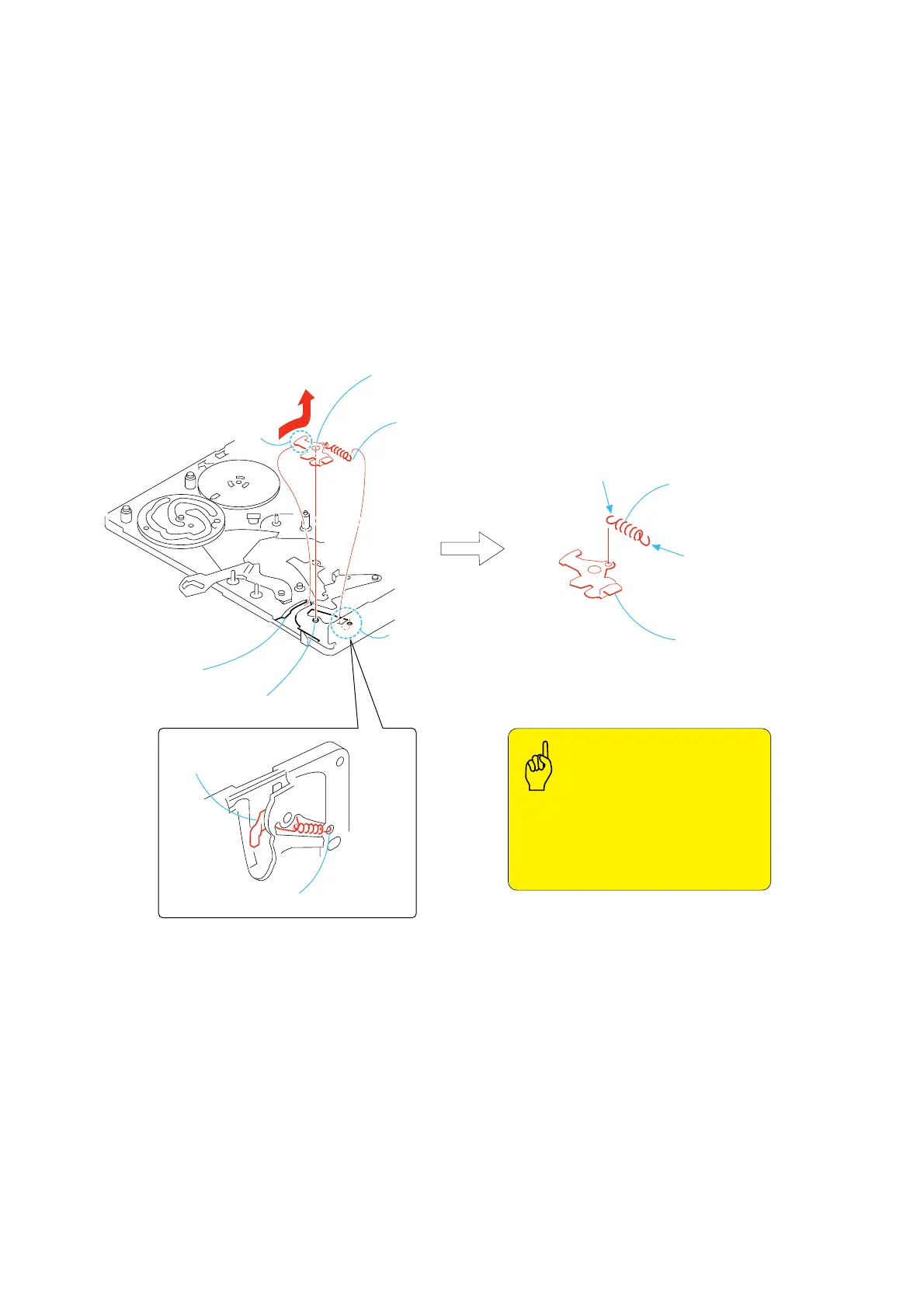
3-31.EJ Arm
1. Removal procedure
1) Remove the hook 1 of the tension coil spring (EJ arm) 3 that
is hooked on the round hole A.
2) Remove the EJ arm and the tension coil spring (EJ arm) 2 all
together in the direction of the arrow.
3) Remove the tension coil spring (EJ arm) 3 from the EJ arm
4.
2. Attachment procedure
1) Install the tension coil spring (EJ arm) 3 into the round hole
of the EJ arm 4 with the hook facing upward.
2) Insert the top tip (bent) portion B of the EJ arm 4 into the
groove of the mechanical chassis. Insert the dowel C into the
round hole of the EJ arm.
3) Insert he tension coil spring 1 into the round hole A of the
mechanical chassis with the hook facing upward.
1
Remove the hook.
B
A
4
EJ arm
EJ arm
Groove of the mechanical chassis
Dowel
C
• When installing the EJ arm, confirm the
front side and rear side so that the correct
side is selected.
• Extension spring (EJ) must not have
elongation and opening of hook.
Points to be noted
2
EJ arm,
Extension spring (EJ)
3
Extension
spring (EJ)
Extension spring (EJ)
The spring hook faces upward
The spring hook
faces upward














 To Next Page