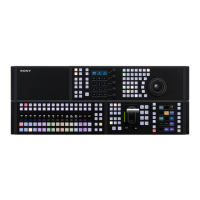
ICP-X7000
1-81 (E)
Association between switcher control panel and NS-BUS remote control panel
The following describes how to associate the NS-BUS remote control panel (MKS-R3210/MKS-R1620)
with the switcher control panel to use the NS-BUS remote control panel (MKS-R3210/MKS-R1620) as
Network AUX Remote.
t
Up to 16 NS-BUS remote control panels per switcher control panel are connectable.
When an NS-BUS remote control panel (1st to 16th) is detected, it is automatically associated with the
first switcher control panel (PNL1).
Procedure
1. Open the Maintenance menu.
2. Click [AUX Remote Panel Config] on the left side of the Maintenance Menu window.
The AUX Remote Panel Config window appears.
t
NS-BUS remote control panels are displayed in the name order.
3. Select the [Configuration] radio button of “Mode.”
4. Select the checkbox of NS-BUS remote control panel you want to associate from the AUX Remote
Panel field.
5. Select the switcher control panel (PNL1 to PNL4) you want to associate from the [Move to] drop-
down list.
6. Click the [Execute] button.
The setting is executed.



 To Next Page
 Loading...