164
English
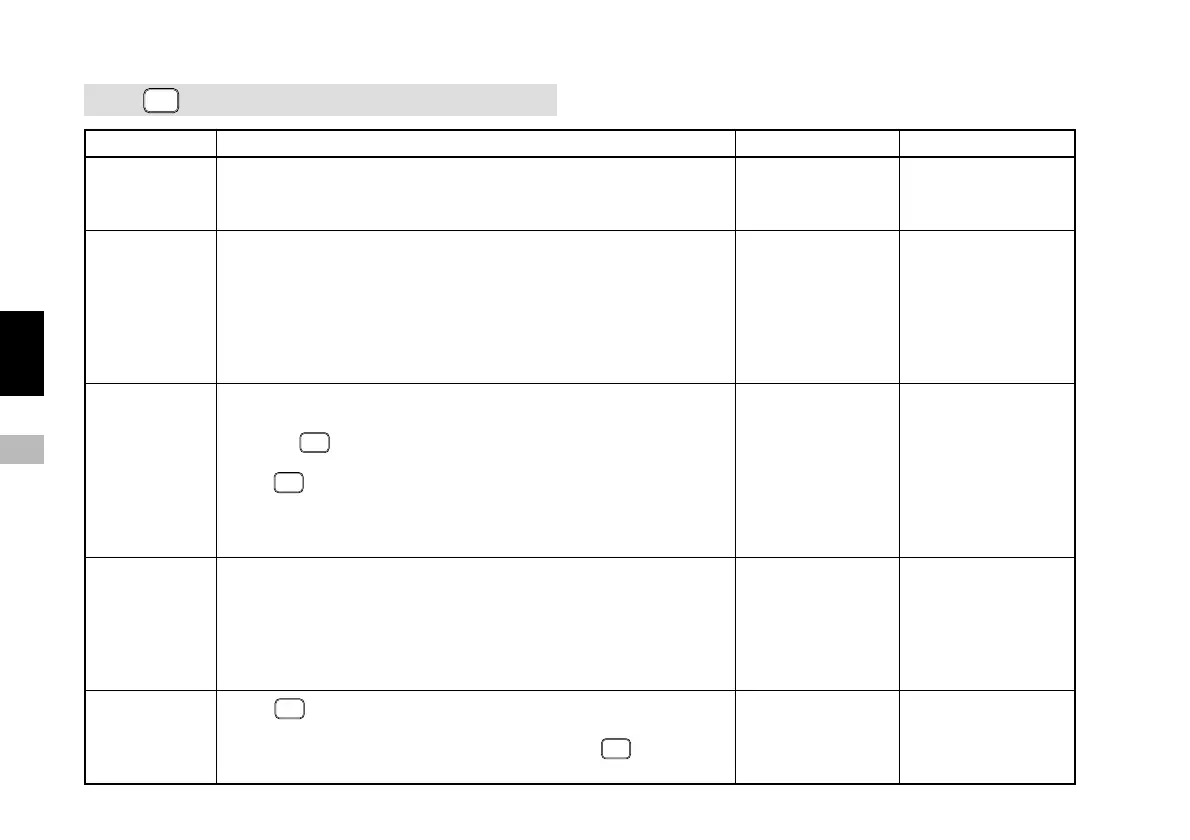
6-1.
RESET
(Reset Key) and External Reset Input
Display Operation performed Operating procedure Related sections
During initial
setting mode
During
measurement
mode
When an error
message is
displayed
(“Error” and
“r.Error”)
During zero
point wait
status and
zero point
reference mode
During function
setting mode
Ends the initial setting mode and starts the measurement mode.
Sets the current value to “0”.
Clears both maximum and minimum values and restarts the
measurement mode.
When waiting for a zero point, the wait status is canceled.
Cancels the error message and returns to the measurement mode.
If the zero point reference mode was executed before the error
occurred,
RESET
will cancel the zero point reference mode.
As a result, the reference point position is also canceled. The point at
which
RESET
was pressed will be set as a reference point.
If the unit was being used in the zero point reference mode, you have
to reload the position of the reference point once more.
Clears the maximum and minimum values and restarts the operation.
Cancels the zero point wait status and the zero point reference mode.
To restart the zero point reference mode, load the zero point once
more.
When
RESET
is pressed part-way through the various function settings,
the setting operations are canceled and the unit returns to the mode
before the setting operation. (This is the same when
RESET
is pressed
while inputting the initial setting items.)
Page 169: 7-1-1.
Ending the
initial settings
Page 169: 7-1-2.
Resetting the
current value
Page 170: 7-1-3.
Resetting the
error display
Page 175: 7-2-7.
Canceling the
zero point
reference mode
Normal measurement
and zero point
reference mode
measurement
→ Page 162: 5-2.
Zero Point
Reference Function
Error messages
→ Page 186: 8.
ALARM DISPLAY/
OUTPUT
Loading the zero
point
→ Page 172: 7-2-2.
Zero point load
Temporary stop and
canceling of the zero
point reference mode
→ Page 162: 5-2.
Zero Point
Reference Function



 To Next Page