177
English
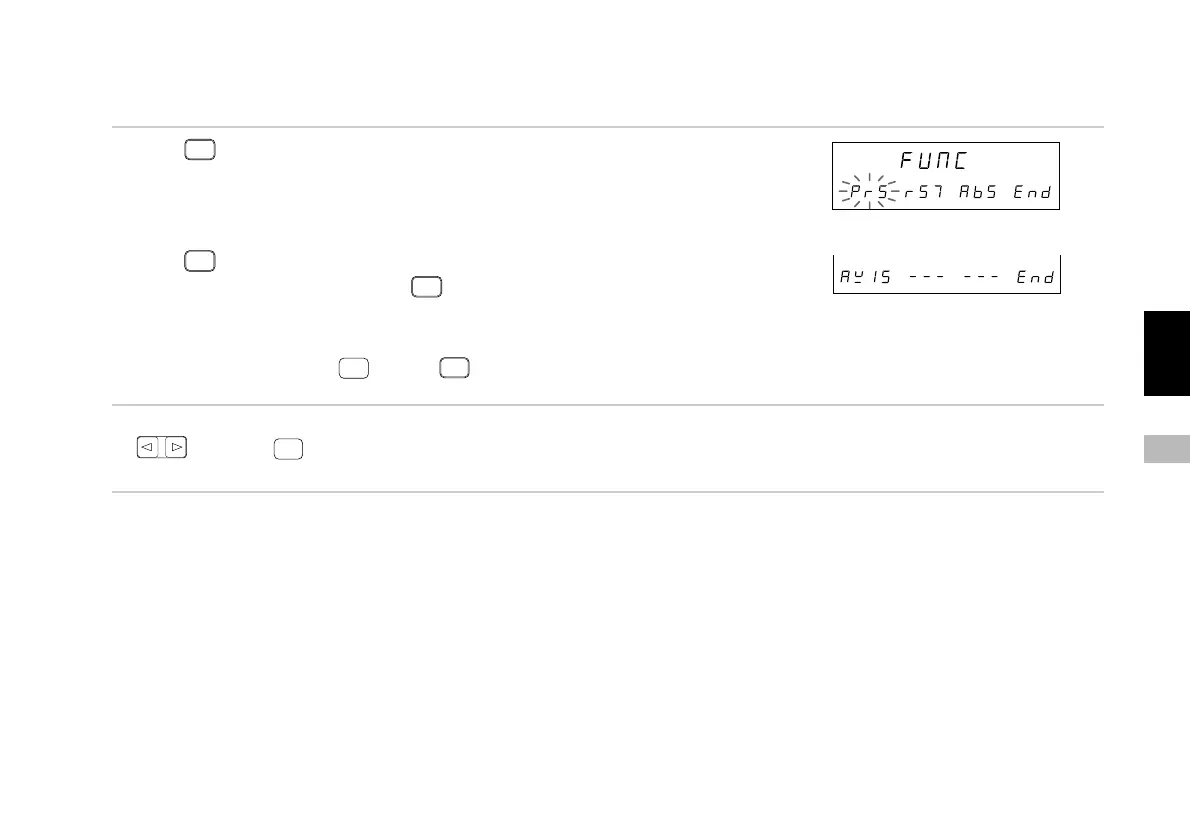
7-3-1. Menu selection
1. Press
F
.
The various function items are displayed.
(1) “PrS” : Presetting
(2) “rST” : Restarting
(3) “AbS” : Absolute value display
Press
F
.
The item menu is switched using
F
.
(4) “AXIS” : Operation for each axis (This cannot be
selected for the 1st axis only or 2nd axis only
input settings.)
Select “End” and press
ENTER
or press
RESET
to end the
function key menu settings.
2. Select the desired item using the cursor movement keys
and press
ENTER
.
Enters the selected item.
At this point, operation shifts to the various items. See the operations for each item.
Main display
Sub-display
Sub-display
(1) (2) (3)
(4)



 To Next Page