143
English
Deutsch
4-6-5. Display data settings
This sets the data to be displayed. (The display changes when the comparator units LZ51-K or LZ51-R are connected. In these
cases, see the instruction manual of the comparator unit.)
You can select blank display for axes that are not input by this setting. For example, if the input is set to 1st axis only by the
previous item, the display is blank when the 2nd axis is selected for this item.
(Continued from 4-6-1 (2).) (P.133)
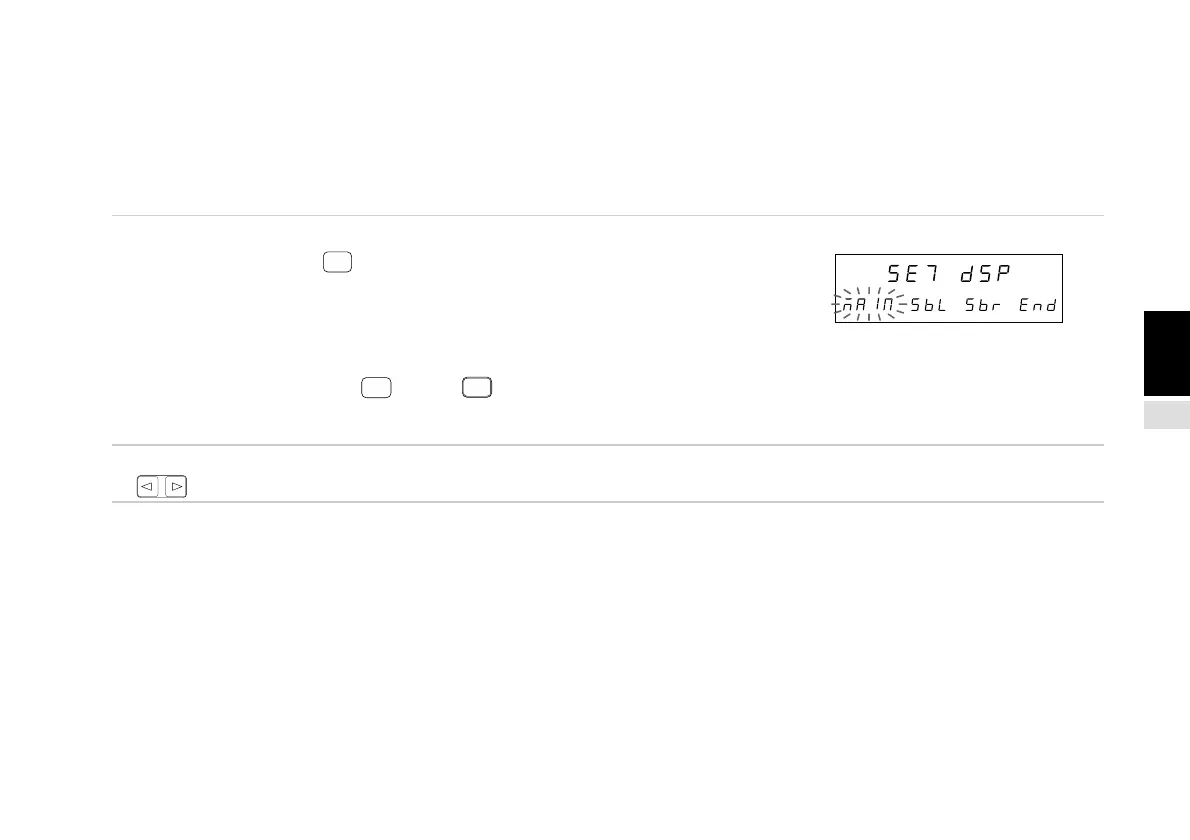
1. Select “dSP” and press
ENTER
.
Sets the data displayed on the main and sub-displays.
The selected item flashes.
(1) “MAIN” : Main display setting
(2) “SbL” : Sub-display (left side) setting
(3) “Sbr” : Sub-display (right side) setting
(4) Select “End” and press
ENTER
or press
RESET
to end the
setting operation and return to the MANUAL (individual
item setting) menu.
2. Select the desired item with the cursor movement keys
.
At this point, the operations are divided into cases (1) to (4) below.
(1) Main display setting
(2) Sub-display (left side) setting
(3) Sub-display (right side) setting
(4) End settings
The operations for each case are described below.
Main display
Sub-display
(2) (4)(3)(1)



 To Next Page