144
English
(1) Main display setting (Continued from P.143.)
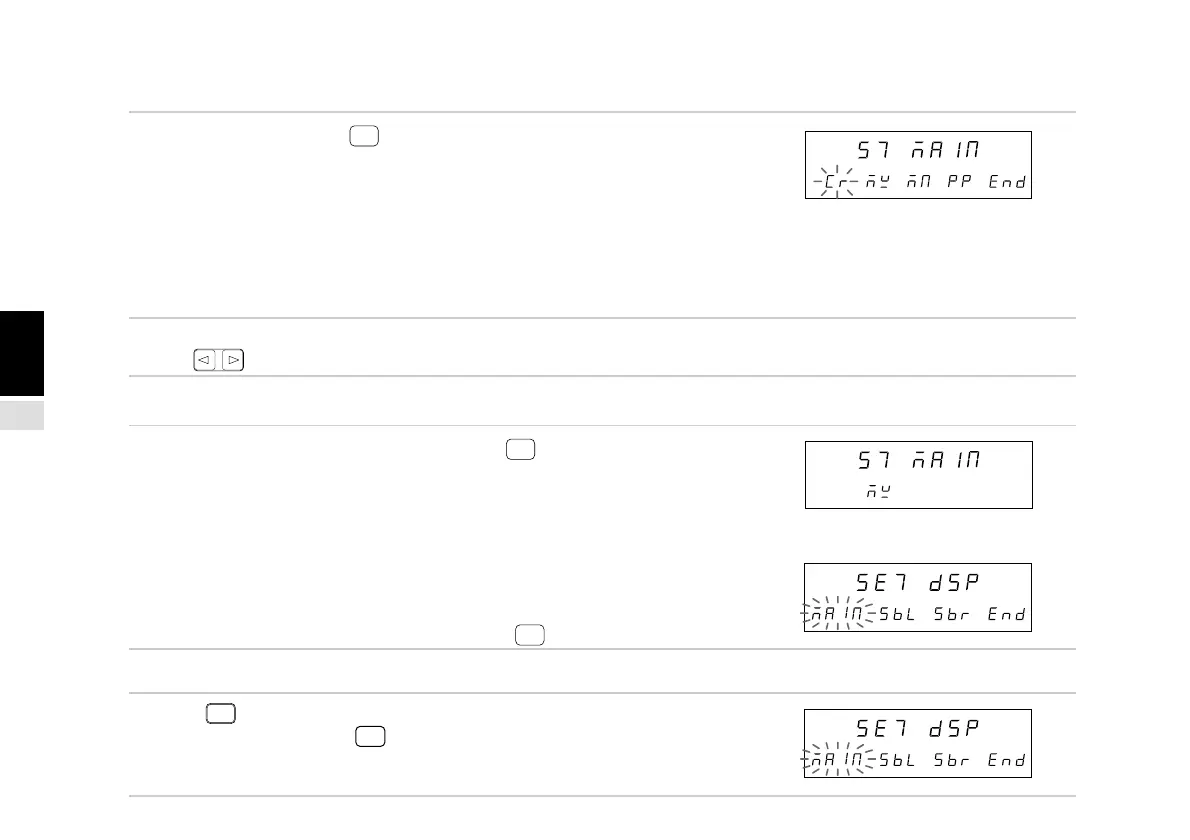
3. Select “MAIN” and press
ENTER
.
Sets the data displayed on the main display.
The selected item flashes.
“Cr” : Current value
“MX” : Maximum value
“MN” : Minimum value
“PP” : Peak-to-peak value
The initial setting is the current value 1st and 2nd
axes addition/subtraction (Cr).
4. Select the desired item with the cursor movement
keys .
• To enter the settings
5. Select the data you wish to display and press
ENTER
.
Enters the data displayed on the main display.
(In this case, the maximum value (MX) is selected.)
The setting contents light steadily for approximately
2 seconds for confirmation.
When the current value is selected, the settings do
not end.
The 1st axis (1), 2nd axis (2) and addition axis (Add)
selection appears.
Select the data you wish to display and press
ENTER
.
• To interrupt the settings
5. Press
RESET
or select “End” and press
ENTER
.
Interrupts the main display setting.
(Previous setting contents remain.)
↓
(After approx. 2 sec.)
Main display
Sub-display
Main display
Sub-display
Main display
Sub-display
Main display
Sub-display
(Lights)



 To Next Page