178
English
7-3-2. Presetting operation, recalling the preset value
This establishes a preset value with respect to the current value selected by the initial settings. Peak value calculation restarts
when the presetting operation is executed. When the presetting operation is executed during 1st and 2nd axis addition/subtraction,
the preset value is as follows.
1 + 2:1st axis = preset value, 2nd axis = reset
1 – 2:1st axis = preset value, 2nd axis = reset
2 – 1:1st axis = reset, 2nd axis = preset value
1,2: 1st axis = preset, 2nd axis = unchanged
To set a preset value for each axis, see “7-3-5. Operation for each axis”.
(Continued from 7-3-1.) (P.177)
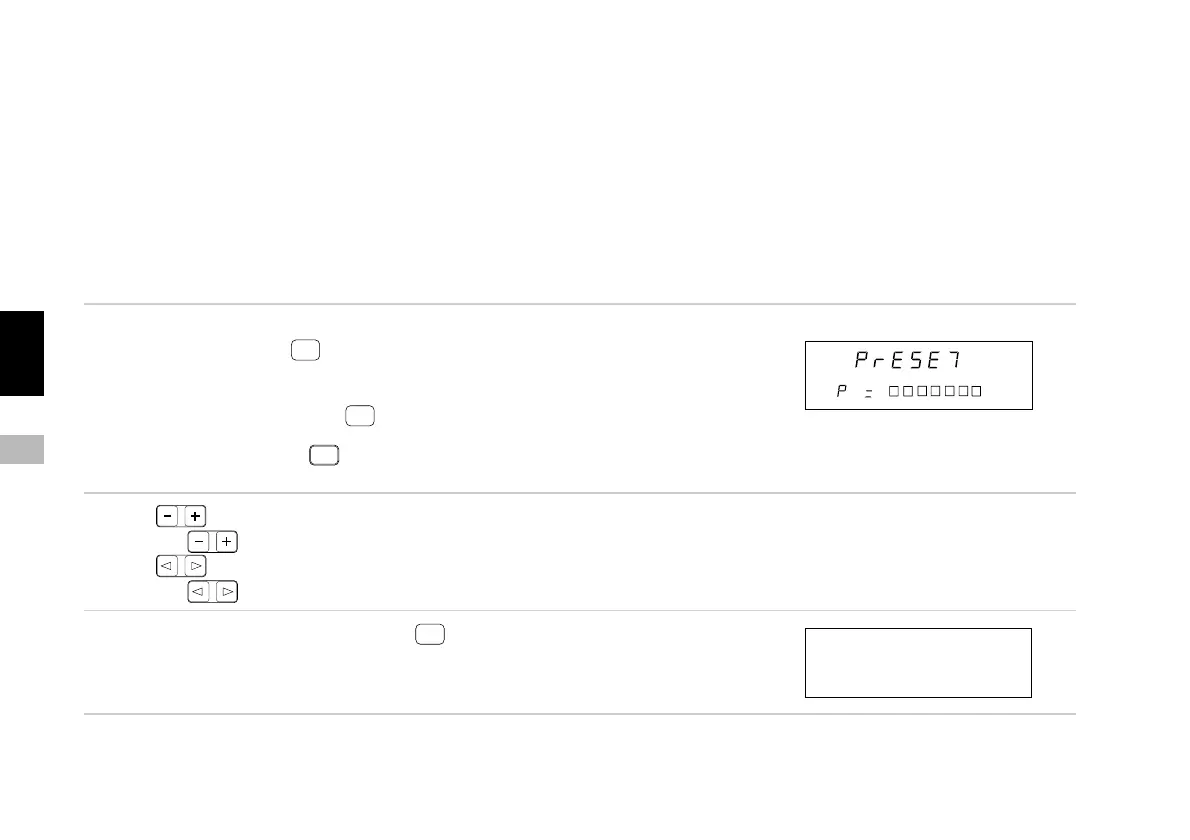
1. Select “PrS” and press
ENTER
.
The preset value input appears on the sub-display.
When recalling the preset value, the previous value
appears. In this case, press
ENTER
immediately without
performing the next operation. Operation can also be
interrupted by pressing
RESET
. (Return to the FUNC
(function key) menu.)
2. Press .
Press to change the number.
Press .
Press to change the digit
3. Set the required preset value and press
ENTER
.
The preset value is set for the current value and the peak
value is recalculated.
(Display corresponding to
the preset value)
Main display
Sub-display
Main display
Sub-display



 To Next Page