151
English
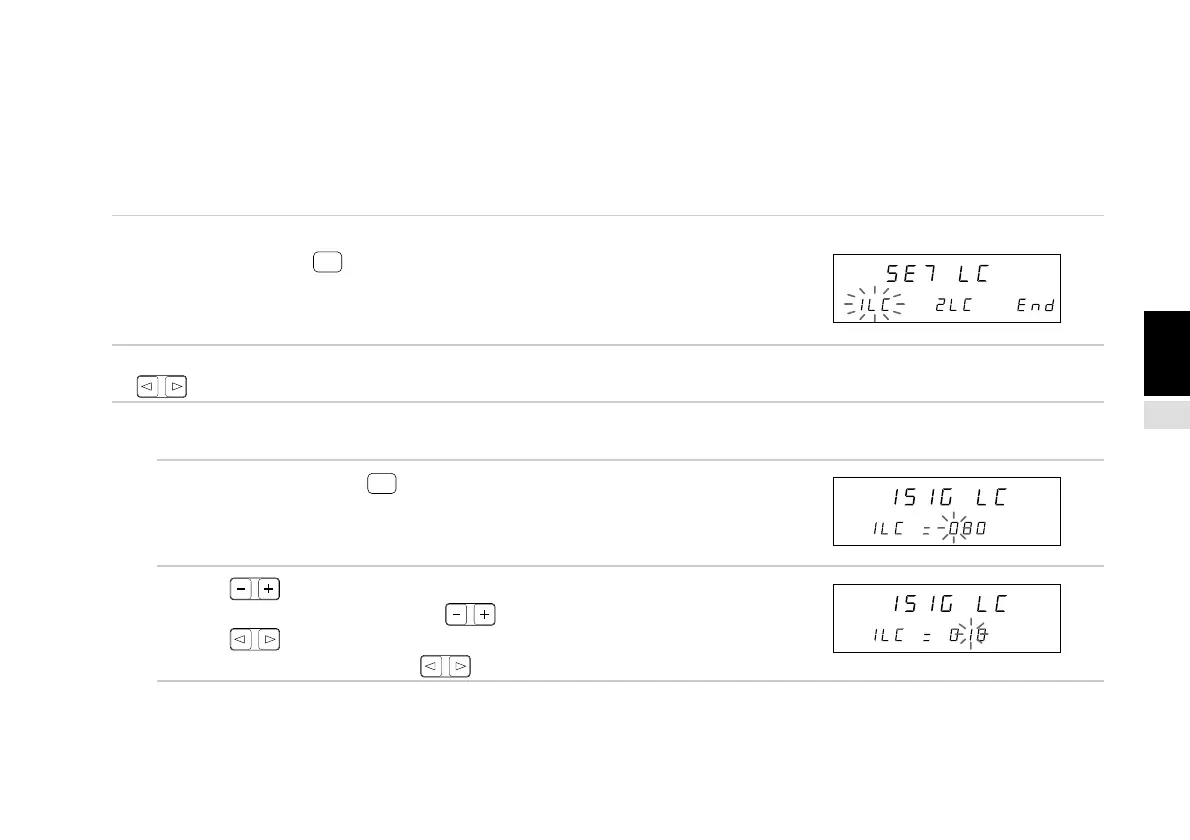
4-6-8. Linear compensation setting
The linear compensation is the amount of compensation per 1 m, and can be input in 1 µm units up to a maximum ±600 µm.
Input the linear compensation using the same minimum units as the input resolution in item 4-6-6. so that there are no fractions.
(Otherwise, compensation cannot be applied correctly.) For example, input the linear compensation in 10 µm units for 0.01 mm
input.
(Continued from 4-6-1 (2).) (P.133)
1. Select “LC” and press
ENTER
.
The 1st and 2nd axis linear compensation can be set.
The selected item flashes.
2. Select the desired item with the cursor movement keys
.
(1) 1st axis (2nd axis) linear compensation setting
3. Select “1LC” and press
ENTER
.
(Select “2LC” for the 2nd axis.)
The 1st axis linear compensation can be set.
4. Press .
The number changes each time is pressed.
Press .
The digit changes each time is pressed.
Main display
Sub-display
Main display
Sub-display
Main display
Sub-display



 To Next Page