147
English
Deutsch
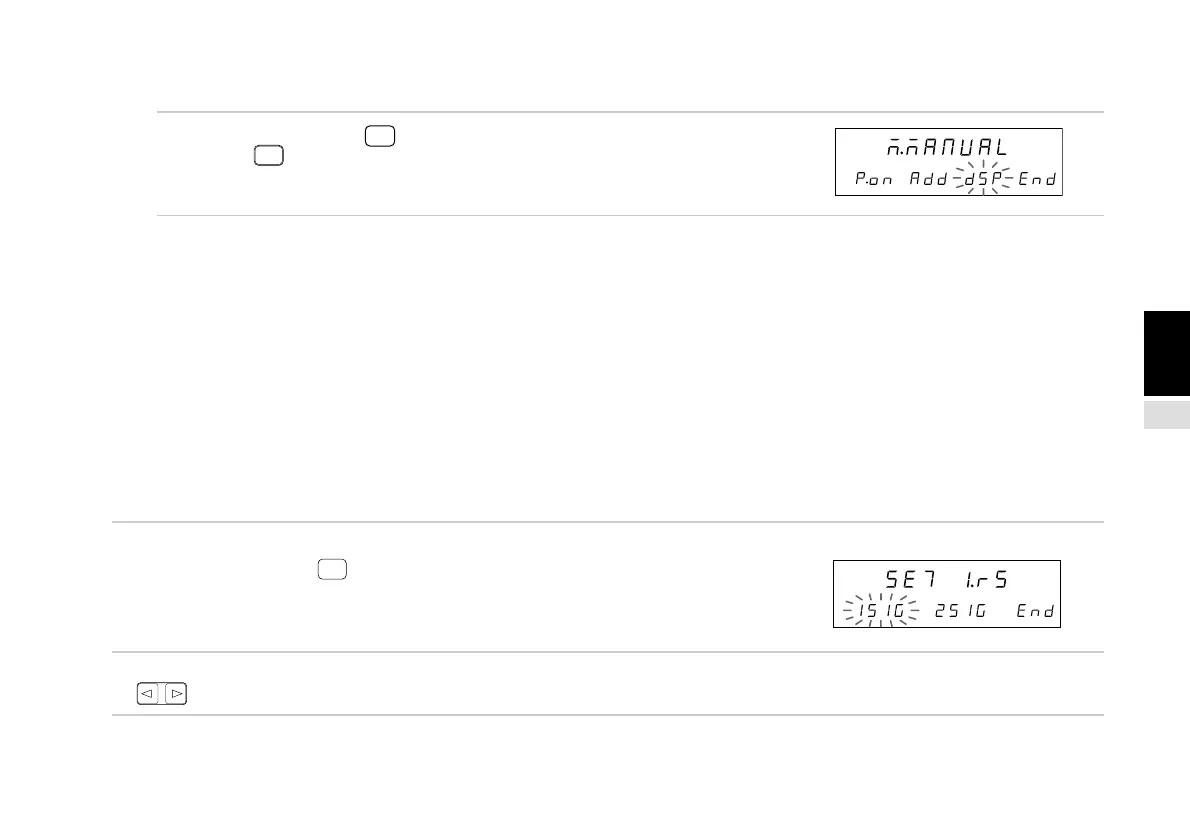
(4) End settings (Continued from P.143.)
3. Select “End” and press
ENTER
or press
RESET
.
Ends the display data settings.
4-6-6. Input scale unit resolution setting
The resolution is set automatically for some scale units including Magnescales, Digirulers and GA.
Magnescale: 0.0005 mm
Digiruler: 0.01 mm
GA: 0.005 mm
The resolution must be set for other scale units. Be sure to read the instruction manual of the scale unit used and set the correct
input resolution. If an incorrect resolution is set, counting cannot be performed properly. (Axes without scale unit input need not
be set. The resolution of axes not selected in item 4-6-4. is “None”. For example, if the input is set to 1st axis only, the resolution
of the 2nd axis is “None”.) See the “Collective code input table (1)” on P.137 for the resolutions which can be set. Automatic
setting is performed when the power is first turned on, or when the power is turned on again but the input scale unit type has
changed from before. Automatic setting is not performed if the input scale unit status is the same as before. Note that the
settings in items 4-6-4. and 4-6-5. above may also change when automatic setting is performed.
(Continued from 4-6-1 (2).) (P.133)
1. Select “l.rS” and press
ENTER
.
The 1st and 2nd axis input resolution can be set.
The selected item flashes.
2. Select the desired item with the cursor movement keys
.
Main display
Sub-display
Main display
Sub-display



 To Next Page