171
English
7-2. Zero Point Key Operations
Various operations related to zero point functions can be executed.
Zero point key operation menu configuration
REF LOAd (Zero point load) 7-2-2.
HLd (Zero point hold/zero poit reference hold) 7-2-3.
OFL (Zero point offset load) 7-2-4.
rLd (Zero point reference load) 7-2-5.
rOF (Temporarily stopping/recovering the zero point reference mode) 7-2-6.
rCL (Canceling the zero point reference mode) 7-2-7.
End (Ends the zero point key operation menu settings)
7-2-1. Selecting the zero point menus
1. Press
REF
.
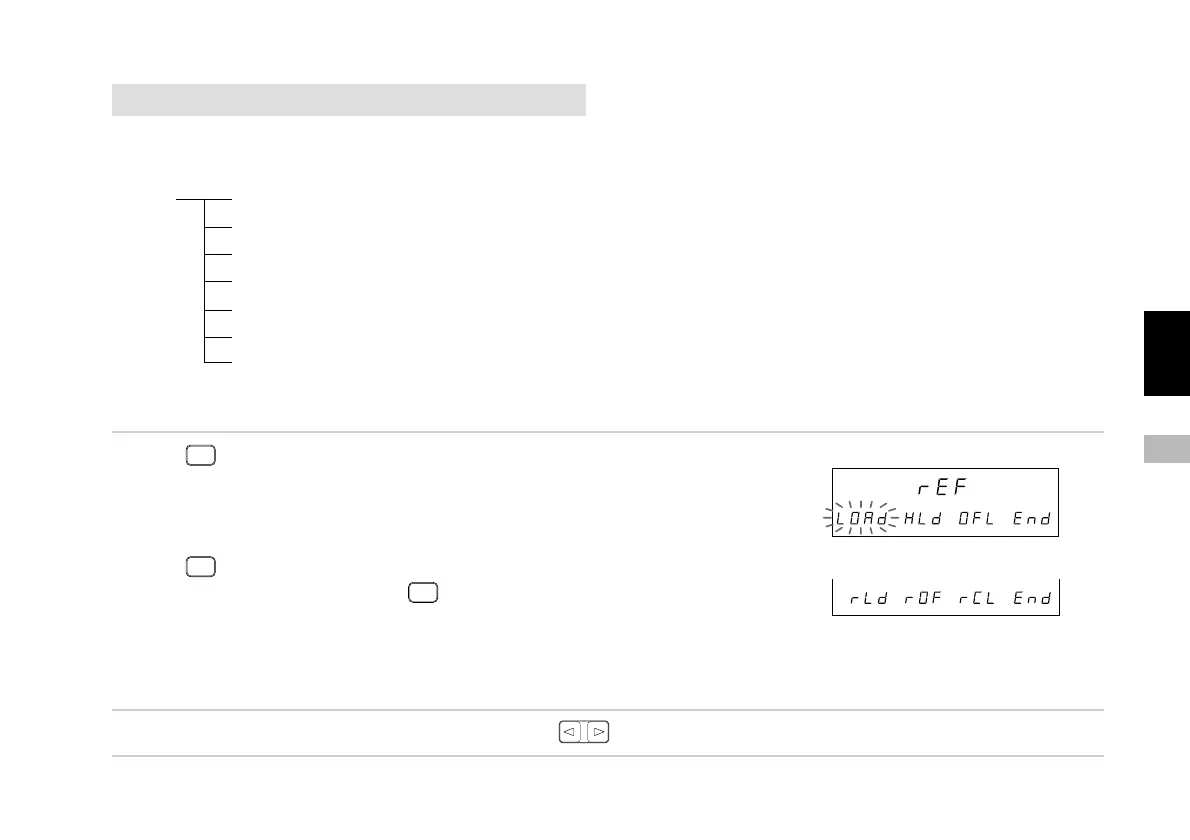
The zero point operation items appear.
(1) “LOAd” : Zero point load
(2) “HLd” : Zero point hold
(3) “OFL” : Zero point offset load
Press
REF
.
The item menu is switched using
REF
.
(4) “rLd” : Zero point reference load
(5) “rOF” : Temporarily stopping/recovering the zero
point reference mode
(6) “rCL” : Canceling the zero point reference mode
The selected item flashes.
2. Select the desired item with the cursor movement keys .
At this point, operation shifts to the various items. See the operations for each item.
(1)
(2)
(3)
(6)
(5)
(4)
Sub-display
Main display
Sub-display



 To Next Page