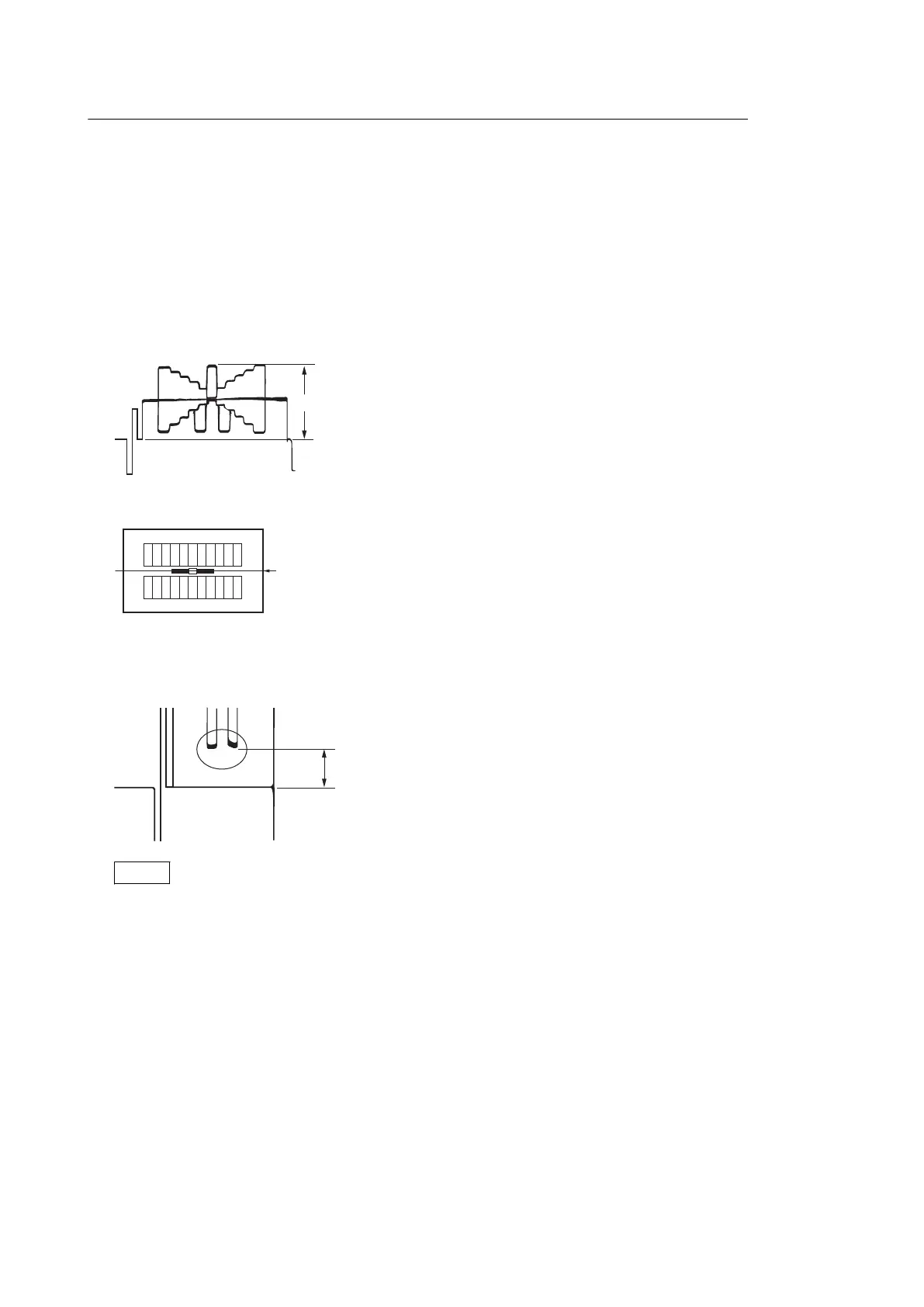
Flare Adjusting Method
Preparation
• Connect the HD waveform monitor to the SDI OUT connector.
• Set the HD waveform monitor to the RGB mode.
• Capture the grayscale and adjust the white balance.
• Set Knee of the PICTURE PROFILE SET menu to "Auto" or "Off."
Adjustment procedure
1. Set the white level (A in the figure below) to 100% with the lens iris and open the iris two steps from that
position.
2. Select the center of the grayscale by the waveform monitor.
3. Adjust the R Flare, G Flare, and B Flare so that the black level (B in the figure below) on both sides of the center
white becomes equal in the R, G, and B channels.
(Adjust them to the channel with the lowest black level.)
Notes
• A correct grayscale chart is required for flare adjustment.
• If no correct grayscale chart is provided, adjust the R Flare, G Flare, and B Flare values to ±0.
4-2-6. Executing Auto FB Adjust
• The Auto FB Adjust menu enables automatic adjustment of lens flange back.
• When Auto FB Adjust is executed, auto-focusing is made at the WIDE end and the TELE end of lens zoom. This
allows a lens to remain in focus even though the zoom position is changed after focus adjustment. The result of
Auto FB Adjust is saved.
• When the Auto FB Adjust menu is selected, the Execute and Cancel choices appear. In addition, selecting Execute
starts automatic adjustment of flange back.
PMW-200/PMW-EX280
4-5



 To Next Page