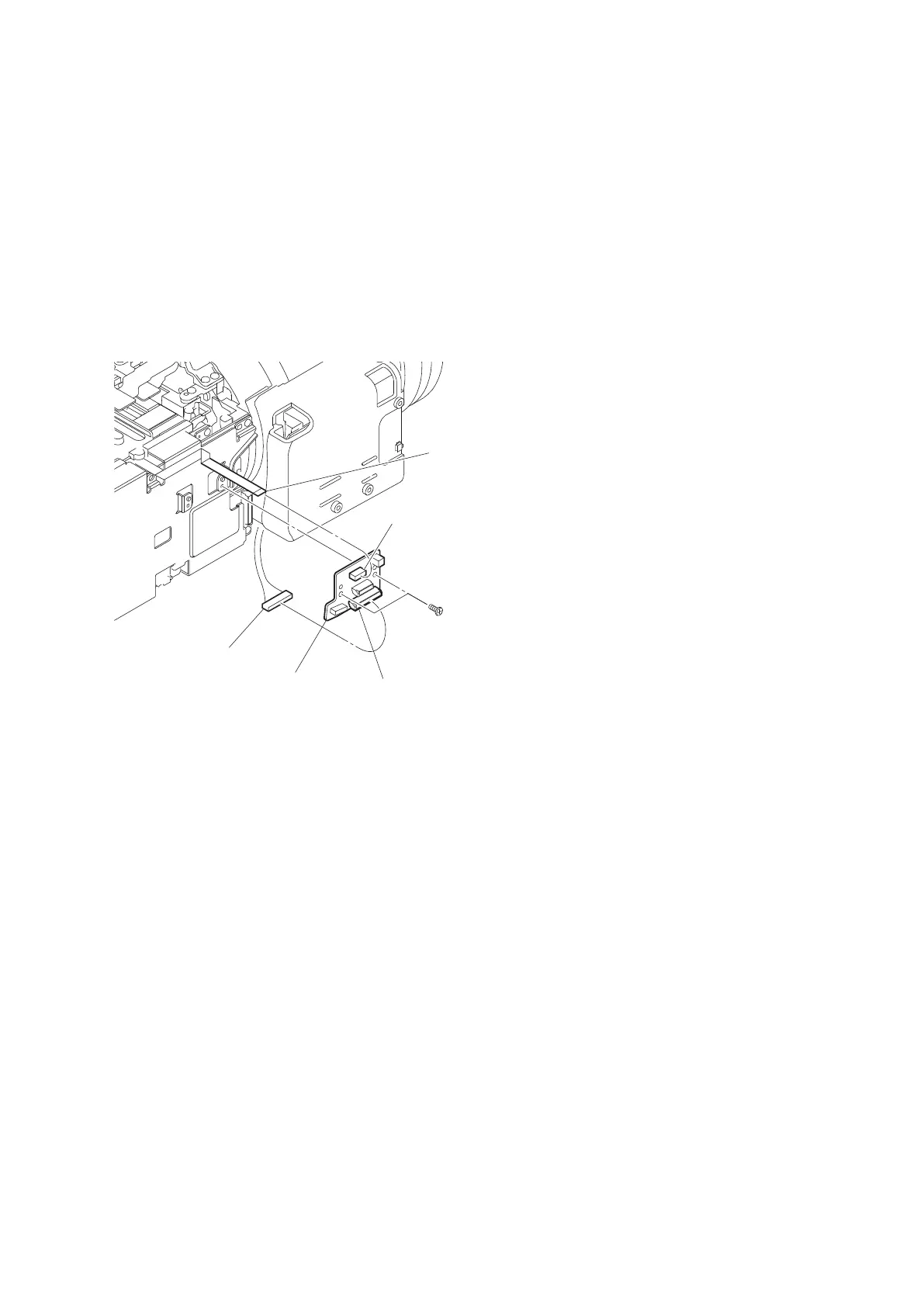
2-10. CN-3540 Board
Preparation
1. Remove the battery lid. (Refer to “2-2. Lithium Battery”.)
2. Remove the bottom cover. (Refer to “2-3. Bottom Cover and Tripod Washer”.)
3. Remove the outside panel assembly. (Refer to “2-5-1. Outside Panel Assembly”.)
Procedure
1. Disconnect the flexible flat cable from the connector CN101 on the CN-3540 board.
2. Disconnect the harness from the connector CN103 on the CN-3540 board.
3. Remove the two screws to detach the CN-3540 board.
Flexible flat cable
Harness
CN-3540 board
CN103
CN101
P2 x 4
4. Install the removed parts by reversing steps of removal.
PMW-200/PMW-EX280
2-19



 To Next Page