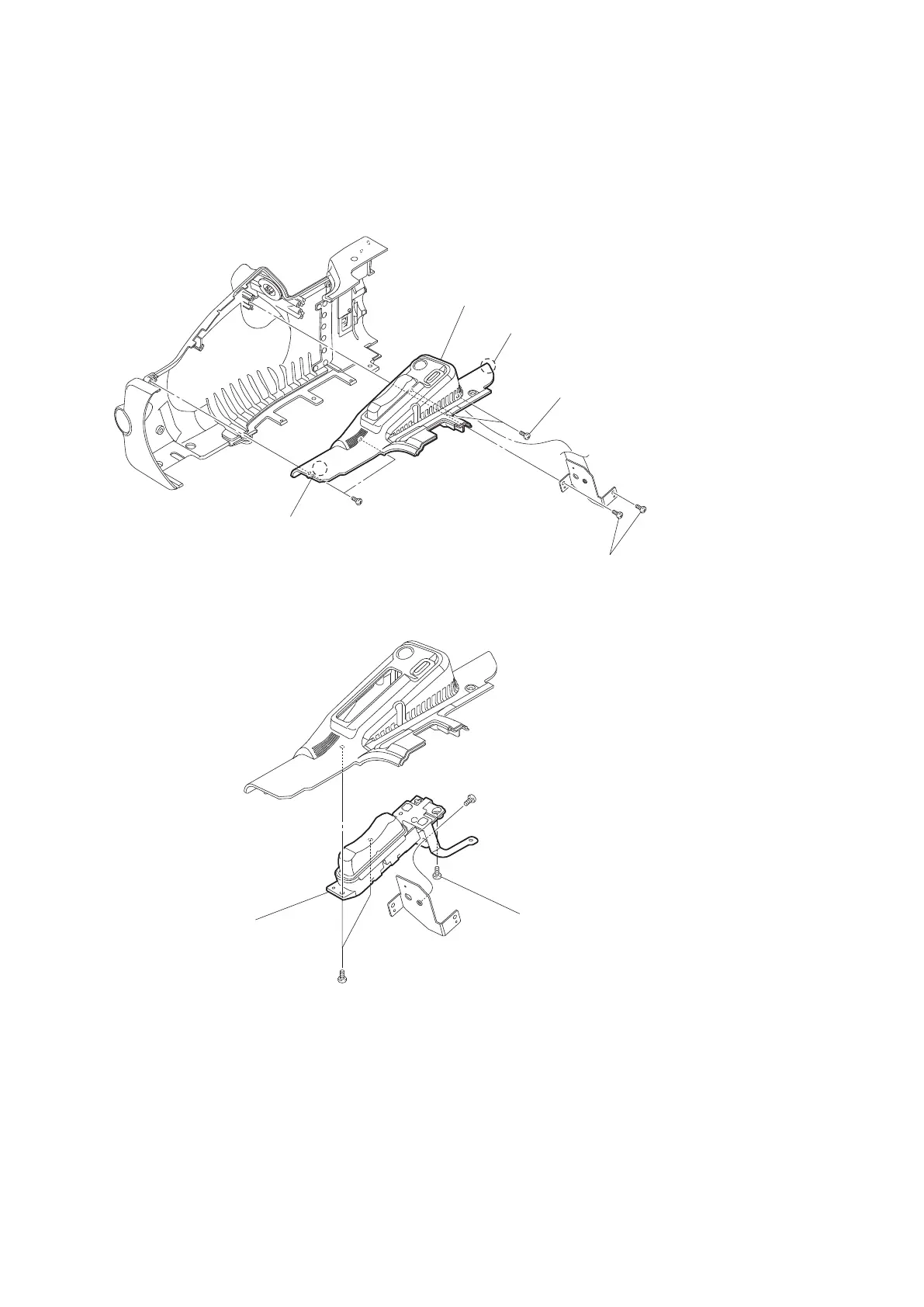
3. Remove the outside panel assembly. (Refer to “2-5-1. Outside Panel Assembly”.)
Procedure
1. Remove the six tapping screws (2 x 5).
2. Remove the two claws to detach the zoom seesaw cover assembly.
Zoom seesaw
cover assembly
Claw
Tapping screws (2 x 5)
Claw
Tapping screws (2 x 5)
Tapping screws (2 x 5)
3. Remove the precision screw (M2 x 4) and the three tapping screws (2 x 5) to detach the zoom seesaw assembly.
Precision screw (M2 x 4)
Tapping screw (2 x 5)
Tapping screws (2 x 5)
Zoom seesaw assembly
4. Install the removed parts by reversing steps of removal.
2-5-3. IO-254 Board
Preparation
1. Remove the battery lid. (Refer to “2-2. Lithium Battery”.)
2. Remove the bottom cover. (Refer to “2-3. Bottom Cover and Tripod Washer”.)
3. Remove the outside panel assembly. (Refer to “2-5. Outside Panel”.)
PMW-200/PMW-EX280
2-10



 To Next Page