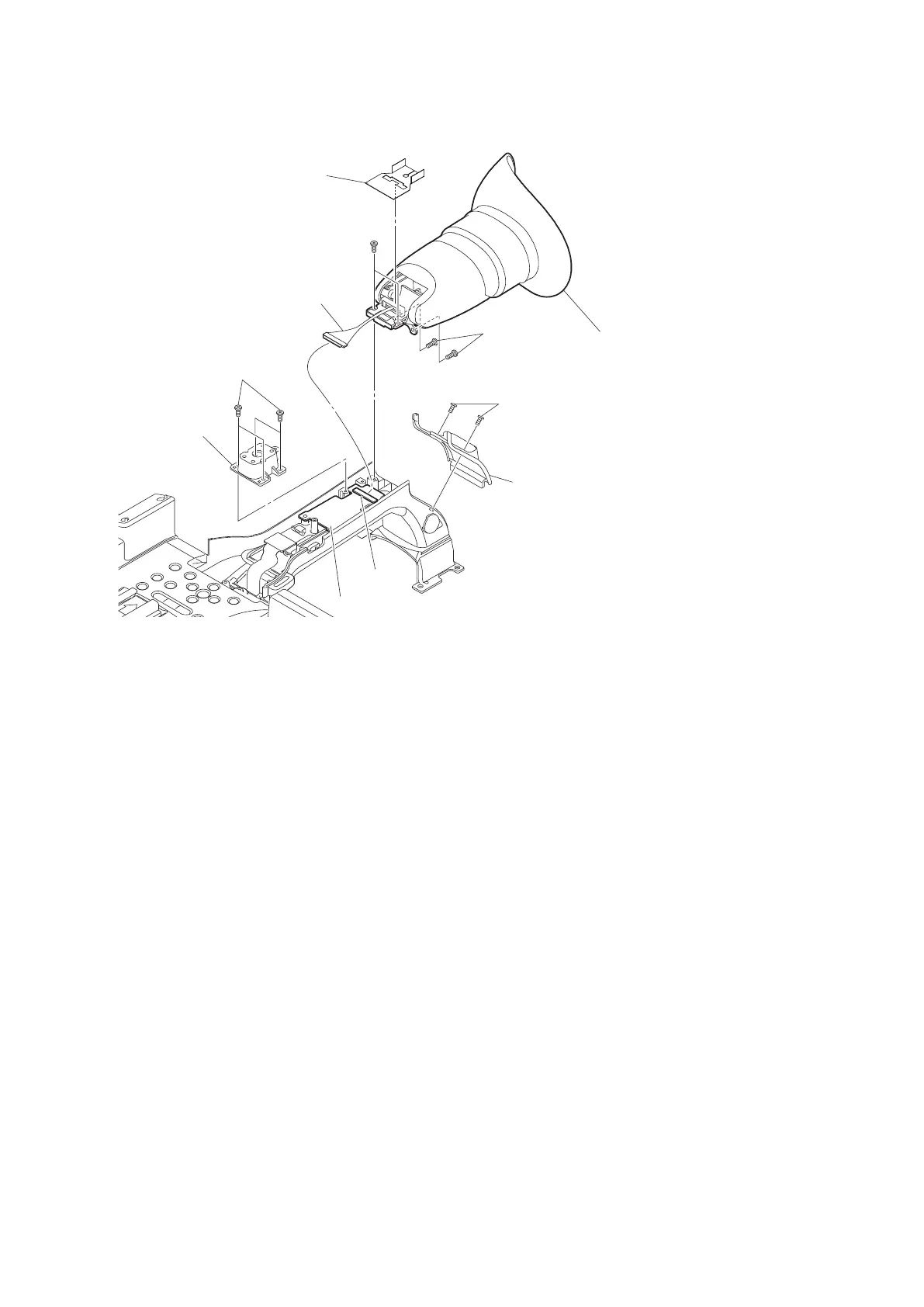
5. Remove the four precision screws (M2 x 4) to detach the EVF case assembly.
Precision screws
(M2 x 4)
Harness
EVF harness sheet
EVF case assembly
Precision screws
(M2 x 4)
Precision screws
(M2 x 4)
Precision screws
(M2 x 5)
Rear (cold) shoe
CN101
DR-670 board
Handle rear
cabinet assembly
6. Install the removed parts by reversing steps of removal.
2-13-5. LCD Assembly
Preparation
1. Remove the handle (upper) case assembly.(Refer to “2-13-2. Control Switch Block (GZ92000)”.)
2. Remove the control panel assembly. (Refer to “2-13-3. MIC Unit”.)
Procedure
1. Peel off the tape (BT).
2. Disconnect the harnesses from the connectors CN402 and CN403 on the KSW-62 board.
PMW-200/PMW-EX280
2-28



 To Next Page